Design - Create - Grow


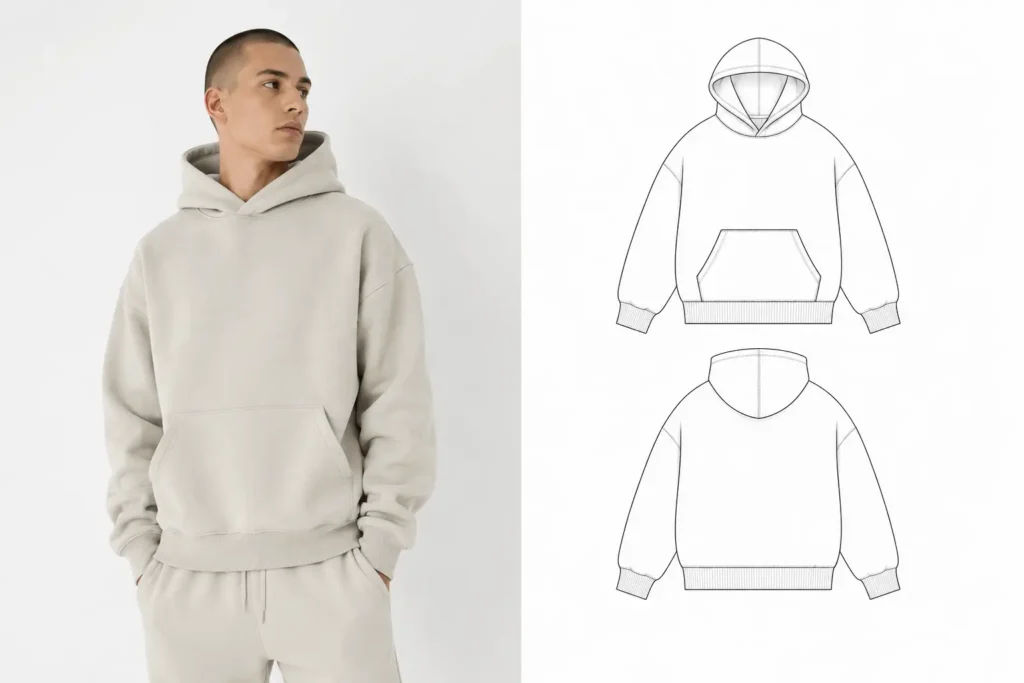
Struggling to decide between realistic clothing mockups vs flat lay for your apparel brand? You’re not alone. It’s one of the most common questions we hear from fashion designers, print-on-demand sellers, and brand owners who are trying to present their designs without booking an expensive photoshoot.
Here’s why it matters: product presentation can make or break a sale. Studies on e-commerce behavior consistently show that shoppers rely heavily on product imagery to decide whether to buy, and clothing is one of the most visual-first categories online. Choosing the wrong mockup style for the job doesn’t just look unpolished — it can cost you conversions or confuse your manufacturer.
This guide breaks down realistic clothing mockups vs flat lay in plain terms: what each style actually is, when to use one over the other, and where the top templates for both come from. By the end, you’ll know exactly which mockup style fits your current stage of building a clothing brand — and why most professional apparel designers eventually use both.
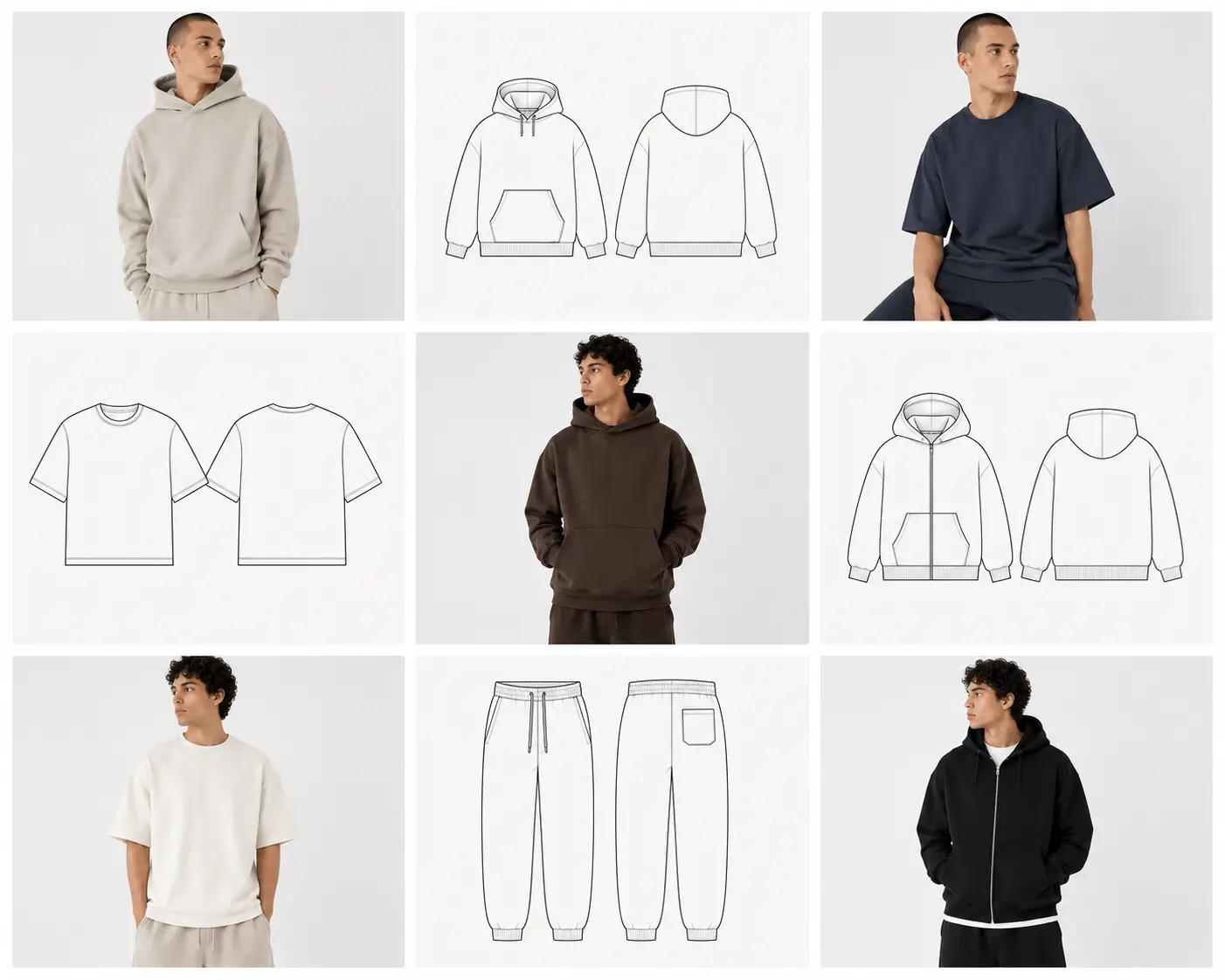
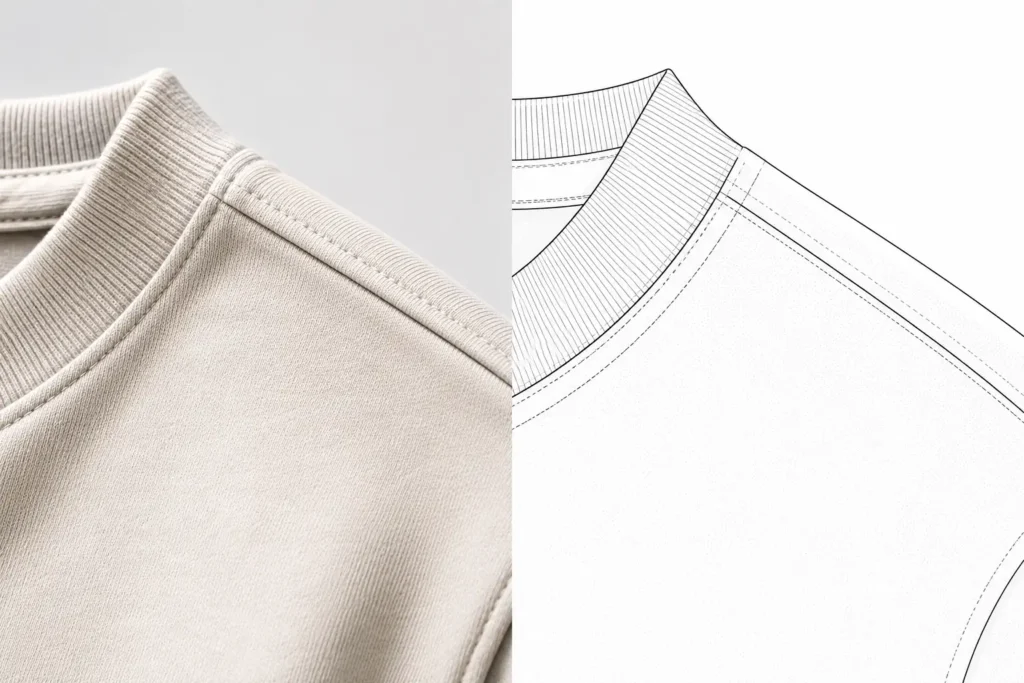
💡Quick Answer: The main difference between realistic clothing mockups vs flat lay is that realistic mockups show your design on a 3D model or lifestyle scene to sell to customers, while flat lay mockups show your design as a clean, 2D vector or top-down layout used for techpacks, manufacturing specs, and precise brand documentation.
Understanding the Mockup Styles
Before comparing pros and cons, it helps to know exactly what you’re choosing between.
Realistic mockups are photo-quality PSD files that display your artwork on a 3D model, mannequin, or styled lifestyle scene using Photoshop smart objects. They mimic an actual photoshoot without the studio, model, or camera.
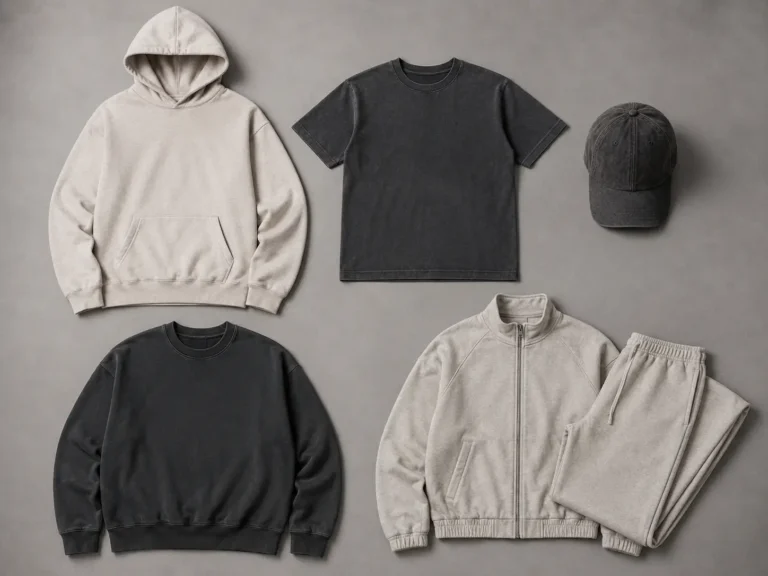
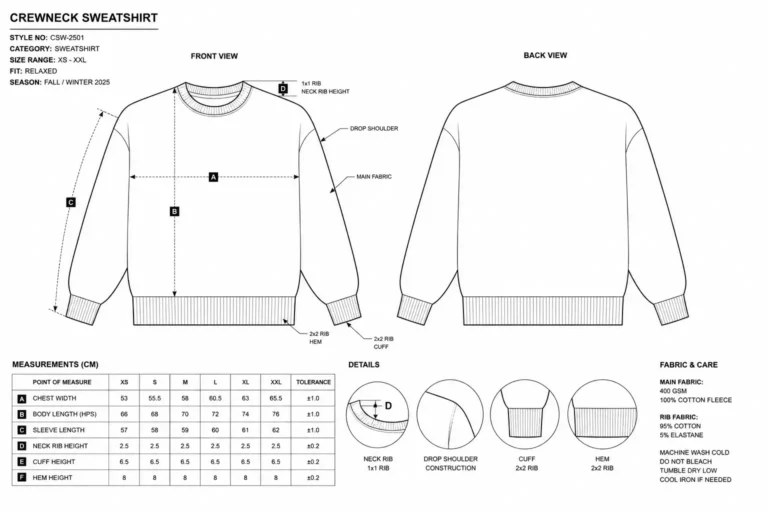
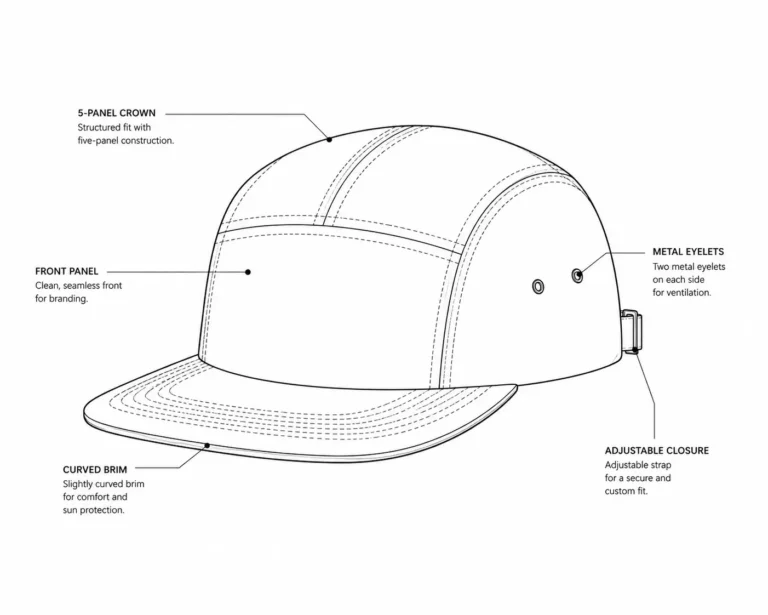
Flat lay mockups (also called vector or 2D mockups) are clean, top-down or spec-style templates — usually built in Illustrator or as scalable vector files — that show a garment laid flat with exact proportions, seams, and construction details visible.
When people search flat lay vs 3D clothing mockups, they’re usually trying to figure out which one matches their next task. Here’s a quick breakdown:
- Realistic (3D) mockups — best for Shopify product pages, Instagram ads, lookbooks, and Etsy listings where you need the garment to feel “wearable” and real.
- Flat lay (vector) mockups — best for techpacks, manufacturer specification sheets, size charts, and internal brand documentation where accuracy matters more than atmosphere.
- Both together — best for a full brand workflow, since designers, sellers, and factories rarely need the exact same image.
Fashion designers working with overseas manufacturers, in particular, tend to lean on flat lay files because factories need clean, unambiguous references — not stylized photography.
Realistic vs Flat Lay Mockups: Pros & Cons
Neither style is objectively “better” — they solve different problems. Here’s the honest breakdown of realistic clothing mockups vs flat lay, point by point.
| Feature | Realistic Mockups | Flat Lay / Vector Mockups |
|---|---|---|
| Visual Appeal | High — looks like a real photoshoot | Clean and minimal, less emotional pull |
| Manufacturing Use | Poor — too stylized for factories | Excellent — precise and unambiguous |
| Techpack Integration | Rarely used | Standard practice in techpacks |
| Customer Trust | Strong — feels tangible and “real” | Moderate — reads as a design draft |
| File Type | PSD with smart objects | AI/EPS vector or flat PSD |
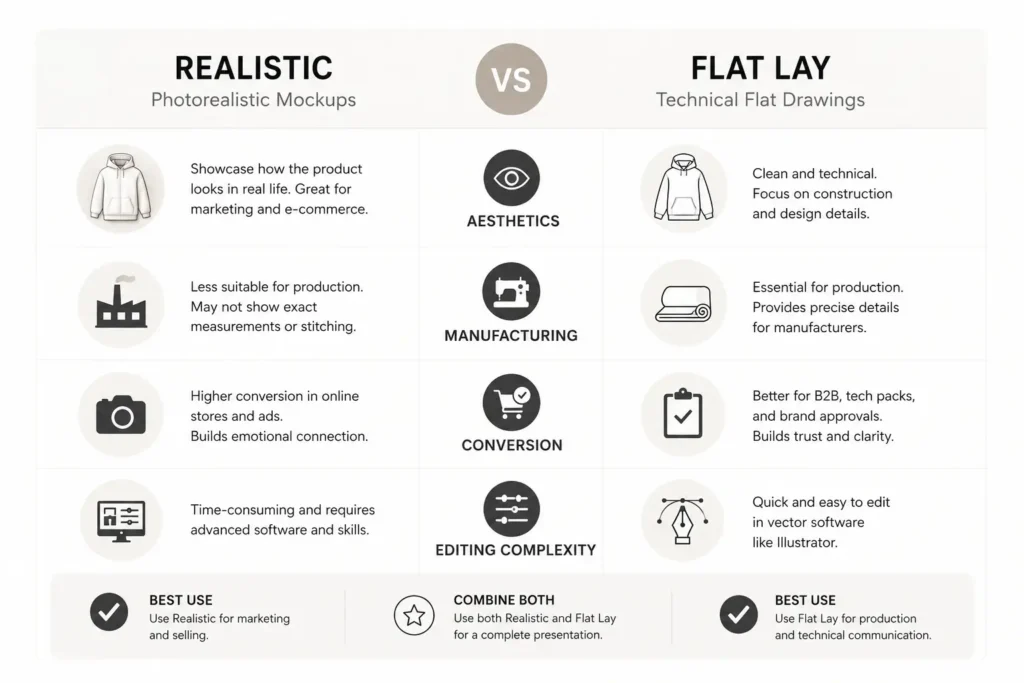
Aesthetics: Realistic mockups win here almost every time — they’re built to look like a finished product on a real body or scene.
Techpack Suitability: This is where flat lay pulls ahead decisively. Manufacturers need exact seam placement, stitching, and proportion, which vector files deliver far better than a stylized 3D render.
Customer Conversion: For anything customer-facing, realistic mockups typically perform better because shoppers connect more with lifestyle imagery than technical drawings.
Editing Complexity: Flat lay vectors are generally easier and faster to scale and recolor since they’re built on paths rather than pixel-based smart objects — though realistic PSDs have gotten much more beginner-friendly with drag-and-drop layers.
Best Use Case: Realistic for storefronts and marketing; flat lay for production and internal documentation.
💡 Pro Tip: Use flat lay vectors for your manufacturer techpacks, but switch to realistic mockups the moment you’re ready to list that same item on your Shopify store.
This is exactly why so many designers end up needing both. If you’re only choosing one, ask yourself which stage of the process you’re currently stuck on — that answer usually points to the best mockup style for clothing brand needs at this moment.
Top 7 Mockup Bundles for Every Style
Whether you land on realistic, flat lay, or a mix of both, here are seven solid options worth knowing about — including where S.i. Graphics fits in.
1. S.i. Graphics Realistic Clothing Mockups Mega Bundle – Best for Lifelike E-commerce Presentation
Built for sellers who need their storefront to look like a professional catalog shoot. This bundle uses high-resolution PSD smart objects with realistic fabric drape, lighting, and 3D mapping, so your artwork sits naturally on the garment instead of looking pasted on.
Price: $29.99
What’s included: Multiple garment types (tees, hoodies, crewnecks), front/back/detail views, editable PSD files with organized smart object layers
Best for: Print-on-demand sellers, Shopify and Etsy store owners, small apparel brands
✓ Unmatched 3D realism for storefront-ready images
✓ Drag-and-drop Photoshop smart objects — beginner-friendly
✓ Multiple angles per garment for a consistent catalog look
✓ Lifetime file access after purchase
✗ Requires Photoshop (or a compatible smart-object editor) to use
2. S.i. Graphics Complete Vector Mockup Library – Best for Techpacks and Manufacturing
When you need to send exact specs to a factory, this is the file type that removes guesswork. Every garment is built as a clean, scalable vector with precise seam lines, so manufacturers get an unambiguous reference instead of a stylized photo.
Price: $49.99
What’s included: Vector flat lay templates for core garment types, front/back technical views, editable color and stitching layers
Best for: Fashion designers, techpack creators, small-batch manufacturers, design agencies
✓ Industry-standard precision for manufacturer communication
✓ Infinitely scalable vector files — no pixelation at any size
✓ Works in Illustrator, and exports cleanly to PDF for factories
✓ Ideal companion to a size chart or spec sheet
✗ Less “eye-catching” for customer-facing marketing on its own
3. Placeit by Envato – Best Alternative for Subscription-Based Realistic Mockups
Placeit is a well-known browser-based mockup generator with a large realistic apparel library, including t-shirts, hoodies, and activewear on real-looking models. Everything happens in-browser, so you don’t need Photoshop at all.
Price: From roughly $14.95/month, or about $7.47/month billed annually
What’s included: Cloud-based mockup generator, apparel templates, some logo and video tools
Best for: Sellers who want quick, no-software mockups on a recurring basis
✓ No Photoshop or design software required
✓ Huge template library beyond just apparel
✓ Good for fast, one-off product images
✗ Ongoing subscription cost adds up if you only need mockups occasionally
✗ Less control over fine editing compared to layered PSD files
4. TheVectorLab Flat Lay Pro Collections – Best Alternative for Precise Vector Flat Lays
TheVectorLab specializes in flat lay-style apparel templates built specifically for Illustrator, Photoshop, and Affinity. Their Flat Lay Pro line covers t-shirts, hoodies, and long sleeves with multiple fabric ripple variations so templates don’t look identical.
Price: Individual collections typically run $29–$36 each
What’s included: Layered flat lay templates per garment type, infinite recolor options, multiple views
Best for: Designers who want a dedicated vector/flat lay specialist rather than a mixed bundle
✓ Purpose-built for flat lay and techpack-style presentation
✓ Infinite color and fabric variations per template
✗ Buying multiple garment collections separately can cost more than a single bundle
5. S.i. Graphics Clothing Mockups Mega Bundle Vol. 1 & Vol. 2 – Best Comprehensive/Hybrid Choice
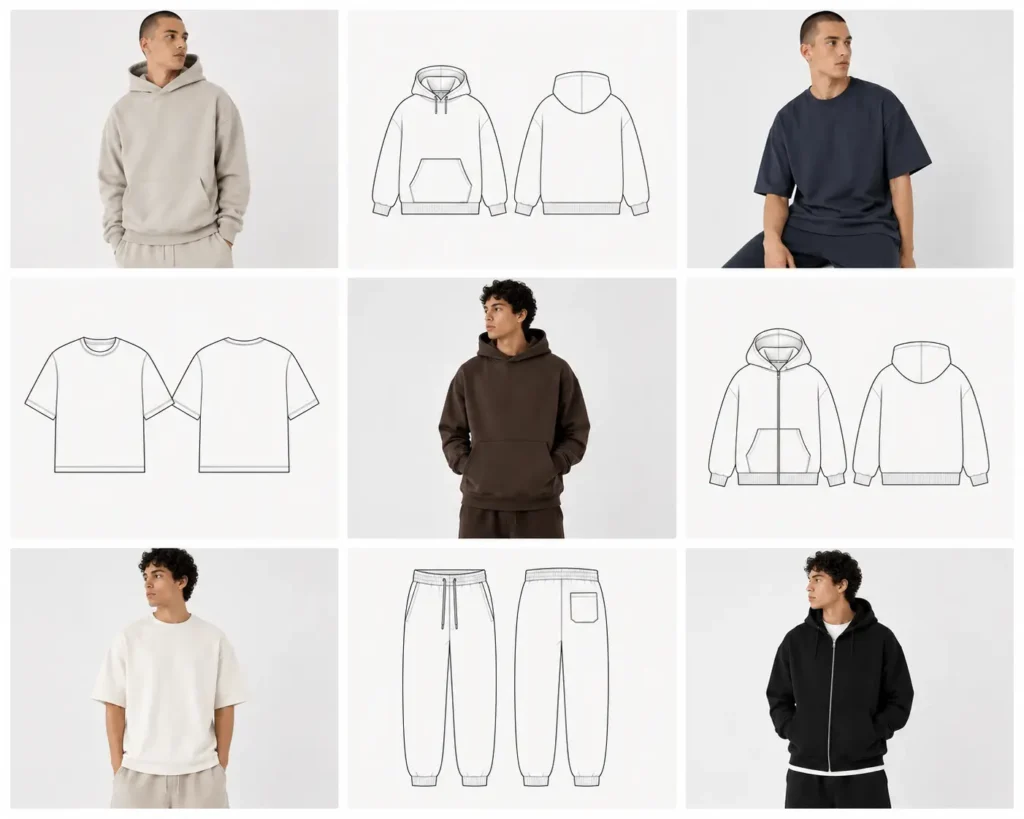
For brands that don’t want to choose, these bundles combine realistic and flat lay assets across a wide range of garments in one purchase, making them the most efficient best mockup style for clothing brand option if you need both use cases covered.
Price: $44.99 & $34.99 (Vol. 1 & Vol. 2 available separately or together)
What’s included: A mix of vector mockups across multiple apparel categories
Best for: Full-scale clothing brands managing both marketing and manufacturing in-house
✓ Covers e-commerce and techpack needs in one purchase
✓ Highly rated for variety across garment types
✓ Great value compared to buying styles separately
✗ Larger file size and steeper learning curve for first-time users
6. Mockup World Free Flat Lay Templates – Best Free Flat Lay Option
Mockup World is a long-running free mockup directory with a solid selection of no-cost flat lay and apparel templates. It’s a reasonable starting point if you’re testing your workflow before investing in a paid bundle.
Price: $0
What’s included: Free downloadable PSD/vector mockups across several product categories
Best for: Hobbyists, students, or brand-new sellers validating an idea before spending money
✓ Completely free to start
✓ Decent variety for basic testing
✗ Limited garment types and fewer premium features like infinite color swaps
✗ Commercial licensing terms vary by file, so always check before using for sales
7. Creative Market Apparel Mockup Bundles – Best for Custom or Niche Garment Needs
Creative Market is a marketplace where independent designers sell mockup bundles individually, which makes it a good place to find niche garment types — scarves, kids’ apparel, or specific brand-name fits — that broader bundles might not cover.
Price: Varies by creator, typically $15–$100+ depending on scope
What’s included: À la carte PSD or vector mockups from independent studios
Best for: Designers hunting for a very specific garment, pose, or styling not found elsewhere
✓ Wide variety since many independent creators sell here
✓ Good for filling gaps in your existing mockup library
✗ Quality and file organization vary by seller
✗ No unified support — you rely on each individual creator
How to Choose the Right Mockup Style
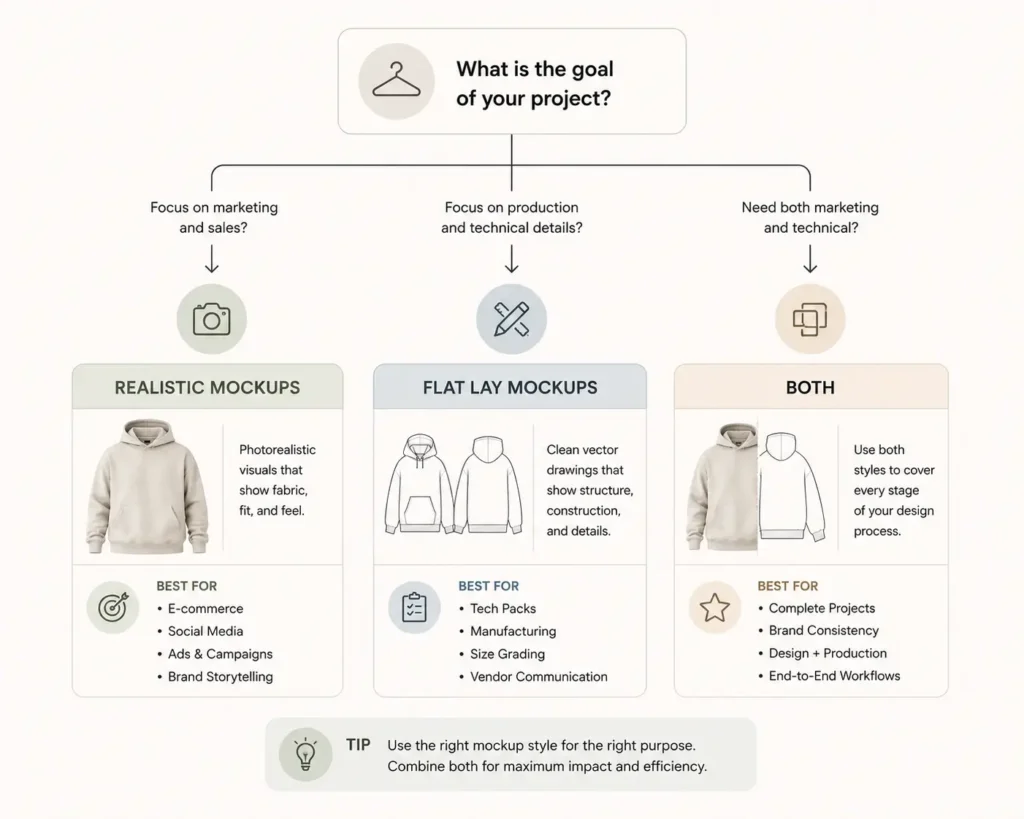
Use this simple framework to settle the realistic clothing mockups vs flat lay question for your specific situation.
Start by asking three questions:
- What’s your end goal right now? Selling to a customer, or briefing a manufacturer?
- What’s your brand aesthetic? Lifestyle-driven and visual-first, or minimal and spec-focused?
- What software are you comfortable with? Photoshop smart objects, or vector tools like Illustrator?
Choose Realistic Mockups if: ✓ You’re launching an online store or Etsy shop ✓ You want lifestyle-driven branding and social content ✓ You want to replace an expensive photoshoot
Choose Vector/Flat Lay Mockups if: ✓ You’re creating a techpack ✓ You’re sending designs to manufacturers or factories ✓ You need exact measurement layouts and construction detail
Choose Both if: ✓ You’re running a full-scale, professional clothing brand that needs marketing assets and manufacturer-ready documentation
💡 Pro Tip: If you can only afford one style right now, buy for the stage you’re in — manufacturing comes before marketing for most new brands, so flat lay often comes first.
Frequently Asked Questions
Which converts better for e-commerce: realistic or flat lay mockups?
Realistic mockups generally convert better for e-commerce because they help shoppers visualize how a garment actually looks and fits on a body. Flat lay mockups can still work for minimalist or streetwear brands, but most storefronts benefit more from a lifestyle-style presentation like the S.i. Graphics Realistic Bundle.
Do I need flat lay mockups to create a techpack?
Yes, in most cases. Techpacks rely on flat, proportionally accurate vector drawings so manufacturers can read exact seam placement, stitching, and measurements without the distraction of styling or lighting effects.
What software do I need to edit these mockup bundles?
Realistic PSD mockups typically require Adobe Photoshop to use the smart object layers. Vector flat lay mockups usually work in Adobe Illustrator, though some are also compatible with Affinity Designer or Photopea as a free alternative.
Are realistic 3D mockups harder to edit than flat lay vectors?
Not necessarily. Modern realistic mockups use drag-and-drop smart objects that are beginner-friendly. Vector files can actually be quicker to recolor and resize since they’re built on scalable paths rather than pixel-based layers.
Can I use both mockup styles for the same clothing brand?
Absolutely, and most established brands do. Flat lay vectors handle techpacks and manufacturer communication, while realistic mockups handle storefronts, ads, and social content — two different jobs for two different audiences.
What’s the difference between vector clothing mockups and PSD realistic mockups?
Vector mockups are built on scalable paths (ideal for techpacks and precise editing), while PSD realistic mockups use pixel-based smart objects designed to mimic photography. Vectors won’t lose quality at any size; PSDs are optimized for lifelike detail instead.
Is flat lay photography the same as a flat lay vector mockup?
Not quite. Flat lay photography involves physically photographing a garment from above, while a flat lay vector mockup is a digitally created template you edit in software — no physical garment or camera needed.
Do I need both a realistic bundle and a vector bundle to start a clothing brand?
Not on day one. Most designers start with whichever matches their most urgent task — flat lay for manufacturing, realistic for selling — then add the other style once that need arises.
Conclusion
Ultimately, the choice between realistic clothing mockups vs flat lay comes down to your current stage in the design process, not which style is “better.” Realistic mockups are built to sell — they help customers picture your garment as a finished, wearable product. Flat lay mockups are built to communicate — they give manufacturers and techpack reviewers the precision they need.
Key takeaways:
- Use realistic mockups for storefronts, ads, and lifestyle branding
- Use flat lay/vector mockups for techpacks, manufacturing, and spec documentation
- Most professional clothing brands eventually need both
Ready to upgrade your presentation?