Design - Create - Grow

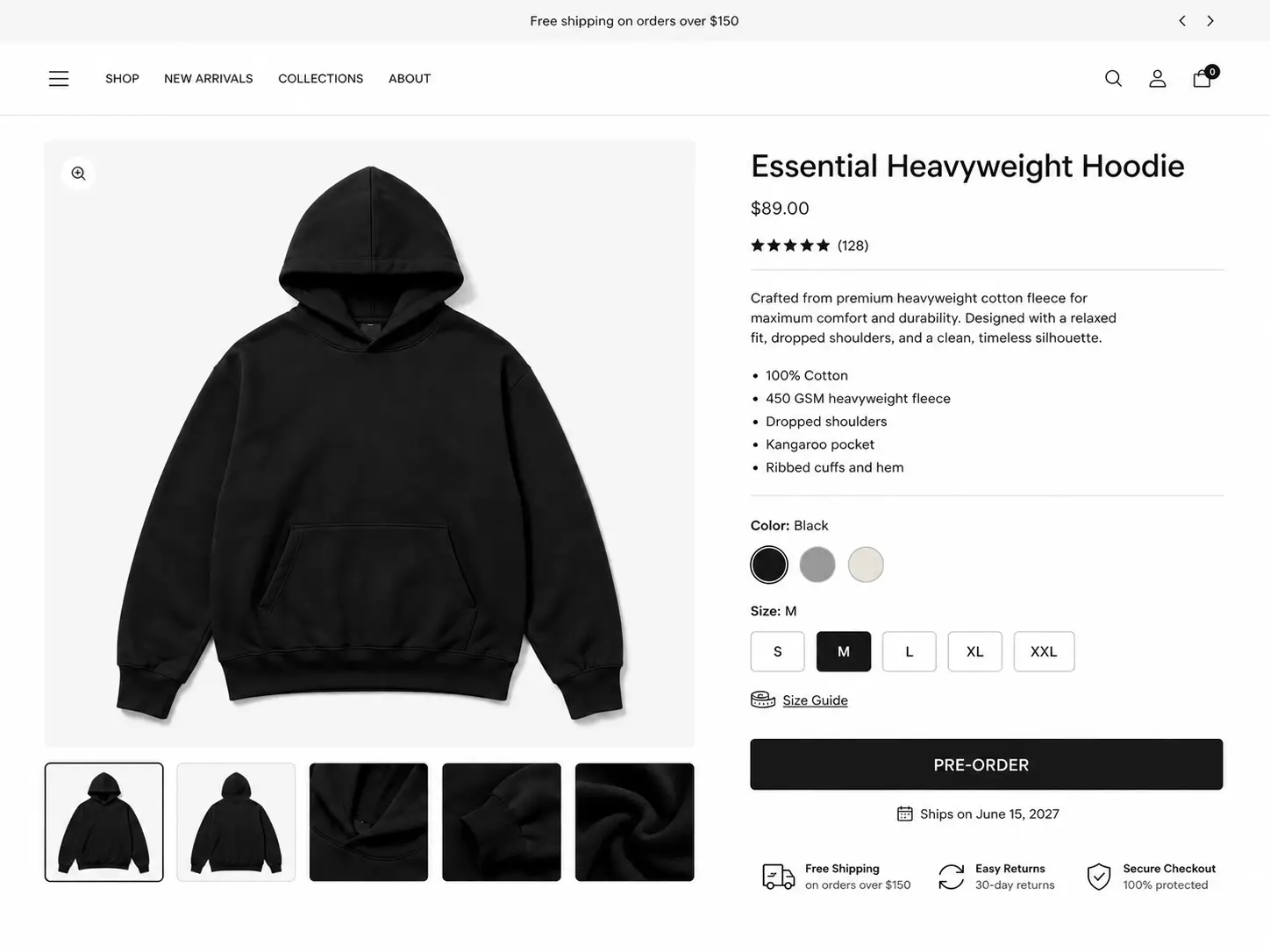

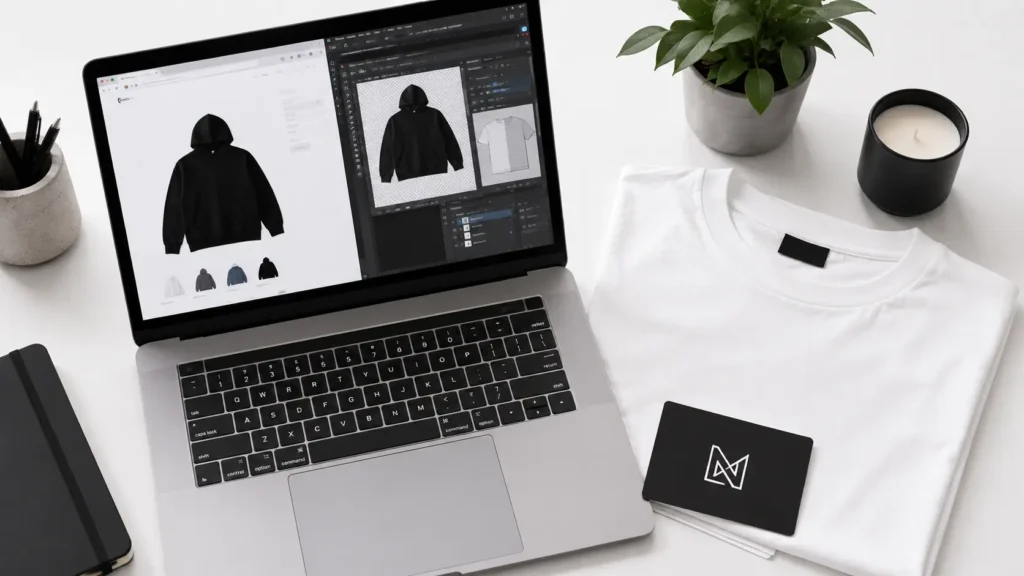
Want to launch your brand but don’t have the budget for upfront inventory? You need the best clothing mockups for Shopify store owners — and you need them before you order a single unit. Every day, savvy founders are building full Shopify storefronts, running ads, and collecting pre-orders without ever touching physical stock. They’re using clothing mockups for Shopify store pages that look so realistic, customers don’t think twice before hitting “Add to Cart.”
Here’s the hard truth: manufacturing is expensive. A minimum order quantity (MOQ) from most clothing manufacturers starts at 50–100 units per style, per colorway. That’s thousands of dollars tied up before you know whether anyone actually wants your product.
The smarter play? Validate first. Sell second. Manufacture third.
If you’re still deciding which type of clothing mockup fits your workflow, start with our complete guide to the best clothing mockups for fashion designers before choosing a Shopify-specific solution.
In this guide, you’ll learn exactly how clothing mockups solve this problem, which tools and bundles are worth your money, how to set up your Shopify store the right way, and how to answer every question your customers might have about pre-orders. Let’s build your brand — before you spend a dollar on production.
⚡Quick Answer: The best clothing mockups for your Shopify store are the S.i. Graphics Mega Bundle Vol. 1 ($34.99) and the Realistic Mega Bundle ($29.99). Both give you highly realistic, commercially licensed PSD files you can upload to Shopify and start collecting pre-orders — no inventory required. If you’re in streetwear, the Streetwear Bundle ($19.99) is a focused, affordable entry point to test your designs before you ever place a production order.
Why Shopify Founders Need Mockups Before Manufacturing
Every clothing entrepreneur hits the same wall: you need professional product photos to look credible enough to make sales, but you need sales to justify spending money on inventory and photography. It’s a classic catch-22 — and mockups are the way out.
Pre-order clothing store mockups break this cycle entirely. Instead of investing in a photoshoot before you have garments, or ordering 200 units of a hoodie that might not sell, you use a layered PSD file to place your design on a photorealistic garment. Upload it to Shopify. Write a compelling pre-order description. Run your ads. Collect payment. Then place your production order with confidence — because you already have proof of demand.
Here’s why this model works so well for new clothing brands:
- Launch faster. Skip the 4–8 week wait for samples and photoshoots. Go live in days.
- Test multiple designs risk-free. Try five colorways digitally. Only manufacture the two that sell.
- Look professional instantly. High-quality mockups signal legitimacy to first-time visitors who don’t know your brand yet.
- Preserve cash flow. Keep your startup capital for marketing, not unsold inventory.
- Iterate without penalty. Don’t like how a design looks? Change the PSD. No wasted production runs.
💡Pro Tip: Running pre-order clothing store mockups on a time-limited campaign (e.g., “Pre-order closes in 14 days”) creates urgency and gives you a hard deadline for placing your manufacturer order.
The founders winning in this space aren’t waiting until everything is perfect. They’re using mockups to find out what “perfect” actually means to their customers — before they manufacture a single piece.
Free vs. Premium Mockups for E-Commerce: What You Actually Need
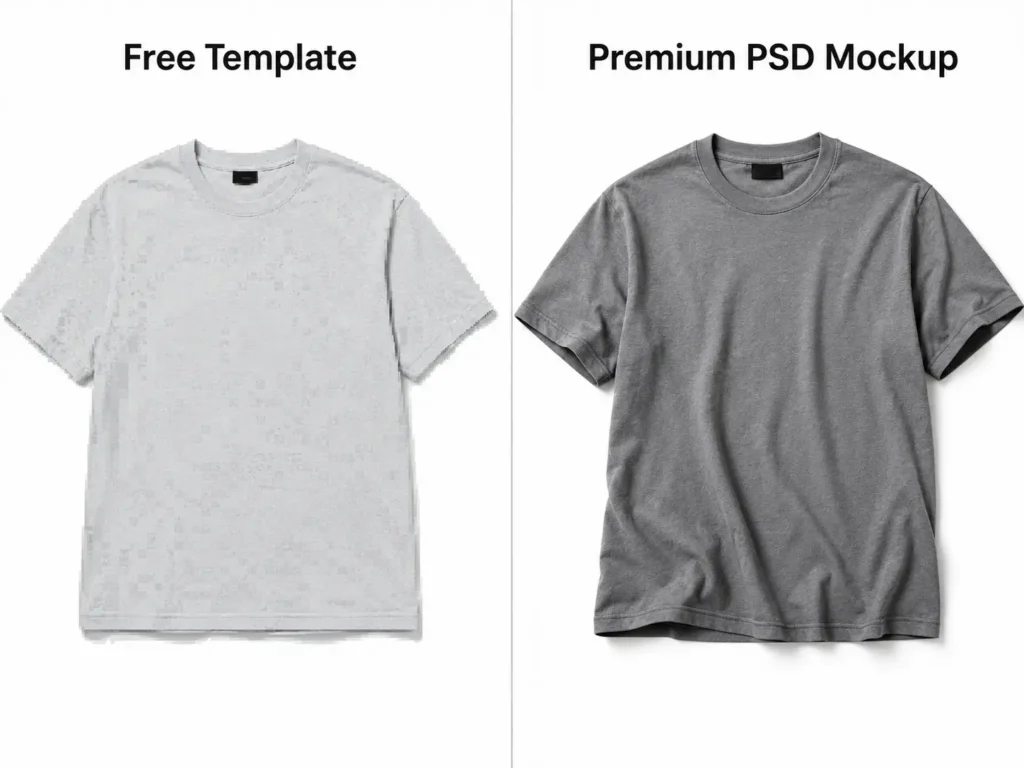
Not all mockups are created equal — and the gap matters a lot when your storefront’s job is to convert a skeptical stranger into a paying customer.
The Honest Breakdown
Free mockups have their place. If you’re mocking up designs internally, testing a concept with friends, or pitching an investor deck, a free template from a generic mockup site does the job. But free resources almost always come with compromises that hurt you when real money is on the line.
Shopify clothing brand mockups — the ones you’re putting on a live product page — need to earn trust in about three seconds. That’s how long a first-time visitor decides whether to keep scrolling or bounce. Blurry fabric textures, flat lighting, and obvious “template” vibes destroy that trust immediately.
Here’s a direct comparison:
| Feature | Free Templates | Standard Premium | S.i. Graphics Mega Bundles |
|---|---|---|---|
| E-Commerce Realism | ✗ Low — often flat renders | ✓ Moderate | ✓✓ High — photorealistic |
| File Formats | PNG only (often) | PNG + JPG | Layered PSD, AI + PNG |
| Commercial License for Shopify | ✗ Often unclear or restricted | ✓ Usually included | ✓ Full commercial license |
| Customer Trust Level | Low — buyers can spot free assets | Medium | High — indistinguishable from real photos |
| Editability | ✗ Minimal | ✓ Limited layers | ✓✓ Full Photoshop control |
| Suitable for Paid Ads | ✗ Risky without clear license | ✓ Usually | ✓ Yes — Facebook, TikTok, Meta |
The key differentiator for Shopify clothing brand mockups is realism paired with commercial licensing. You need to know you can legally use these images on your storefront and in your ad campaigns — not find out six months later you’ve been running unlicensed assets.
💡Pro Tip: Always ensure your mockup background matches your Shopify theme — transparent PNGs or flat white backgrounds work best for high conversion rates and consistent product page aesthetics.
For internal testing: free is fine. For a live Shopify store with real customers and real ad spend? Invest in premium.
Top 7 Clothing Mockups for Shopify Stores in 2026
These are the best options available right now for Shopify founders who want to launch before manufacturing. Evaluated on realism, licensing, file quality, and value for e-commerce use.
1. S.i. Graphics Clothing Mockups Mega Bundle Vol. 1 ⭐ Best Overall for Shopify Stores
If you’re building a full clothing brand on Shopify and need a comprehensive library of product images, this is your starting point. The Mega Bundle Vol. 1 gives you a deep catalog of photorealistic garment mockups — t-shirts, hoodies, joggers, and more — all delivered as fully layered AI files that are ready for Illustrator editing.
Price: $34.99 (one-time, lifetime access)
What’s Included: 250+ mockup files, layered Vector, multiple angles options
Best For: Shopify founders building a multi-SKU clothing brand catalog
✓ Highly customizable — customers trust what they see
✓ Full commercial license included (Shopify, ads, print)
✓ Layered AIs for complete design control in Adobe Illustrator
✓ Multiple angles and styles for professional product pages
✓ One-time purchase — no subscription fees
✗ Requires Adobe Illustrator or Canva for editing (not drag-and-drop)
2. S.i. Graphics Realistic Clothing Mockups Mega Bundle 💎 Best for High-Converting Product Pages
When your primary goal is conversion rate — turning window shoppers into buyers — realism is everything. This bundle is built specifically for the clothing mockups for Shopify store use case: close-up fabric texture, natural drape, true-to-life garment weight. If your customer can almost feel the fabric through the screen, you’ve done your job.
Price: $29.99 (one-time, lifetime access)
What’s Included: 20+ ultra-realistic mockups, layered PSDs, high-resolution files (5000px+)
Best For: Premium and mid-market clothing brands focused on product page performance
✓ Industry-leading realism — indistinguishable from professional photography
✓ Full commercial license for Shopify product pages and paid ads
✓ High-resolution files exceed Shopify’s 2048 x 2048 px recommendation
✓ Clean, neutral backgrounds ready for e-commerce upload
✓ Great for close-up detail shots that build product confidence
✗ Less style variety than Vol. 1 — focused on quality over quantity
✗ Best suited for brands with a clean, premium aesthetic
3. Placeit by Envato 🖥️ Best for No-Software Browser Editing
Placeit is a browser-based mockup platform that removes the Photoshop requirement entirely. You upload your design PNG, and it places it on the garment in seconds. It’s the fastest path from design file to product image for non-technical founders.
Price: $14.95/month or $89.69/year (subscription)
What’s Included: Thousands of templates across apparel, lifestyle, and branded assets
Best For: Founders without Photoshop experience who need quick turnaround
✓ No design software needed — fully browser-based
✓ Huge template library including lifestyle shots
✓ Fast output — mockup ready in under 60 seconds
✗ Subscription model — ongoing cost adds up vs. one-time purchase
✗ Less control over fine-tuning compared to layered PSDs
✗ Some templates lack the realism needed for high-ticket products
4. Creative Market Mockup Bundles 🎨 Best for Niche Aesthetics
Creative Market hosts thousands of individual designers selling mockup packs. You can find highly specific aesthetics — vintage washes, athletic cuts, luxury minimalist styling — that match a very specific brand vision. The quality varies significantly by seller, but top-rated packs are genuinely excellent.
Price: $10–$50+ (varies by seller)
What’s Included: Varies — typically 10–50 files per pack
Best For: Brands with a specific visual identity that needs custom aesthetic matching
✓ Enormous variety — almost any aesthetic is available
✓ One-time purchase per pack
✓ Supports independent designers
✗ Inconsistent quality — requires careful vetting of each seller
✗ Commercial license terms vary widely — read carefully before use on Shopify
✗ No unified support or quality guarantee
5. S.i. Graphics Streetwear Mockups Bundle 🎨 Best for Streetwear & Urban Brands
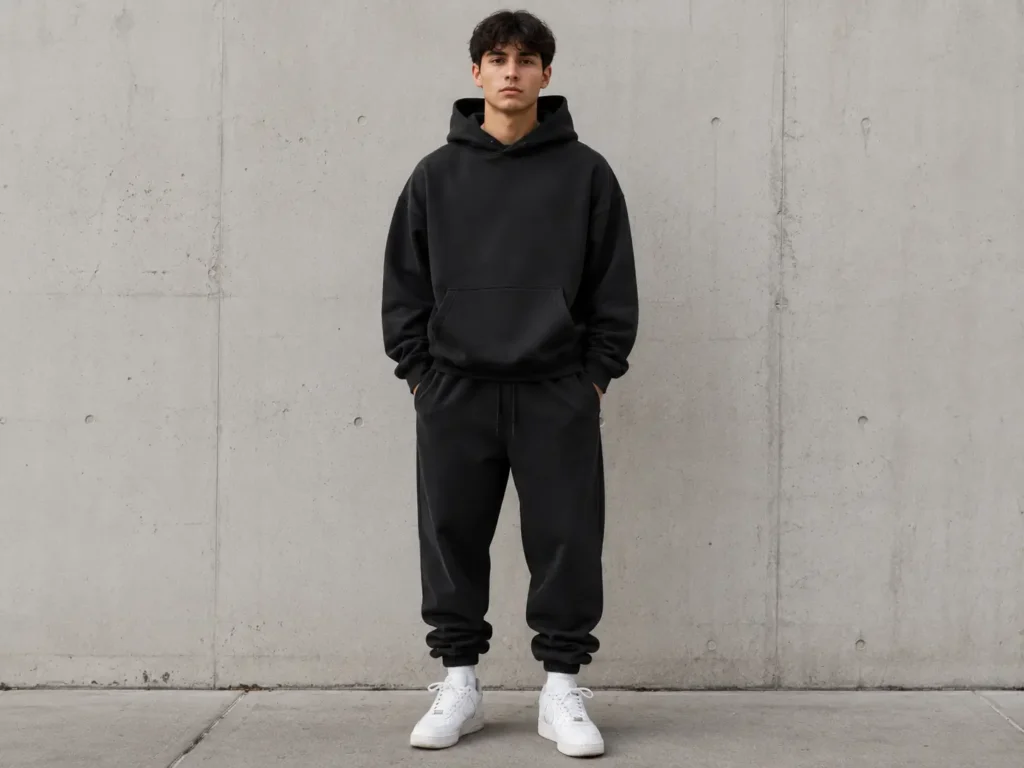
Built specifically for the streetwear market, this bundle captures the fits, styling, and attitude that convert in the urban fashion space. Oversized silhouettes, layered looks, and on-model shots that match the aesthetic your audience actually expects. At $19.99, it’s the most accessible entry point for new founders.
Price: $19.99 (one-time, lifetime access)
What’s Included: 25+ streetwear-specific mockups, layered vector, multiple angle options
Best For: New streetwear, urban, and hypebeast-adjacent clothing brands testing designs
✓ Streetwear-specific styling — fits and angles match the culture
✓ Affordable entry point for new founders with limited budgets
✓ Full commercial license for Shopify and ad campaigns
✓ On-model shots increase conversion rates for apparel
✓ Ideal for testing Facebook and TikTok ad creative before ordering stock
✗ Narrower style range — focused on streetwear, not broad catalog use
✗ Fewer files than the Mega Bundles
6. MockupWorld Free Library 🆓 Best Free Option (With Caveats)
MockupWorld aggregates free mockup files from designers across the web. You’ll find t-shirts, hoodies, and basic apparel files at no cost. For a founder who is purely in the concept-testing phase, it’s a useful sandbox.
Price: $0
What’s Included: Hundreds of free apparel mockup files
Best For: Internal concept testing, investor pitches, early design validation only
✓ Free — zero cost to try before you invest
✓ Wide variety of basic garment types
✓ Good for internal use and early feedback gathering
✗ Most files lack commercial licenses — do not use on a live Shopify store without verifying license terms
✗ Quality and realism are inconsistent — many files look obviously templated
✗ Customer trust is lower — experienced online shoppers can identify generic mockups
7. Canva Pro Mockup Tool 🖌️ Best for Non-Designers on a Budget
Canva’s Pro tier includes a basic garment mockup feature that integrates with its broader design toolkit. If you’re already using Canva for social media graphics and brand assets, having mockup functionality in the same tool reduces your workflow steps.
Price: $14.99/month (Canva Pro subscription)
What’s Included: Limited apparel mockup templates + full Canva design suite
Best For: Solopreneurs already paying for Canva who need occasional mockups
✓ Integrated into Canva’s full design ecosystem
✓ Easy to use with no learning curve
✓ Good for social media graphics alongside product images
✗ Very limited apparel mockup options compared to dedicated tools
✗ Lower realism than PSD-based premium bundles
✗ Subscription cost with limited mockup utility for serious clothing brands
How to Set Up Your Shopify Store with Mockups
Once you have your mockup files ready, the setup process is straightforward — but a few technical details make the difference between a store that converts and one that looks amateur.
Step 1: Export at the right resolution Shopify recommends 2048 x 2048 pixels as the standard for product images. This square format keeps your product gallery consistent across desktop and mobile. Export from Photoshop at 300 DPI in JPEG or PNG format.
Step 2: Maintain consistent aspect ratios All product images in a collection should share the same aspect ratio — ideally 1:1 (square). Mixed ratios create a cluttered gallery and signal low production value to customers.
Step 3: Use a white or neutral background Unless your brand aesthetic specifically calls for lifestyle staging, white or light grey backgrounds keep the focus on the product and load faster on mobile. Transparent PNGs work well if your Shopify theme uses a colored or textured background.
Step 4: Write honest pre-order product descriptions Be transparent. A sample pre-order description:
“This item is available for pre-order. Orders placed before [date] will ship in approximately [X] weeks. Your card will be charged at checkout, and manufacturing begins once the campaign closes.”
Step 5: Set clear pre-order expectations at checkout Use a Shopify pre-order app (like PreOrder Now or Timesact) to tag pre-order items clearly and send automated customer updates.
Decision Framework:
- If launching a full brand catalog → S.i. Graphics Mega Bundle Vol. 1 (maximum variety)
- If focused on one hero product → Realistic Mega Bundle (maximum conversion)
- If streetwear is your niche → Streetwear Bundle (targeted aesthetic)
- If you have zero budget right now → MockupWorld (concept test only, not for live store)
💡Pro Tip: Upload 3–5 mockup angles per product (front, back, detail, lifestyle) to replicate what customers expect from a professional e-commerce store. More angles = higher confidence = lower return rates.
Frequently Asked Questions
Can I use clothing mockups for Shopify product pages?
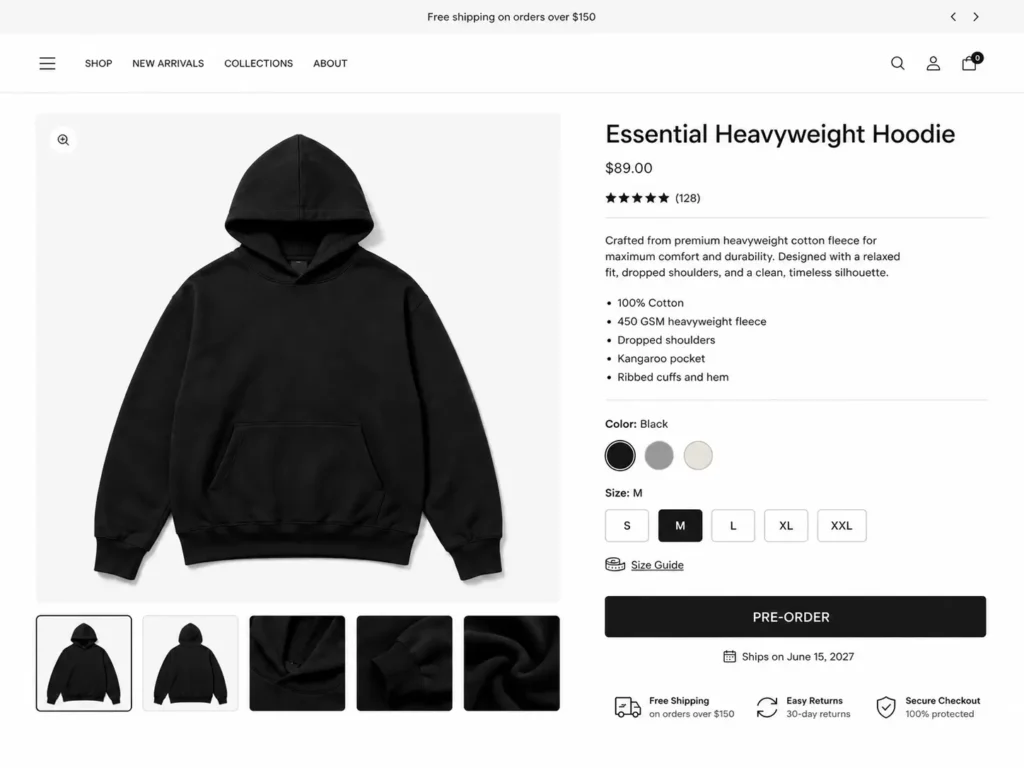
Yes — this is exactly what clothing mockups for Shopify store pages are designed for. High-quality PSD mockups with commercial licenses serve as a legal, professional substitute for traditional product photography during your pre-launch or pre-order phase. Many established brands continue using mockups for new colorway releases long after they can afford photography, simply because mockups are faster to produce.
How do pre-order clothing store mockups work?
Pre-order clothing store mockups let you list a product on your Shopify store before you’ve manufactured it. A customer pays at checkout, triggering a pre-order. Once your campaign closes — or you hit your MOQ — you place the production order with your manufacturer using the collected funds. This model eliminates upfront inventory risk entirely and proves demand before you commit to production.
Will customers know it’s a mockup?
With high-quality, photorealistic mockups, most customers won’t distinguish them from photography. The bigger factor is your transparency: always disclose pre-order timelines clearly in your product description and shipping policy. Customers appreciate honesty far more than discovering a surprise delay. The S.i. Graphics bundles are specifically built for the realism level that earns customer trust.
What size should Shopify product images be?
Shopify’s official recommendation is 2048 x 2048 pixels in a square (1:1) aspect ratio. This ensures your images look sharp when zoomed and load correctly on both desktop and mobile. Export your mockup files from Photoshop at 72–150 DPI for web, keeping file sizes under 2MB for fast page load speeds — which directly affects your conversion rate and SEO ranking.
Do I need inventory before launching my Shopify store?
No. Using a clothing mockups for Shopify store pre-order strategy, you can launch with zero inventory. Create your mockups, build your Shopify store, set up a pre-order flow using an app like Timesact or PreOrder Now, and begin marketing. Collect orders, then manufacture. This is the exact model many successful direct-to-consumer brands used in their first launch.
What software do I need to edit these mockups?
The primary tool is Adobe Illustrator, Photoshop, which allows full control over layered AI, PSD files — placing your design, adjusting colors, and exporting final images. If you don’t have a Photoshop subscription, Photopea (photopea.com) is a free, browser-based alternative that opens and edits PSD files with nearly identical functionality. Both work seamlessly with S.i. Graphics bundles.
Are clothing mockups better than real product photography?
For pre-launch and early-stage brands: yes, almost always. A professional product photography session costs $500–$3,000+ including samples, photographer fees, studio rental, and editing. A mockup bundle costs $19.99–$34.99. The speed advantage is equally significant — mockups are ready in hours, not weeks. As your brand scales and you can afford both, mockups and photography serve different roles: mockups for new releases and ads, photography for hero content and brand storytelling.
How do I add my logo to clothing mockups?
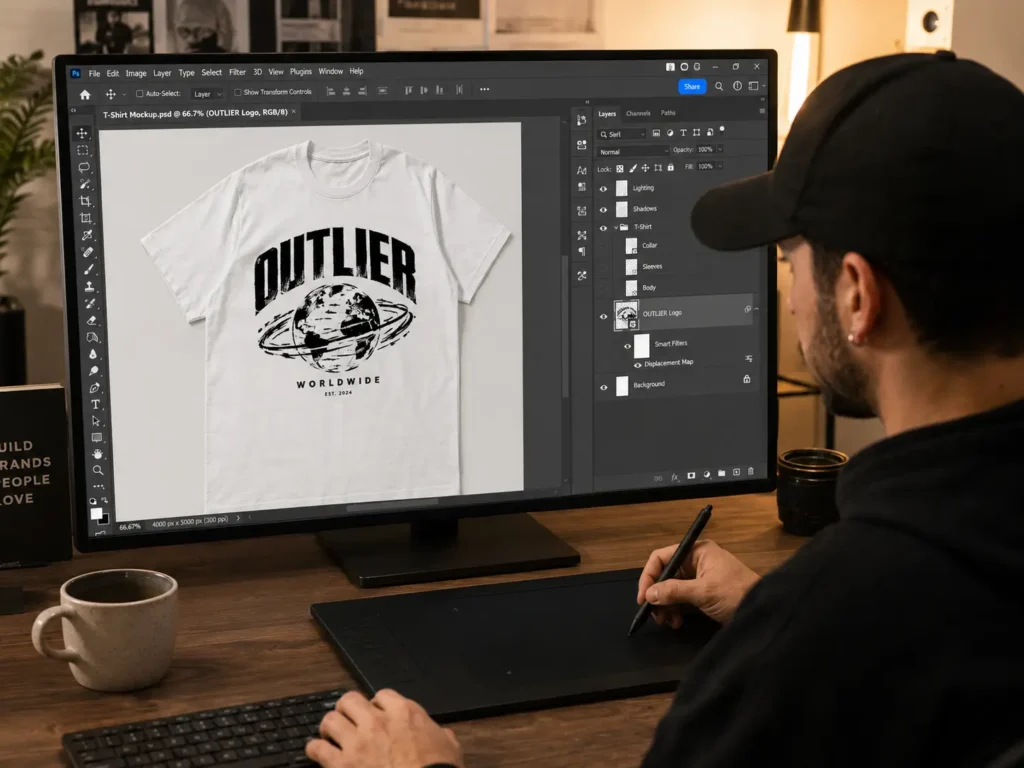
In Photoshop, open the PSD file and locate the “Design Placement” layer (typically labeled). Place your logo or design artwork on this layer. Most premium mockups — including the S.i. Graphics bundles — use smart objects, meaning you double-click the layer, paste your artwork, save, and the mockup updates automatically. In Photopea, the workflow is identical.
Can I run Facebook or TikTok ads with mockup images?
Yes — provided your mockup files include a commercial license, which all S.i. Graphics bundles do. Mockup images perform well in direct-response ad creative, particularly for pre-order campaigns. Many streetwear and DTC brands use mockup creative exclusively for their early ad campaigns, then refresh with photography once they have physical stock. Always verify the commercial license terms of any mockup file before running paid ads.
How many mockup images should I upload per Shopify product?
Upload a minimum of three images per product: front view, back view, and at least one detail or lifestyle shot. Five image is ideal. Shopify data consistently shows that product pages with multiple images have higher conversion rates than single-image listings — customers want to see the product from multiple perspectives before committing to a purchase.
Conclusion: Build Your Store Before You Build Your Inventory
The old model of clothing entrepreneurship required thousands of dollars in upfront inventory before you could show a single customer what you were selling. The new model is smarter.
Key takeaways from this guide:
✅ Clothing mockups for Shopify store pages let you launch, market, and collect pre-orders before manufacturing a single unit
✅ Premium, commercially licensed mockups are a non-negotiable investment for any Shopify store where real customer trust is on the line
✅ High-realism PSD mockups from S.i. Graphics give you photoshoot-quality results at a fraction of the cost — and you own them forever
✅ The pre-order model isn’t a workaround — it’s a proven validation strategy used by some of the fastest-growing DTC brands