Design - Create - Grow


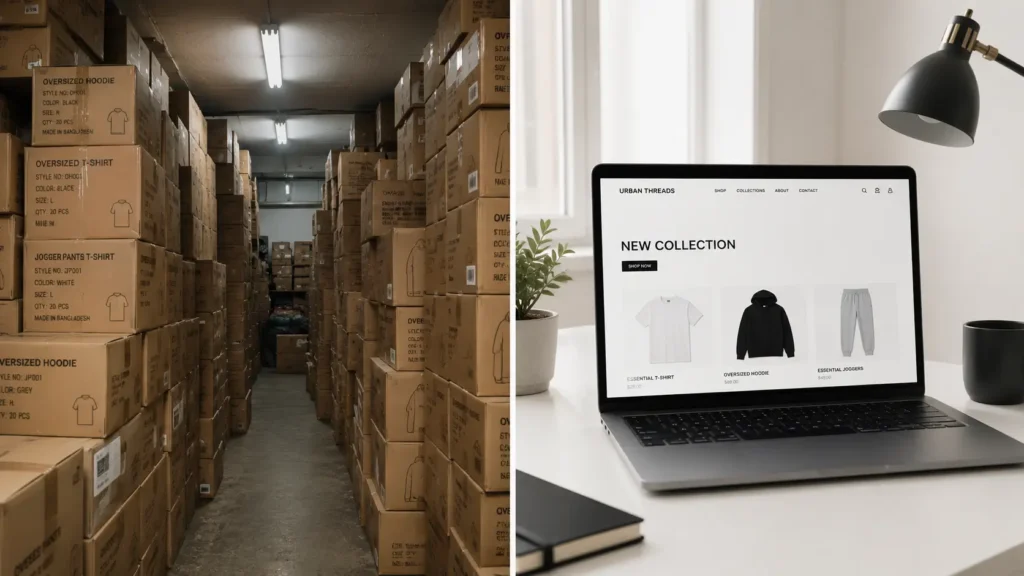
Wondering how to do pre-orders for a clothing brand without risking thousands of dollars on inventory you might never sell? You’re not alone. Unsold stock is one of the most common reasons new fashion brands run out of cash before they ever get off the ground.
Here’s the thing: you don’t need a warehouse full of hoodies to launch a real clothing brand. You need a smart pre-order system, a clear plan for production, and visuals that make your designs look like they’re already sitting on a shelf.
If you’re planning your streetwear business from the ground up, our complete guide to starting a streetwear brand in 2026 covers the full journey from finding your niche and designing your collection to manufacturing and launching your first drop.
In this guide, you’ll learn exactly how to do pre-orders for a clothing brand using a proven 7-step framework — no manufacturing minimums paid upfront, no guessing on sizes and colors, and no dead stock taking up space in your closet or garage.
By the end, you’ll understand how to sell clothes before manufacturing them, how to set customer expectations the right way, and why your product photos (not your budget) are what actually determine whether people pre-order or scroll past.
Quick Answer: The secret to how to do pre-orders for a clothing brand without inventory is using hyper-realistic mockup templates to pre-sell your designs, collecting payment upfront, and using that cash to fund your manufacturing run. Your storefront needs to look fully stocked even when nothing has been printed yet — and that illusion is built entirely with high-quality product visuals.
Table of Contents
What Is a Clothing Brand Pre-Order Strategy?
A clothing brand pre-order strategy is a sales model where customers pay for a garment before it’s manufactured, allowing the brand owner to use that revenue to fund production instead of paying for inventory out of pocket.
Instead of ordering 200 units of a hoodie and hoping they sell, you list the product, take orders for a set window (usually 1-3 weeks), and only send your design to the printer or manufacturer once you know exactly how many units to make. This is the foundation of how to do pre-orders for a clothing brand without ever touching bulk inventory.
This is how a lot of streetwear labels and small apparel brands actually operate, even when their storefronts look fully stocked.
How selling clothes before manufacturing works:
- You upload product listings using realistic mockups instead of physical samples
- Customers pre-order and pay in full (or with a deposit)
- You take the total order count to your manufacturer or print shop
- Production begins only after the pre-order window closes
- Orders ship once the run is complete, typically within 2-4 weeks
Core benefits of this model:
- ✓ Test demand for a design before spending a dollar on production
- ✓ Generate cash flow upfront to cover manufacturing costs
- ✓ Zero dead stock sitting in a storage unit
- ✓ Lower financial risk for first-time brand owners
Common use cases:
- Exclusive limited drops — building hype and scarcity around a small run
- Funding a new collection — using pre-order revenue to pay a manufacturer’s invoice
- Transitioning off print-on-demand — moving from POD margins to bulk manufacturing once you’ve proven demand
The one non-negotiable requirement across all of these use cases? Your product needs to look real, professional, and ready to ship — even though it isn’t yet.
Traditional Manufacturing vs. Pre-Order Model
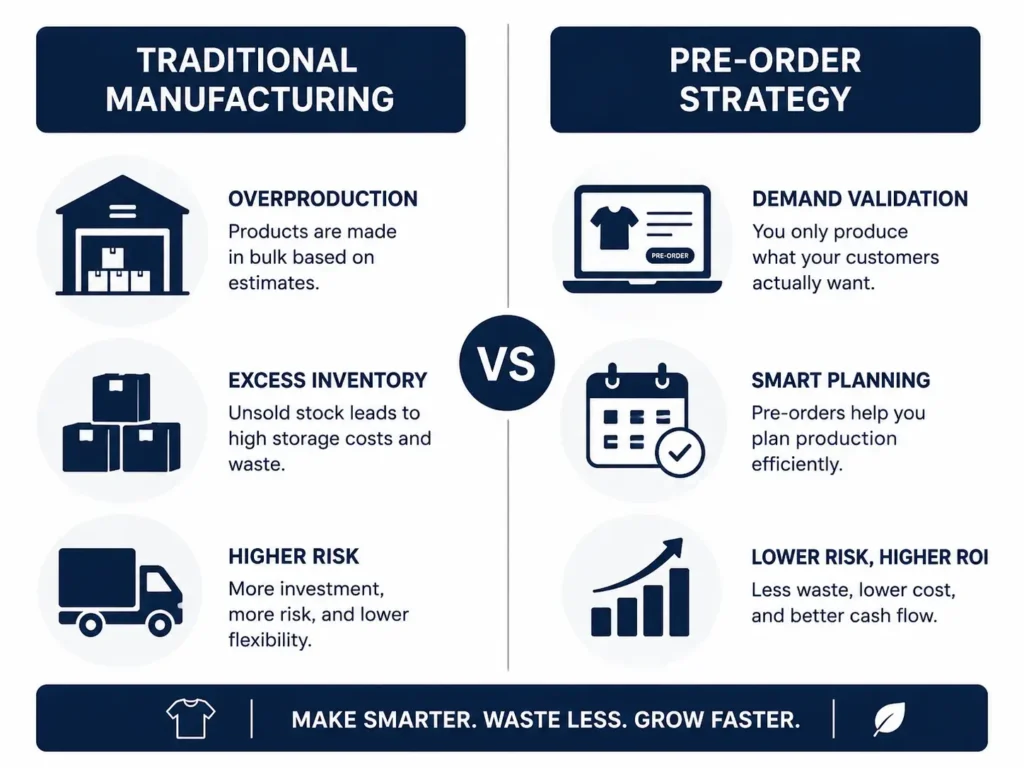
Before you commit to a clothing brand pre-order strategy, it helps to see exactly how it stacks up against the traditional “buy inventory first” approach. Neither model is perfect — pre-orders trade speed for safety.
Traditional manufacturing means placing a bulk order, paying for it in full, storing it, and hoping it sells. The pre-order model flips that sequence: you sell first, then manufacture. That protects your cash, but it does mean your customers wait longer to receive their order — and you have to manage that expectation well.
| Factor | Traditional Manufacturing | Pre-Order Strategy |
|---|---|---|
| Upfront Costs | High — pay full MOQ before selling | Low — little to no inventory spend |
| Risk of Unsold Stock | High | Very low |
| Fulfillment Time | Fast (ships same week) | Slower (2-4 weeks typical) |
| Storage Space Needed | Yes — a room, unit, or warehouse | None |
| Product Visuals Needed | Optional (you have real samples) | Essential — mockups are your only “product” |
| Cash Flow | Strained until stock sells | Strong — revenue collected before production |
Notice that last row about visuals. When you have physical inventory, a phone photo of a folded shirt is passable. When you’re running a clothing brand pre-order strategy with nothing manufactured yet, your mockups are the product page. There’s no backup plan if the images look cheap or fake.
That single difference — visual requirements — is what separates pre-order campaigns that convert from ones that quietly flop.
💡 Pro Tip: Always clearly label items as “PRE-ORDER” in your product titles and descriptions so customers know upfront there’s a manufacturing wait time. Transparency builds trust — and repeat customers.
The 7-Step Clothing Brand Pre-Order Strategy
This is the exact framework to follow if you’re figuring out how to do pre-orders for a clothing brand for the first time — or trying to fix a launch that underperformed. Each step builds on the last, so don’t skip ahead.
Step 1: Validate Your Design Before You Commit
Before you build a full product page, get a read on whether your design actually resonates. Post concept art, polls, or early sketches to your audience — even a small one — and gauge reaction.
This step costs nothing and can save you from pre-selling a design that nobody wants.
Common mistakes:
- ✗ Skipping validation and going straight to a full production run
- ✗ Only asking friends and family, who tend to say yes to everything
Pro-tips:
- ✓ Post 2-3 design directions and let your audience vote
- ✓ Track saves and shares, not just likes — they signal real purchase intent
- ✓ Ask your list directly: “Would you buy this?”
- ✓ Use Instagram polls or a simple email survey
- ✓ Note any color or size requests — you’ll need them for Step 3
Step 2: Create Photorealistic Visuals (Without Physical Samples)
This is the step that makes or breaks your entire pre-order campaign. Without a physical product in hand, your storefront lives or dies by how convincing your product visuals are.
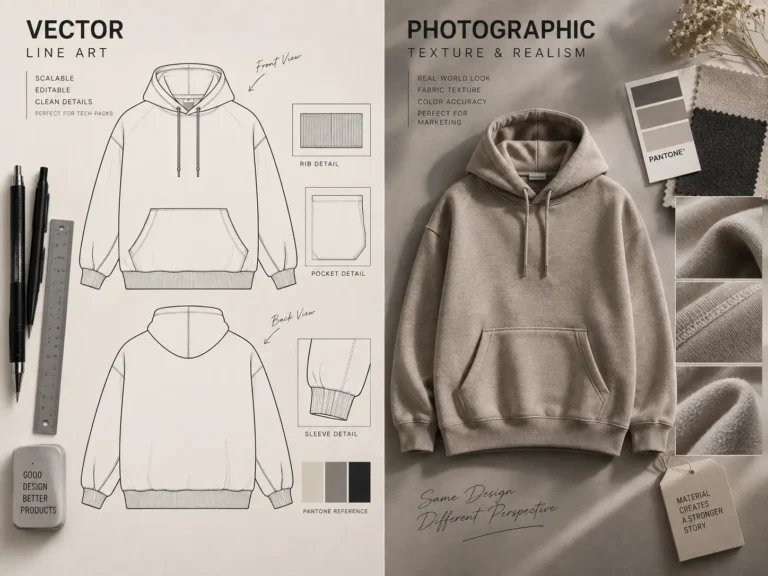
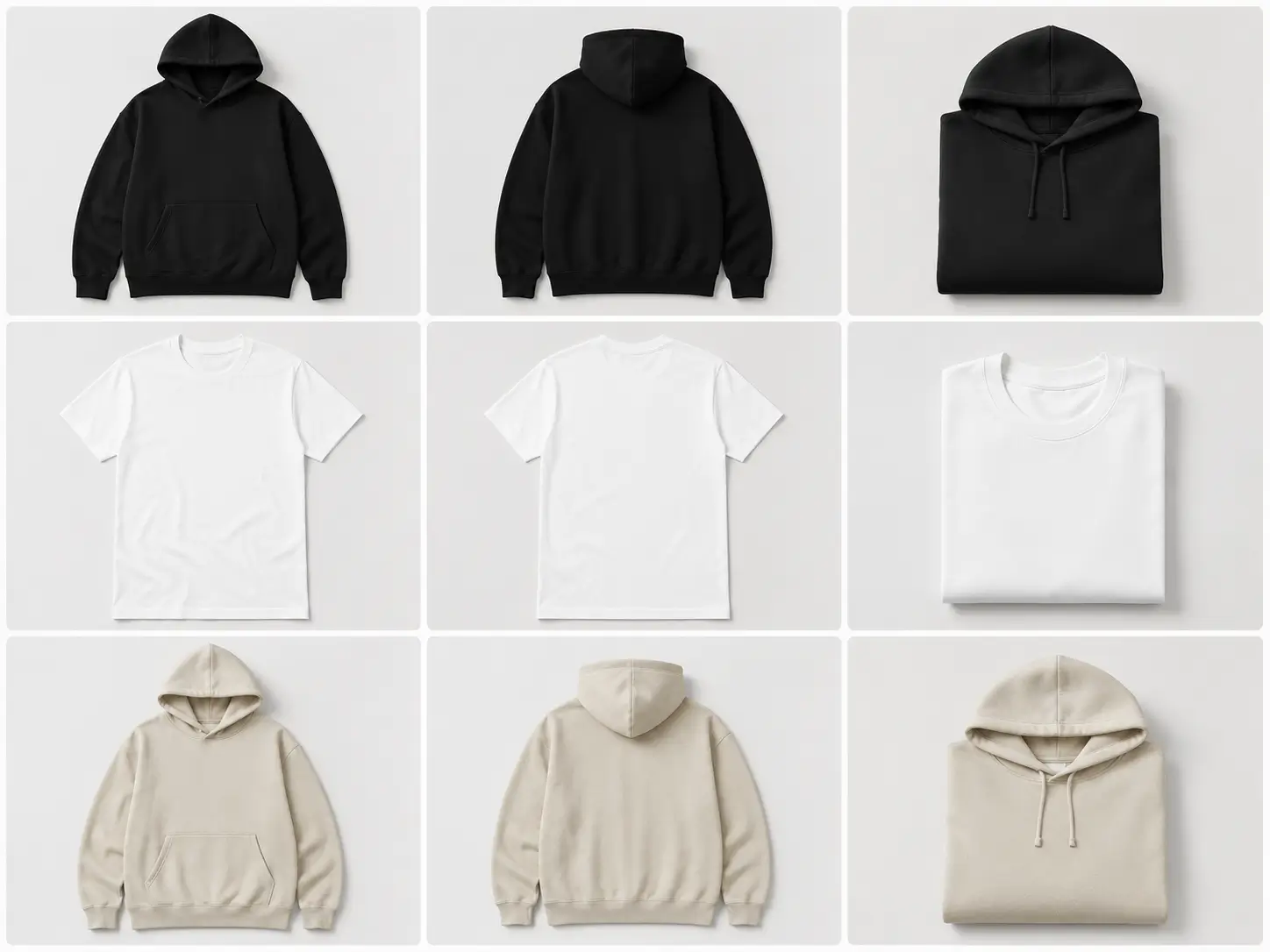
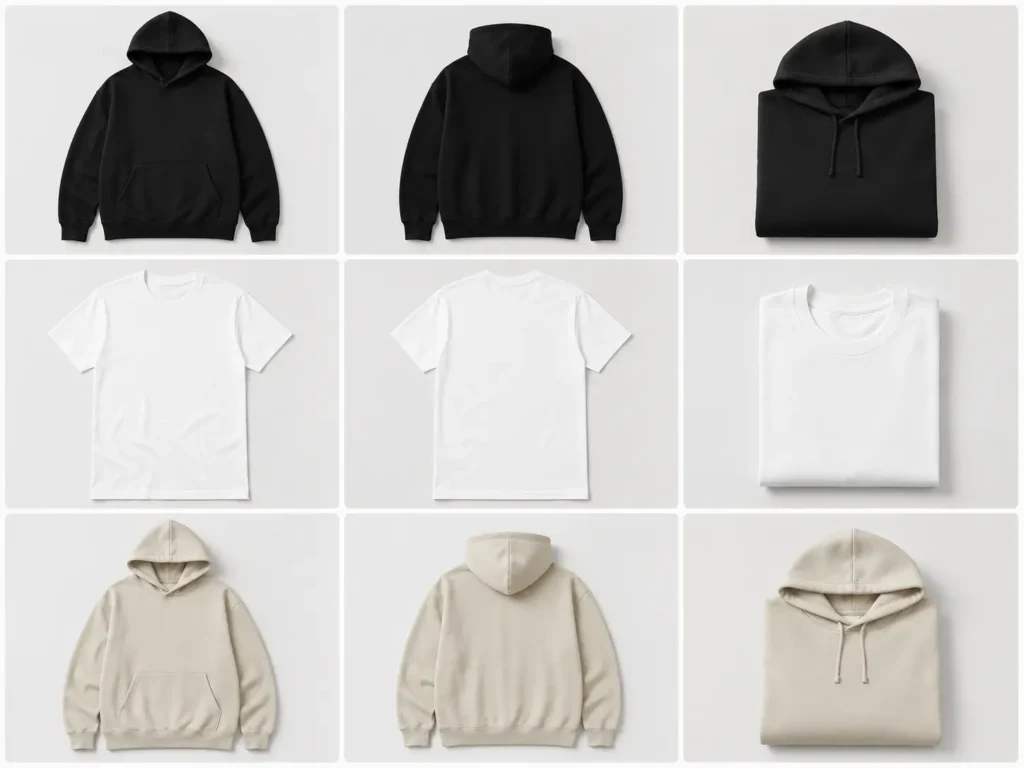
Customers can’t touch the fabric or try it on. All they have is the image in front of them — so it needs to do the job a physical showroom normally would: front view, back view, close-up detail shots, and multiple colorways.
Common mistakes:
- ✗ Using flat, 2D design files as your only product image
- ✗ Relying on low-resolution or generic stock mockups that look obviously fake
Pro-tips:
- ✓ Show front, back, and detail/texture shots for every listing
- ✓ Use consistent lighting and backgrounds across your whole catalog
- ✓ Display your design on multiple garment colors before committing to print
- ✓ Make sure fabric texture and drape look realistic, not flat or plastic
- ✓ Match your mockup style to your brand’s overall aesthetic
💡 Pro Tip: When you’re selling clothes before manufacturing, your mockups are your only salesman. This is exactly why the Clothing Mockups Mega Bundle Vol. 2 exists — it’s built specifically for brands that need to look fully stocked before a single unit is printed.
With 350 individual mockup items, it gives you the variety needed to build out an entire storefront — hoodies, tees, crewnecks, and more — across different angles and colorways, all with a full commercial license included. For a pre-order campaign, that kind of visual depth is what creates the trust needed for a customer to buy something that doesn’t physically exist yet.
If you’re new to garment mockups, our guide to the best clothing mockups for fashion designers explains what to look for when choosing templates and how they can help you present designs professionally before production.
Step 3: Set Up Your Storefront and Pre-Order Settings
Once your visuals are ready, it’s time to configure the storefront itself. Shopify is the standard here, and pre-orders can be set up a few different ways depending on your theme and app stack.
You’ll want to decide: full payment upfront or a deposit? One product drop or a rolling pre-order? These choices affect your cash flow and your customer communication.
Common mistakes:
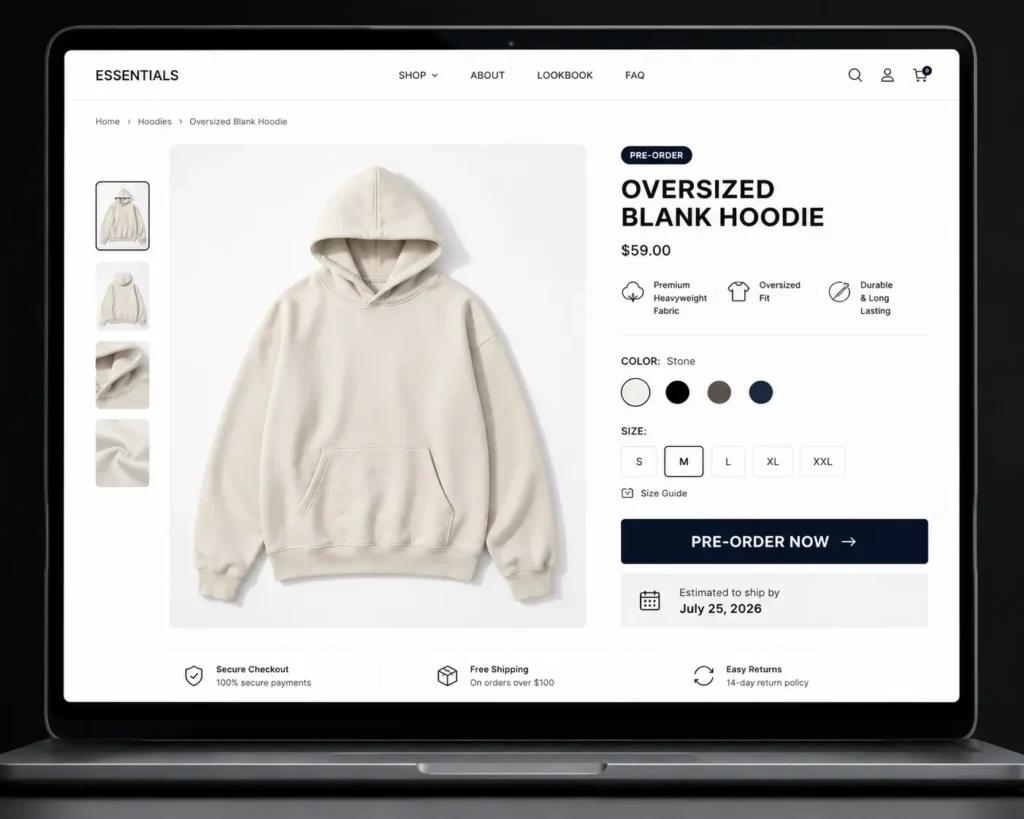
- ✗ Launching without a clear “estimated ship date” on the product page
- ✗ Using a generic “Add to Cart” button with no pre-order label
Pro-tips:
- ✓ Change your “Buy Now” button text to “Pre-Order Now — Ships [date]”
- ✓ Add a pre-order badge directly on the product image
- ✓ Include a short FAQ block on the product page about wait times
- ✓ Set clear inventory counts if you’re limiting quantity for urgency
- ✓ Test the checkout flow yourself before going live
Step 4: Build Pre-Launch Hype on Social Media
With your storefront ready, shift attention to building anticipation before the pre-order window even opens. A cold launch with no warmup rarely performs as well as one with a few days of teaser content.
Countdown posts, behind-the-scenes design content, and “coming soon” reveals all help prime your audience to buy the moment the store goes live.
Common mistakes:
- ✗ Announcing the drop and opening pre-orders on the same day, with no lead-up
- ✗ Posting only static, low-effort product shots with no lifestyle context
Pro-tips:
- ✓ Post a 3-5 day countdown leading into launch day
- ✓ Share lifestyle-style shots of the product being “worn,” not just flat lays
- ✓ Use Stories and Reels to show the garment from multiple angles
- ✓ Tease one design detail at a time to build curiosity
- ✓ Give early followers a small perk — first access or a discount code
Lifestyle-style visuals are where realism matters most. A flat mockup might work fine on a product page, but on social media, it needs to stop the scroll and look like it was shot in a real photoshoot.
That’s exactly the gap the Realistic Clothing Mockups Mega Bundle is built to close. It’s positioned as the best option for lifestyle and social media hype specifically because its ultra-realistic rendering makes a pre-order drop look like existing physical stock, not a design file. For brands leaning on Instagram and TikTok to drive pre-order traffic, that level of realism directly impacts conversion.

Step 5: Open the Pre-Order Window (With a Deadline)
Now it’s time to actually open the store. The single biggest lever here is urgency — an open-ended pre-order with no deadline tends to underperform one with a clear countdown.
Most successful drops run their pre-order window for 1-2 weeks. Long enough to reach your full audience, short enough to keep urgency alive.
Common mistakes:
- ✗ Leaving the pre-order open indefinitely with no closing date
- ✗ Going silent during the window instead of continuing to promote it
Pro-tips:
- ✓ Set a hard close date and repeat it across every platform
- ✓ Send reminder emails at the halfway point and 24 hours before closing
- ✓ Show live order counts if your platform supports it (“42 sold”)
- ✓ Post final-hours urgency content on the last day
- ✓ Close the store on time — don’t quietly extend it every time
Step 6: Send Your Order to Manufacturing
Once the window closes, tally your final order count and send it to your manufacturer or local print shop. This is the step where your MOQ (minimum order quantity) matters most.
Standard screen printing MOQs often start around 50 pieces per design, though this varies by manufacturer, garment type, and print method. Cut-and-sew production typically requires higher minimums.
Common mistakes:
- ✗ Not confirming your manufacturer’s MOQ before opening pre-orders
- ✗ Failing to build in a buffer for sizing mistakes or reprints
Pro-tips:
- ✓ Confirm MOQ and lead times with your manufacturer before you launch
- ✓ Order a small buffer stock (5-10%) for exchanges or damaged units
- ✓ Get a production timeline in writing, including any delay contingencies
- ✓ Ask for a physical sample or “strike-off” before the full run, if time allows
- ✓ Keep customers updated the moment production begins
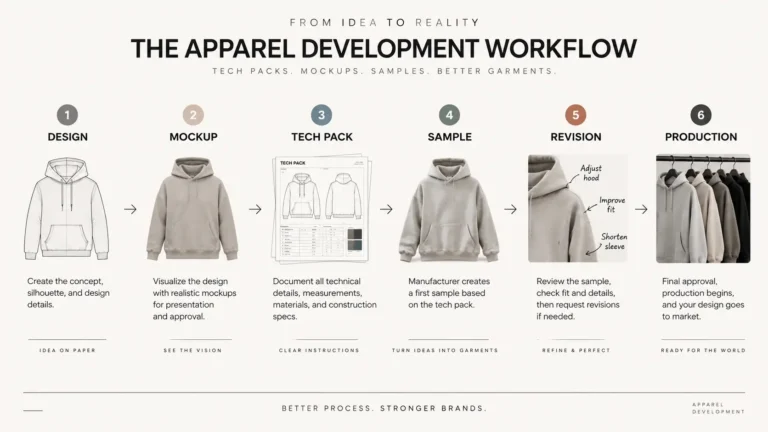
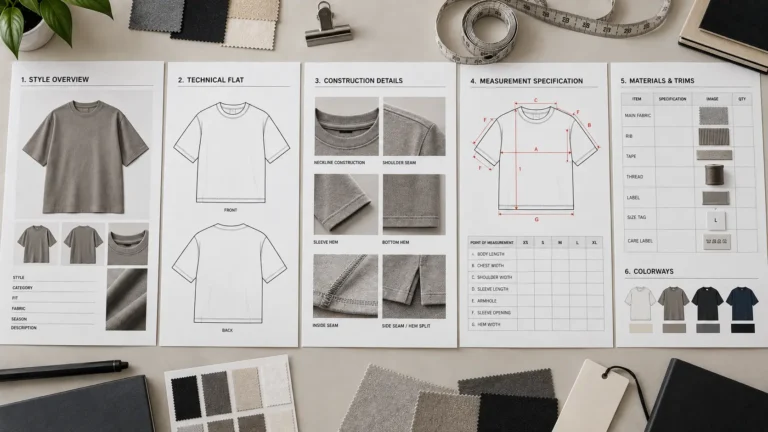
Before production begins, make sure your manufacturer has the correct technical specifications. Our complete guide to fashion tech packs explains what information should be included and why it matters during production.
Step 7: Communicate, Fulfill, and Follow Up
The pre-order isn’t finished when the sale closes — it’s finished when the product ships and the customer is happy. This step is where trust is either built or broken for repeat business.
Proactive communication about timelines matters far more in a pre-order model than in traditional retail, since there’s a real wait involved.
Common mistakes:
- ✗ Going quiet between the close of pre-orders and the ship date
- ✗ Only sending one shipping confirmation email with no earlier updates
Pro-tips:
- ✓ Send a “production has started” email right after closing the window
- ✓ Provide a realistic ship date range, not a vague “soon”
- ✓ Follow up post-delivery to ask for reviews and photos
- ✓ Use customer photos as future mockup-adjacent social proof
- ✓ Thank early supporters with a discount on the next drop
Why High-Quality Mockups Are the Secret to Pre-Order Conversions
Here’s the psychology behind all of this: a customer who’s asked to wait 2-4 weeks for a product needs a much stronger reason to trust you than a customer buying something that ships tomorrow. When you sell clothes before manufacturing, your product visuals are doing all the persuasive work a physical showroom would normally do.
Customers will only commit to a pre-order if:
- ✓ The product looks premium and worth the wait
- ✓ The brand appears established and legitimate
- ✓ The visuals look like real photography, not a template
Cheap or flat mockups fail for a specific reason: they don’t ask the customer to wait for something worth waiting for. If the image already looks unconvincing, the wait time becomes the final reason to abandon the cart.
A few factors determine whether your visuals clear that bar:
- Perceived Value — realistic textures and lighting signal a premium product, not a template
- Professionalism — consistent, polished visuals suggest an established brand, not a side hustle
- Variety — front, back, and detail shots give customers the confidence they’d get from an in-store try-on
- Consistency — a cohesive visual style across your whole catalog builds trust site-wide, not just on one listing
💡 Pro Tip: If you wouldn’t trust a product page enough to buy from it yourself, don’t expect a stranger to pre-order from it either. Audit your own storefront with fresh eyes before launch day.
Frequently Asked Questions
Can I really sell clothes before manufacturing them?
Yes — this is standard practice for many small and mid-sized apparel brands, not a gray-area tactic. The key to how to do pre-orders for a clothing brand ethically is transparency: clearly label items as pre-orders, state an estimated ship date, and don’t imply the product is in-stock and ready to ship immediately.
How do I create product photos without physical samples?
You use professional PSD mockup bundles, placing your flat design onto a realistic, pre-shot garment template. High-quality bundles include multiple angles, colorways, and fabric textures, which is what makes selling clothes before manufacturing look convincing on a storefront.
How long should a clothing pre-order campaign last?
Most successful campaigns run 1-2 weeks. This is long enough to reach your full audience across email and social media, but short enough to maintain urgency. Open-ended pre-orders with no deadline tend to see weaker conversion over time.
What if I don’t reach my manufacturer’s minimum order quantity (MOQ)?
You have two main options: refund the orders you did receive, or cover the cost difference yourself to still hit the MOQ. Some brands build a small buffer into their pricing specifically to absorb this risk if pre-order numbers land just under the minimum.
How do I communicate pre-order wait times to customers?
Be upfront in three places: the product page itself, the order confirmation email, and any social media posts promoting the drop. State an estimated ship window (for example, “ships in 3-4 weeks”) rather than a vague promise, and update customers if that timeline shifts.
Are mockups good enough to convince people to pre-order?
Yes, provided they’re premium and photorealistic. Generic or low-resolution mockups tend to undercut trust rather than build it. This is exactly why realism matters so much — a bundle like the Realistic Clothing Mockups Mega Bundle is designed to make a pre-order listing look indistinguishable from real product photography.
Do I need a special app on Shopify for pre-orders?
Not always. Shopify has built-in options for handling pre-order-style inventory, but many brands opt for a dedicated pre-order app for more control over deposits, partial payments, and automated customer messaging. Start simple, and add an app if you need more advanced features later.
How do I handle refunds during a pre-order wait period?
Set a clear refund policy before launch and state it on the product page. Respond quickly to refund requests, and consider offering a partial store credit incentive to retain the sale instead of a full refund where appropriate. Fast, clear communication reduces most refund requests in the first place.
What’s the biggest mistake new brands make with pre-orders?
Treating the pre-order like a normal, in-stock sale. Skipping clear labeling, vague ship dates, and low-effort visuals are the three most common reasons a pre-order campaign underperforms, even when the design itself is strong.
Can print-on-demand and pre-orders work together?
Yes — some brands use pre-orders specifically to validate a design before deciding whether to move it to a POD catalog or a bulk manufacturing run. It’s a low-risk way to test which approach makes sense for a given design before committing further.
Conclusion
Now you have a complete framework for how to do pre-orders for a clothing brand without touching a warehouse or a bulk manufacturing invoice. Here’s what to remember:
- You don’t need inventory to launch — you need a validated design and a clear pre-order process
- Transparency wins trust — always label pre-orders clearly and give customers a real ship date
- Your visuals do the selling — premium, photorealistic mockups are what convince someone to wait for a product that doesn’t exist yet
- Urgency drives conversion — a defined pre-order window outperforms an open-ended one
The one thing every step of this strategy depends on is how your storefront actually looks. Without physical samples, premium mockups aren’t a nice-to-have — they’re the entire product experience.
Ready to launch your next collection risk-free?
Clothing Mockups Mega Bundle Vol. 2 (350 Items)
Realistic Clothing Mockups Mega Bundle
Your future customers are waiting. Start building your pre-order campaign today.