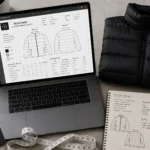
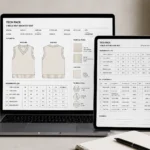
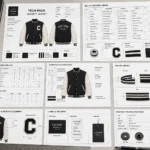
Design - Create - Grow

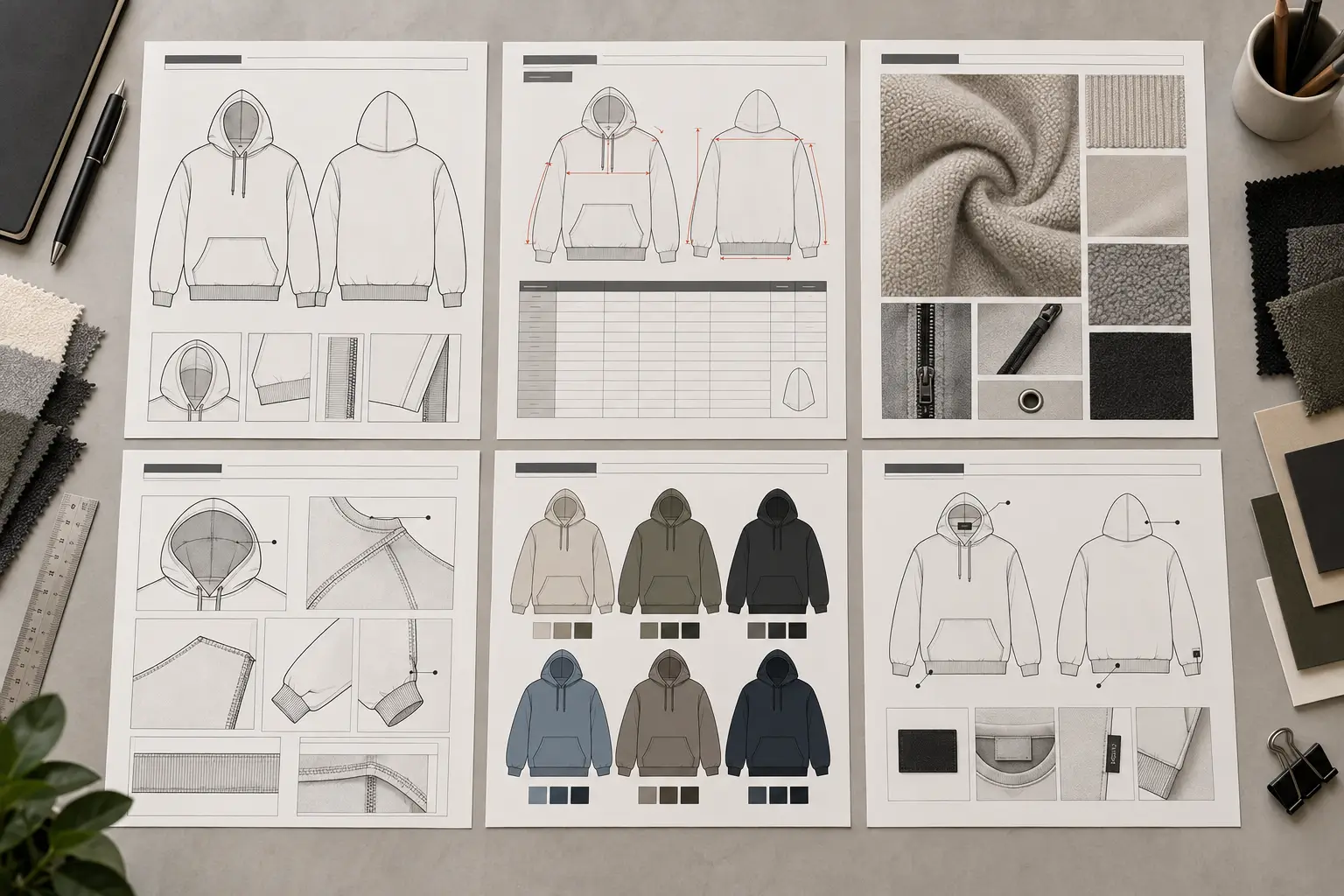

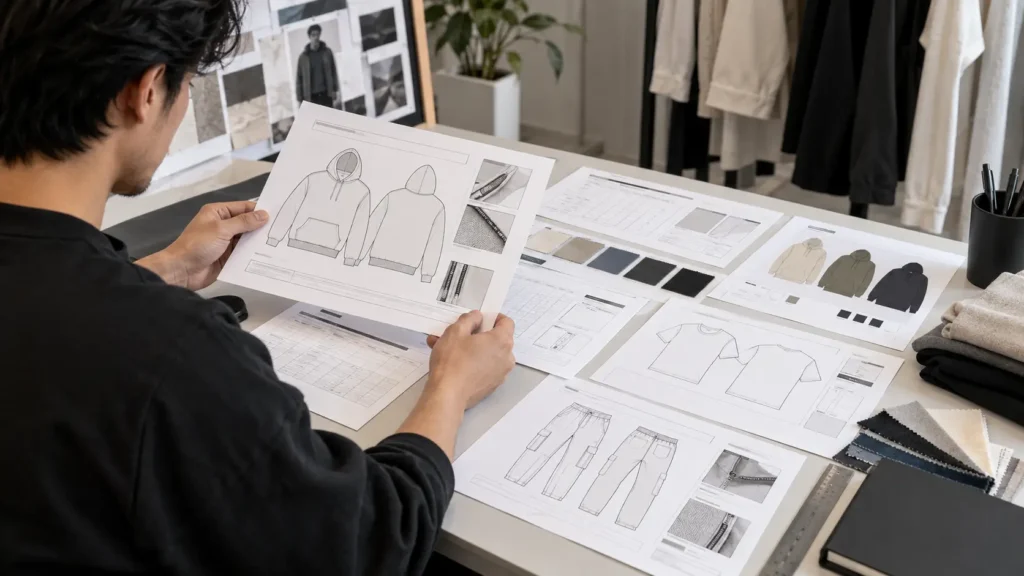
When several options look polished in preview images, choosing a tech pack template can feel deceptively simple. But the key question is not whether a file looks professional—it is whether its structure supports the way you develop garments.
A useful template should give you practical places to document technical flats, measurements, grading where needed, a bill of materials (BOM), construction details, colorways, labels, file information, and revisions. It also needs to suit your garment category and working process. A template is a reusable framework, not completed production documentation; you still need to add accurate, garment-specific information. If you’re unsure which structure fits your product, start with our guide to which tech pack you need for each garment type — a T-shirt and a puffer jacket don’t need the same pages.
This guide provides an editorial framework for evaluating any tech pack template before you buy. It does not rank products or assume one layout works for every brand, garment, or manufacturer.
Quick answer: A good tech pack template provides a clear structure for the technical information your garment actually requires, including flats, measurements, construction details, BOM, colorways, labels, and grading where applicable. Before buying, check the file format, editability, organization, garment coverage, and how easily it can be reused across styles.
Table of Contents
What Is a Tech Pack Template?
A tech pack template is a reusable document structure for organizing apparel-development information. It may include drawing areas, specification tables, callout sections, material lists, colorway pages, and revision fields.
That is different from a completed tech pack. A completed tech pack contains the actual measurements, materials, artwork, construction instructions, colors, labels, and other details for one specific garment. The template provides the framework; your garment-specific information makes the document useful.
Templates can reduce repetitive setup work, especially when you develop several styles. However, the right structure depends on the production workflow and the level of detail your garment needs.
Read More: What Is a Tech Pack
What Makes a Tech Pack Template Worth Using?
A worthwhile template helps you organize, update, review, and communicate information without making the document hard to work with. Visual polish can be helpful, but it is not enough on its own. A file can have attractive typography and still lack a usable measurement table, BOM structure, construction-detail area, or revision section.
Look for a balance of clarity, completeness, editability, consistency, and relevance. The template should make it easier to explain your design, not force every garment into a rigid layout that does not fit.
More pages do not automatically mean more value. A short template may be appropriate for a simple graphic T-shirt, while a jacket with lining, hardware, panels, and multiple trims may require more structured documentation.
The 9 Factors to Check Before Buying a Tech Pack Template
| Factor | What to Check | Why It Matters | Questions to Ask Before Buying |
|---|---|---|---|
| Technical flats | Front, back, detail views, editable callouts | Makes the garment easier to interpret | Can I add detail views and connect notes to the flat? |
| Measurements | Points of measure, sizes, units, tolerances | Reduces ambiguity in specifications | Can I document the base size and size range clearly? |
| Grading | Grade rules, size-specific values, fit notes | Supports multi-size workflows where needed | Does it suit how grading will be handled? |
| BOM | Fabrics, trims, colors, quantities, notes | Organizes component information | Can I add all relevant materials and trims? |
| Construction details | Stitching, seams, closures, enlargements | Explains information a flat alone cannot | Is there enough space for readable construction notes? |
| Colorways | Body, contrast, trim, thread, artwork colors | Keeps versions from becoming confused | Can I show several colorways clearly? |
| Labels | Placement, dimensions, attachment notes | Documents branding and product details | Can I add the label types and placements I need? |
| File format | AI, PDF, EPS, SVG, spreadsheets | Affects editing, sharing, and workflow | What is included, and can I edit it in my software? |
| Reusability | Layers, duplication, tables, revision control | Saves setup time across future styles | Can I adapt it without damaging the file structure? |
The relative importance of these factors changes with the garment, production stage, size range, artwork requirements, and manufacturer workflow. Use the table as a way to inspect the file—not as a universal scorecard.
1. Technical Flats: Are the Garment Views Useful?
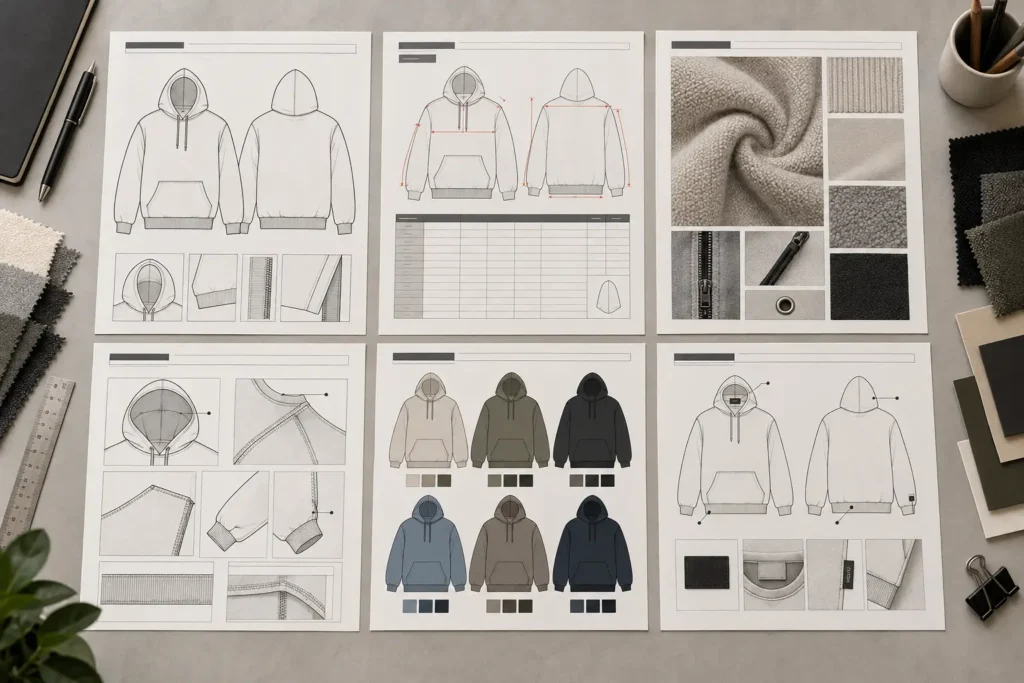
Technical flats are simplified garment drawings that show construction and proportions without the styling emphasis of a fashion illustration. Check whether a template gives you enough room for front and back views, plus side or enlarged detail views when relevant.
Useful flats can show seams, panels, pockets, closures, collars, cuffs, hems, and construction lines. You should be able to add callouts that point clearly to the related part of the drawing.
Ask whether the flats are editable, whether details can be enlarged, and whether the layout fits your garment categories. A fashion-illustration-oriented page may look appealing but may not provide enough technical clarity for a complex garment.
2. Measurements: Is There a Clear Specification Structure?
A measurement section should make specifications understandable, not merely look organized. Look for fields for points of measure (POM), finished measurements, sample or base size, size range, units, tolerances, and explanatory notes where appropriate.
Points of measure identify exactly where a dimension is taken—for example, chest width, body length, or inseam. A useful template may also let you reference POM numbers visually on the flat so the table and drawing work together.
Before buying, ask whether you can document multiple sizes, update tables efficiently, include tolerances, and define measurement methods clearly. The goal is unambiguous information, not a decorative spreadsheet.
Read More: What Is Included in a Fashion Tech Pack
3. Grading: Does the Template Support Your Size Workflow?
Grading describes how a pattern or specification changes between sizes. Base-size measurements and grading information are related, but they are not the same thing: a base-size table describes one size, while grade rules or size-specific tables show how measurements change across a range.
Some projects need detailed grading documentation; others rely on a pattern maker or manufacturer to manage it differently. Check whether the template has room for grade rules, size-specific values, and fit notes if those are part of your workflow.
Do not assume every template must include grading. Instead, confirm who owns that work, what information they need from you, and whether the document can accommodate it.
4. BOM: Can You Track Materials and Trims?
A bill of materials, or BOM, lists the components needed to make a garment. Depending on the style, that may include main fabric, lining, rib, thread, zippers, buttons, elastics, labels, hangtags, packaging, and other trims.
A useful BOM structure lets you identify components clearly and add material descriptions, color information, supplier references, or notes if your process requires them. It should also allow you to add rows without breaking the layout.
A detailed BOM is particularly helpful when a garment has several fabrics or trims. The exact format, however, may vary by manufacturer and production process.
5. Construction Details: Can You Explain How the Garment Is Made?
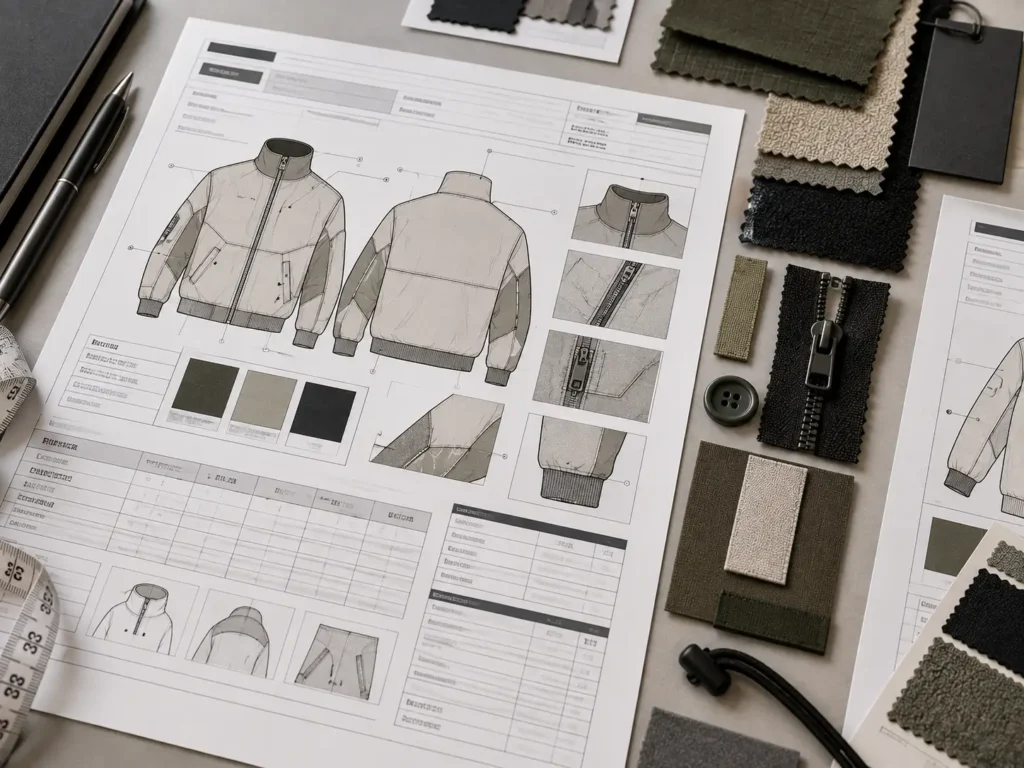
Flats are important, but they do not always communicate every construction requirement. Look for space for seam, stitching, hem, collar, cuff, pocket, zipper, button, elastic, drawcord, reinforcement, panel, and special-finishing notes.
Numbered callouts and enlarged detail drawings make complex areas easier to review. For example, a close-up can clarify pocket construction or the order of layered panels far better than a general front view.
Ask whether callouts can be tied back to the flat, whether notes remain readable, and whether you can add garment-specific instructions. A template should make detail clearer, not crowd every note onto one page.
6. Colorways: Can You Document Multiple Versions Clearly?
A colorway section helps distinguish alternate versions of a garment. Depending on the style, it may need to identify body color, contrast panels, trim color, thread color, artwork color, and applicable color references.
Check whether several colorways can be shown without mixing up their components. This matters most when color changes affect artwork, trims, panels, or materials rather than just the garment body.
Exact color systems and approvals depend on the material and production method. The template should therefore provide an organized place for your chosen references, not imply that one color notation will suit every production process.
7. Labels and Branding: Is There Space for Production Details?
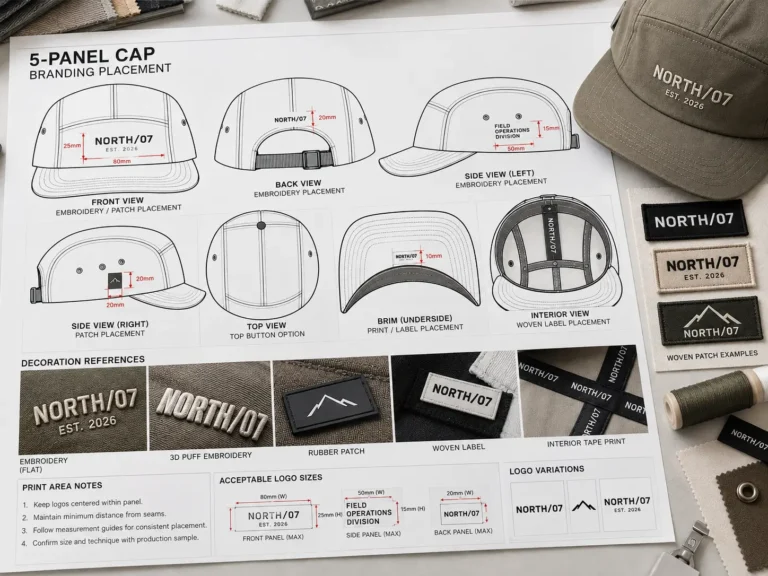
A label section may document main labels, size labels, care labels, brand applications, dimensions, placement, and attachment methods. It can also include notes for additional branding details when relevant.
Check whether the template lets you illustrate placement on a flat and specify dimensions or construction notes. A single generic box is less useful if your garment needs several label types or specific placements.
Legal labeling requirements vary by market and product. Treat the template as a place to organize your requirements, then independently verify the rules that apply to your product.
8. File Format: AI, PDF, or Something Else?
File format affects how you can edit, share, and reuse a template. The extension alone is not enough: a properly organized source file is more useful than an unfamiliar editable format with poor layers or unclear structure.
| Format | Useful For | What to Check |
|---|---|---|
| AI | Editable Illustrator-based documentation | Layers, editability, organization, software compatibility |
| Fixed sharing and reference documents | Whether it is editable or intended as final reference | |
| EPS | Certain vector workflows | Compatibility and intended use |
| SVG | Scalable vector graphics | Whether your design workflow supports SVG |
| Spreadsheet | Structured specifications and data | Whether it integrates with the rest of the documentation |
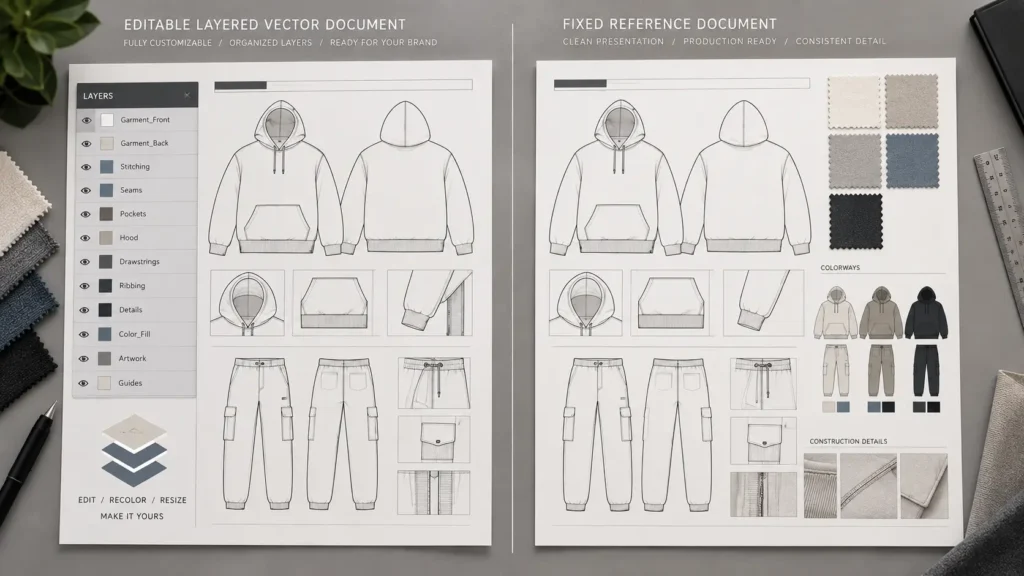
An AI template may be useful if you create technical flats and page layouts in Adobe Illustrator. A PDF may be convenient for review and fixed-document sharing, but it may not offer the same editing flexibility. Neither is universally better; check the actual file setup and what your collaborators can use.
9. Reusability: Can You Use the Template Again?
Reusability is often one of the most practical reasons to buy a template. Look for editable fields, consistent page styles, flexible tables, named layers, easy flat replacement, colorway updates, revision fields, and clear file naming.
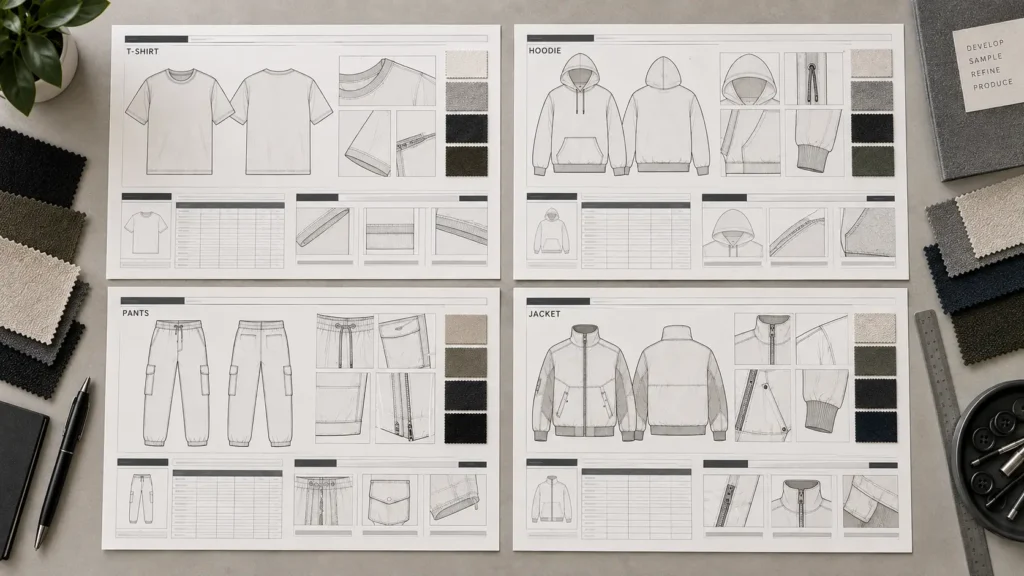
Ask whether you can duplicate the document for another garment, remove unneeded sections, add new pages, and keep the file organized through revisions. A reusable template should reduce setup work without forcing a T-shirt, hoodie, trouser, and jacket into exactly the same documentation pattern.
Does the Template Match Your Garment Type?
A garment-specific structure can be more useful than a generic one when your design has particular construction needs.
| Garment | What to Look For |
|---|---|
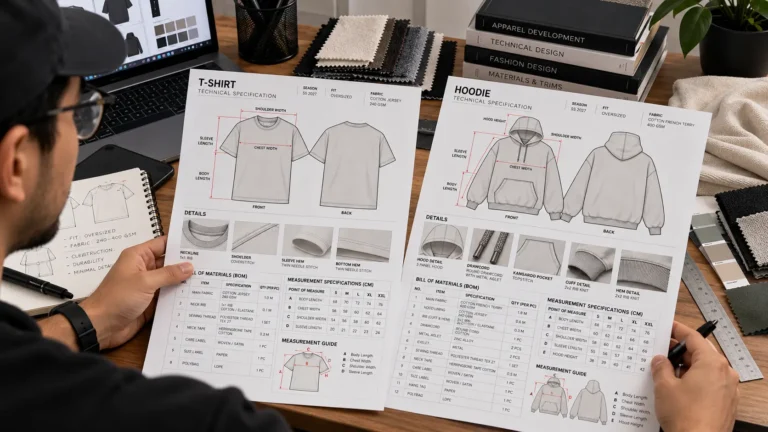
| T-shirt | Flats, measurements, neck and hem construction, artwork, BOM |
| Hoodie | Hood, drawcord, kangaroo pocket, rib, construction details, measurements |
| Pants | Waistband, fly or closure, pockets, inseam and outseam, measurements, grading |
| Outerwear | Panels, lining, closures, pockets, hardware, construction details |
| Complex fashion garment | Flexible construction, detail, material, and measurement documentation |
| Graphic-heavy garment | Strong artwork-placement and production-artwork organization |
These are starting points, not fixed requirements. A simple garment with unusual trims may need more documentation than a visually complex garment with straightforward construction.
Tech Pack Template vs. Completed Tech Pack
A template provides structure: layout, reusable fields, drawing areas, tables, and documentation sections. A completed tech pack provides the actual garment information: measurements, materials, construction details, colorways, artwork, labels, packaging instructions, grading where applicable, and revision history.
Buying a template does not mean the documentation is finished. You still need to enter accurate information, confirm details during development, and adapt the document to the requirements of the manufacturer or technical team.
Tech Pack Template AI vs. Tech Pack Template PDF
| Consideration | AI Template | PDF Template |
|---|---|---|
| Editability | Typically suitable for Illustrator-based editing | Depends on whether the PDF is editable |
| Technical flats | Useful when vector artwork is editable | Primarily useful for viewing or reference unless editable |
| Layout changes | Can be modified in Illustrator | Usually more limited |
| Sharing | May require export for review | Convenient for fixed-document sharing |
| Reuse | Useful when properly organized | Depends on editability |
| Factory communication | Often exported to an agreed final format | Often useful as a fixed reference |
The actual file structure matters more than the extension. Before purchasing, confirm what files are supplied, how they are organized, and whether they fit the software and handoff process you use.
Red Flags When Evaluating a Tech Pack Template
Be cautious when previews show only attractive mockups without an actual technical-page view. Other warning signs include no front or back flats, no measurement structure, no construction-detail area, no BOM organization, unclear file formats, flattened files described as editable, or no information about what the purchase contains.
Also watch for layouts that are overly decorative, crowded, impossible to adapt, or marketed as universal despite being built around one narrow garment type. Inspect documented contents and real template previews before relying on promotional imagery.
A Practical Tech Pack Template Buying Checklist
Before buying, ask:
- Does it include editable technical flats?
- Can I document front and back views?
- Is there a useful measurement and specification section?
- Can I record points of measure?
- Can I handle size or grading information where needed?
- Is there a BOM structure?
- Can I document construction details and callouts?
- Can I manage multiple colorways?
- Is there space for labels and packaging where needed?
- What file format is included?
- Is the source file actually editable and organized?
- Can I reuse it for future garments?
- Can I remove unnecessary sections and add new ones?
- Does the structure fit my workflow and manufacturer requirements?
When a Simple Template Is Enough and When You Need More Structure
Template complexity should match the project. A simple T-shirt, single graphic garment, or early concept may need a focused set of flats, measurements, artwork, and BOM information. A multi-style collection, complex outerwear piece, or garment with many trims, colorways, and sizes may need more pages and detail sections.
The most extensive-looking template is not automatically the right choice. Conversely, an overly simple template can create extra work if you must build important measurement, construction, or material sections from scratch.
How to Compare Tech Pack Templates Without Comparing Products
Use a repeatable process:
- Identify the garments you actually develop.
- List the technical information each garment needs.
- Inspect the template’s real page structure.
- Check its file format and editability.
- Examine its measurement and BOM organization.
- Confirm that construction details can be documented.
- Test whether the structure can be reused without confusion.
- Check that the final workflow can meet manufacturer-specific requirements.
- Compare documented contents with the product description.
- Consider price only after assessing usability and scope.
This approach keeps the decision focused on what the template can support, rather than on page count, surface-level styling, or price alone.
Browse Tech Pack Templates
If you are ready to compare available apparel documentation structures using the criteria above, browse the S.i. Graphics Tech Pack Template collection.
Frequently Asked Questions
What should I look for in a tech pack template?
Check technical flats, measurements, grading support where needed, BOM structure, construction details, colorways, labels, file format, and reusability. The most useful mix depends on your garment and workflow.
What should a clothing tech pack template include?
Requirements vary, but commonly useful sections cover flats, measurements, construction, materials, colorways, labels, and revisions. Not every garment needs every section.
Is an AI or PDF tech pack template better?
Neither is universally better. AI can be useful for Illustrator-based editing, while PDF can be useful for fixed sharing and review. Confirm the actual editability and organization of the files supplied.
What makes a professional tech pack template?
Professional usefulness comes from clear organization, editability, appropriate detail, and suitability for the garment—not visual decoration alone.
Can I use one tech pack template for different garments?
Often, yes, if the template is flexible. But different categories may need different technical views, measurements, construction pages, and material documentation.
Do tech pack templates include grading?
Some do and some do not. Grading needs vary, and pattern makers or manufacturers may use different processes.
Do I need a BOM in a tech pack template?
A BOM can be especially useful when a garment has multiple fabrics, trims, labels, or components. The appropriate level of detail depends on the style and workflow.
Can I use a tech pack template for manufacturer communication?
A template can provide the structure, but the completed document still needs accurate garment-specific information and must align with the manufacturer’s requirements.