Design - Create - Grow


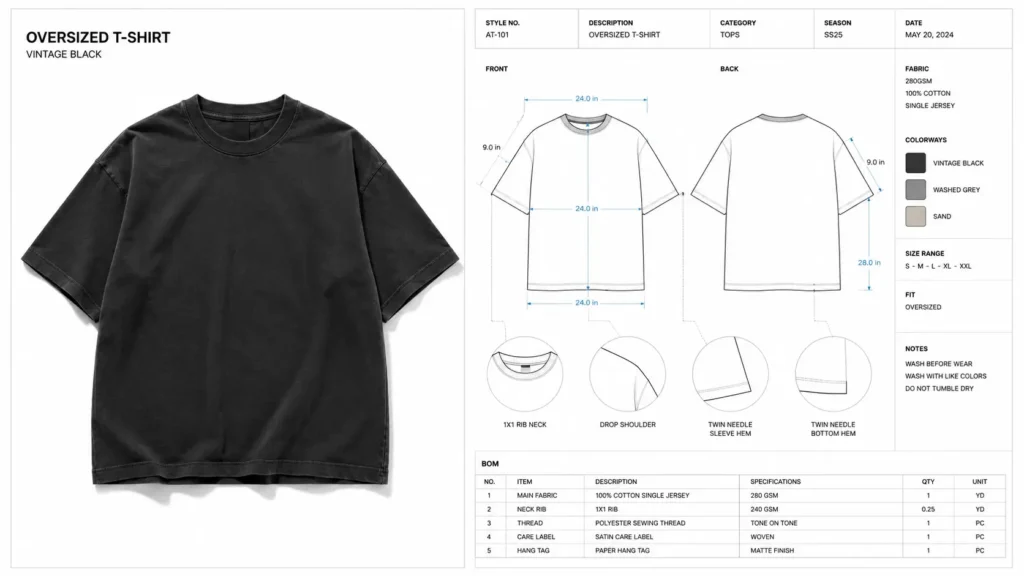
Figuring out how to communicate with clothing manufacturers is the single biggest hurdle for new fashion founders. You spend weeks perfecting a design, find an overseas factory, send over your beautiful mockup image — and four weeks later, a sample arrives that looks nothing like what you envisioned. The stitching is wrong. Th e fabric weight is off. The sizing is completely different from your spec. To set expectations correctly, read what really happens from tech pack to first sample — including realistic timelines.
That is not a factory problem. That is a communication problem.
Knowing how to communicate with clothing manufacturers means understanding that factories are builders, not interpreters. They need precise, technical instructions — not inspiration images. Every unclear detail costs you money. A single round of sample revisions can run $300–$500 when you factor in shipping, production time, and delays to your launch.
The language barrier makes this even harder. Even when your overseas factory speaks English, garment manufacturing relies on a universal technical language: flat sketches, measurement tables, grading rules, and Bills of Materials. This is the language factories actually speak.
In this guide, you’ll learn exactly what clothing manufacturer documentation you need to send, why mockup images alone will always fail you, and which tools and templates will get your designs into production — accurately — on the first try.
Why Factory Communication Fails
Most fashion founders assume that a detailed mockup image or a 3D render is enough to brief a factory. It is not — and understanding why will save you from the most expensive mistake in apparel production.
The core gap: A design concept lives in your head and on your screen. A factory-ready garment exists in the physical world, built from specific fabrics, specific construction methods, and exact measurements. Bridging that gap requires a document that speaks both languages.
Here’s why communication breaks down so consistently:
- Mockup images have no scale. A factory cannot determine measurements, seam allowances, or hem depths from a visual.
- Color references get lost in translation. Showing a “navy blue” image means nothing without a Pantone color code.
- Fabric interpretation is guesswork. Without a BOM (Bill of Materials), the factory will substitute whatever is available — often the cheapest option.
- Language barriers multiply ambiguity. When instructions are vague, overseas factories don’t ask clarifying questions. They make decisions. Those decisions rarely match your vision.
- Factories are builders, not mind readers. They need a blueprint, just like a construction crew does. Would you hand a builder a photo of your dream house and expect them to build it? No. The same logic applies here.
💡Pro Tip: Even factories you’ve worked with before needing updated clothing manufacturer documentation for every new style. Never assume they’ll “remember” your preferences from last season.
The solution is not better mockups. The solution is better technical documentation — and knowing exactly what to send overseas.
Your production package is the foundation of manufacturer communication. The most important document is the tech pack, but the goal is not simply to send a large file—it is to give the factory the right information in a form they can review, quote, sample, and revise.
How to Communicate with a Manufacturer Step by Step
1. Introduce the project clearly
Tell the manufacturer what garment you are producing, your target quantity, intended market, and current development stage.
2. Send the production documentation
Provide the current tech pack and supporting files in an organized package. Make it clear which file/version is the approved reference.
3. Ask for confirmation and questions
Give the factory an opportunity to identify missing information before sampling begins.
4. Review the quote and sample plan
Confirm pricing, MOQ, sample cost, estimated lead time, materials, and any assumptions the manufacturer has made.
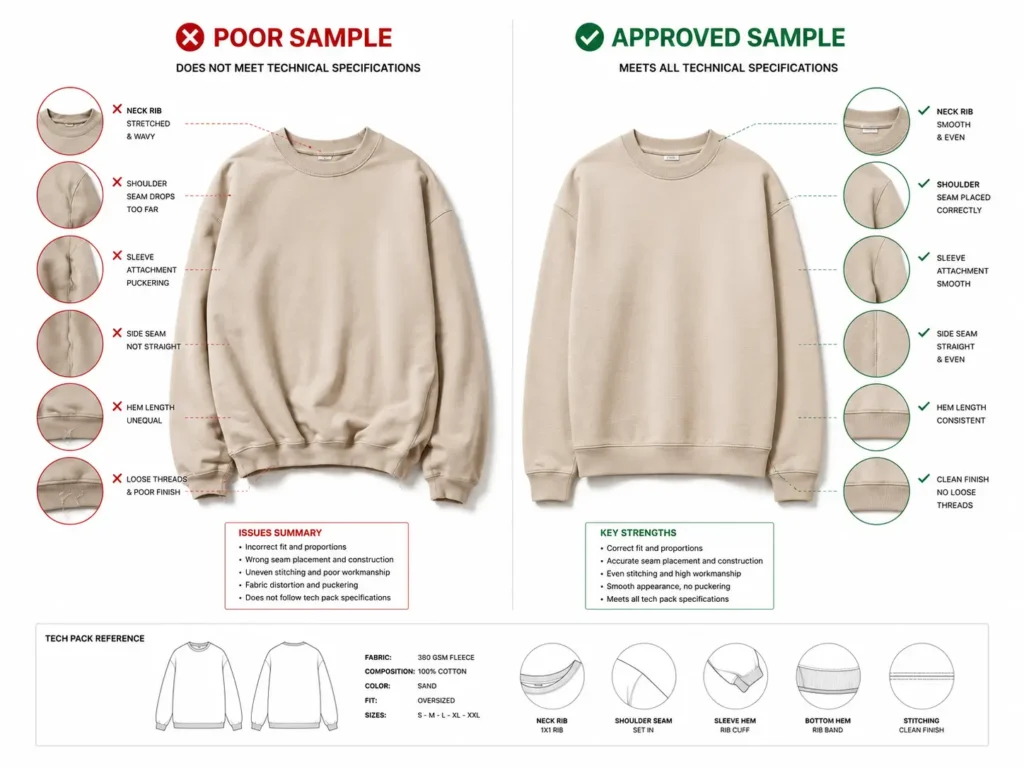
5. Review the sample against the specifications
Compare measurements, construction, materials, trims, branding, and finishing against the approved documentation.
To understand what the manufacturer is actually checking when reviewing those specifications, see how factories read tech packs.
6. Send revisions precisely
Identify the exact page, measurement, construction detail, or material being changed and record the revision clearly.
7. Confirm the approved version
Before bulk production, make sure both sides are working from the same final specification.
What to Send an Overseas Factory
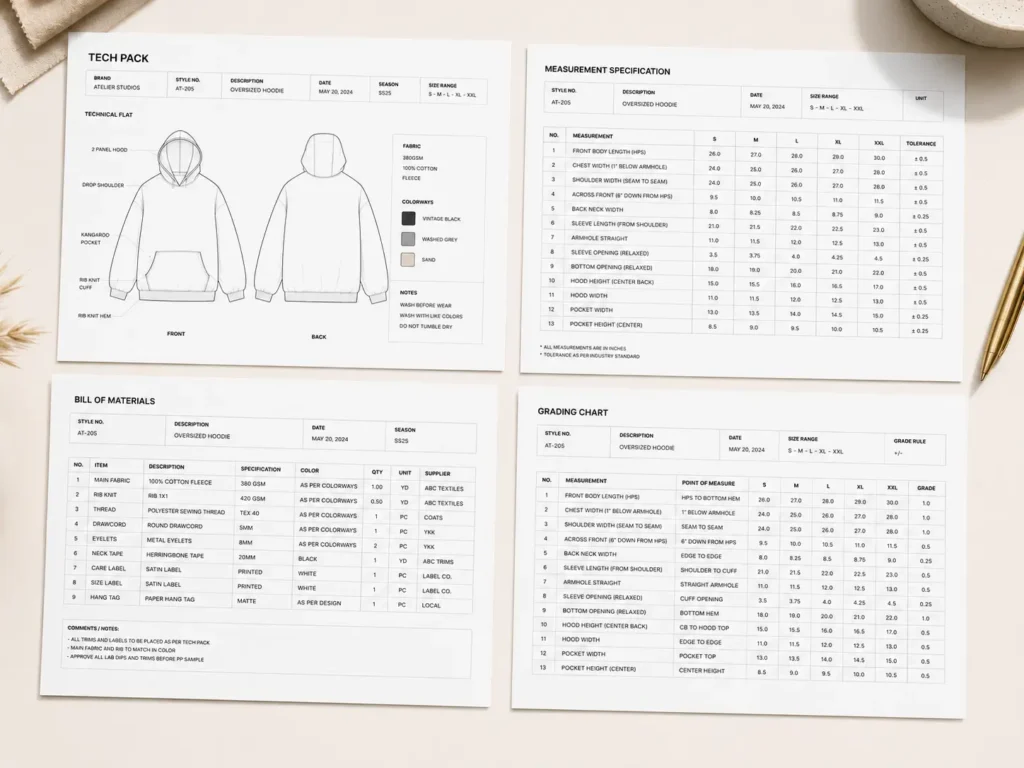
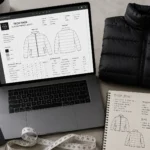
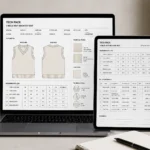
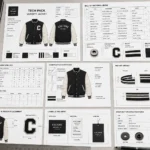
Understanding what to send an overseas factory is half the battle. The answer is a tech pack — a complete technical document that gives manufacturers everything they need to produce your garment accurately. If you’re new to tech packs, see our complete beginner’s guide to fashion tech packs before preparing your factory documentation.
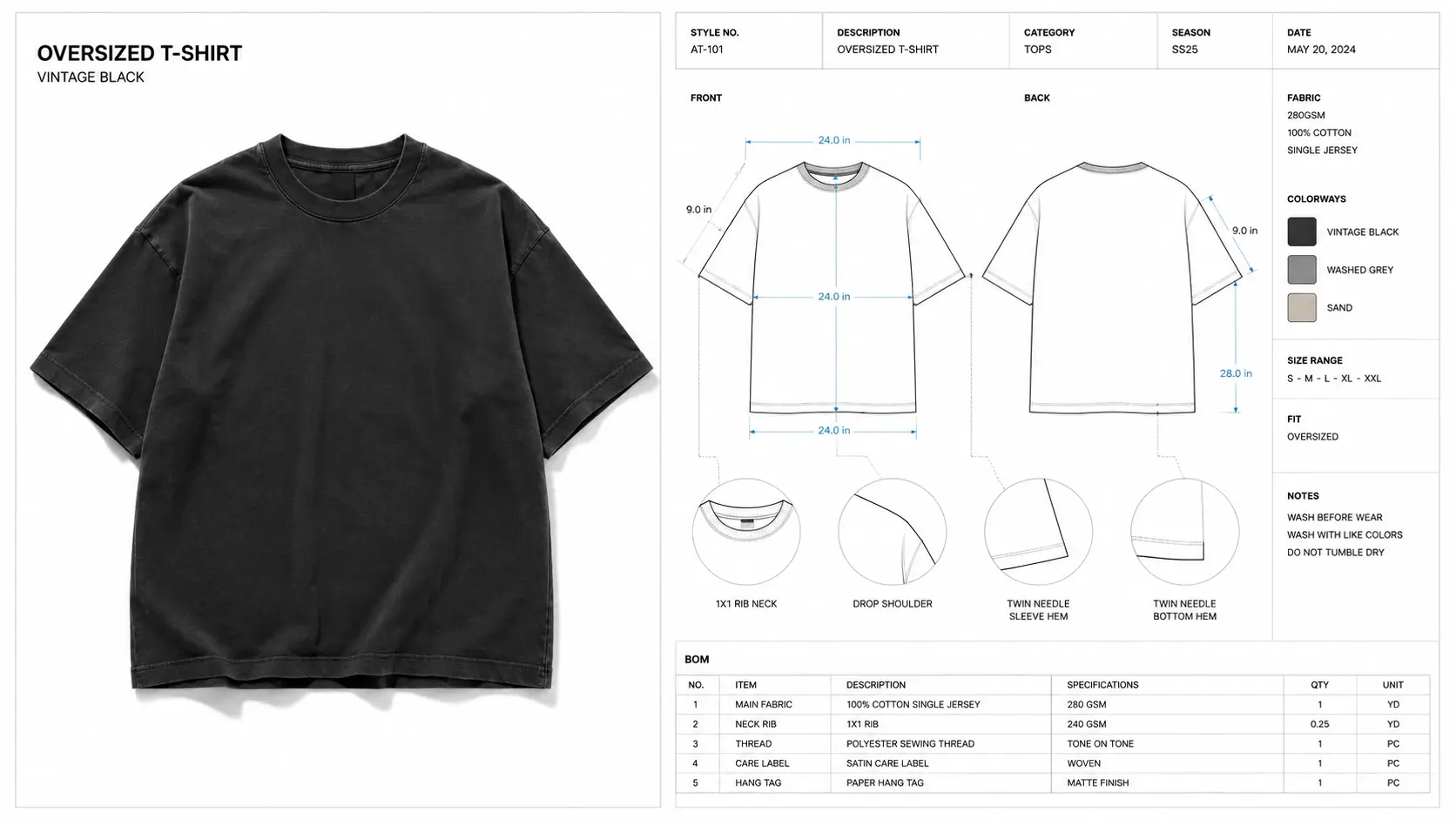
Here’s what a proper Tech Pack includes:
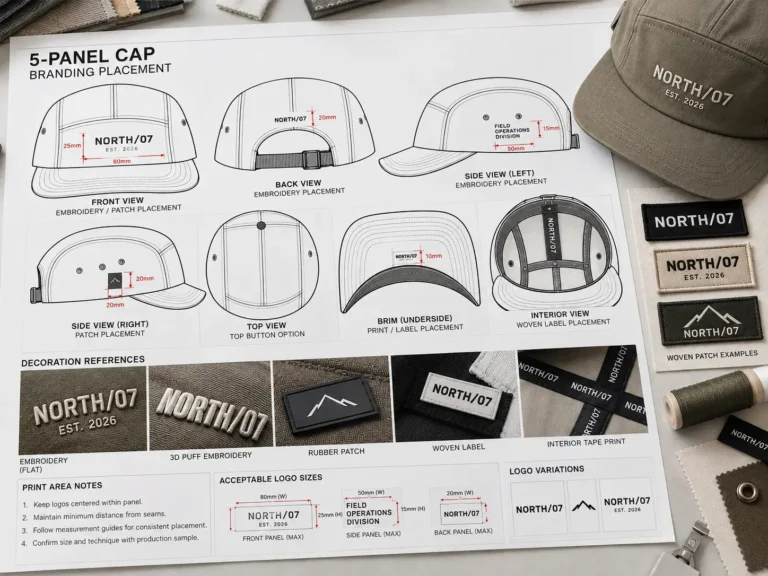
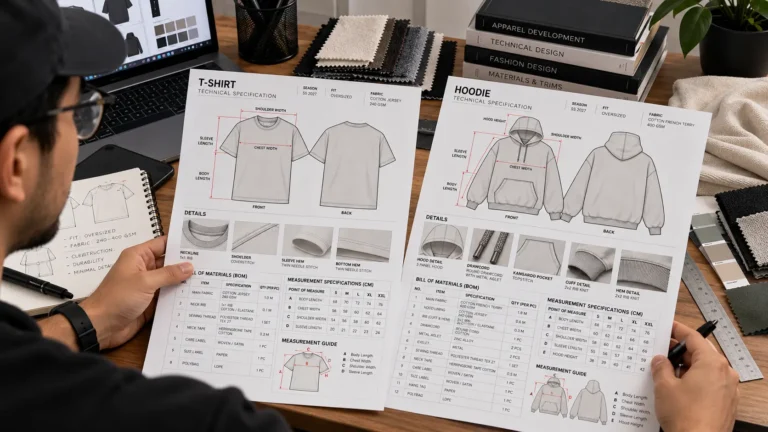
- Technical Flat Sketches (Front & Back) A clean, line-drawn illustration of your garment from the front and back. Unlike a mockup, flats are drawn to scale and show every seam, stitch line, pocket placement, and design detail clearly.
- Bill of Materials (BOM) A complete itemized list of every material in the garment — fabric type, weight, content, color code (Pantone), zipper spec, button size, thread color, label type, and more. The BOM is the single most important document for preventing wrong-material errors.
- Measurement Specification Sheet A chart listing every critical measurement — chest, waist, hip, sleeve length, inseam, rise, and so on — for each size in your range. This is what separates a garment that fits from one that doesn’t.
- Grading Rules How measurements change between sizes. Without grading, a factory produces one size and guesses the rest.
- Construction & Detail Callouts Notes on stitching type (double-needle, overlock), seam finish, hem height, label placement, care instruction placement, and any other production detail that could be misinterpreted.
The right clothing manufacturer documentation eliminates ambiguity at every step. When a factory has a complete Tech Pack, they stop guessing and start building.
For a complete page-by-page breakdown of these sections, see our guide to what is included in a fashion tech pack.
💡Pro Tip: Always export your final clothing manufacturer documentation as a single, combined PDF. Factories often lose loose files or image attachments — a single PDF keeps everything together and confirms your version is the one they’re working from.
Top 5 Tools & Templates for Factory Documentation
Not all factory documentation is created equal. Here are the five best options — from free DIY methods to professional, factory-ready bundles — so you can choose what’s right for your brand.
1. S.i. Graphics Complete Tech Pack Library — Best Overall Value
The S.i. Graphics Complete Tech Pack Library is the go-to solution for independent fashion founders who need professional, factory-ready documentation without spending weeks building spreadsheets from scratch.
Price: $29.99
What’s included: Complete tech pack templates in Adobe Illustrator and vector formats, BOM sheets, measurement spec charts, grading tables, fabric and trim callout pages, construction detail sheets, and size run grids. Everything is pre-formatted to the industry standards that overseas factories expect.
Best for: Fashion brand founders and independent designers ready to send their first or next collection to an overseas factory.
✓ Ready to send directly to factories — no reformatting needed
✓ Includes BOM, measurement specs, grading rules, and construction detail callouts
✓ 5.0-star ratings from real brand founders
✓ Industry-standard formatting that overseas factories instantly understand
✓ Full commercial license included — lifetime access, one-time payment
✗ Requires Adobe Illustrator for the .ai file version (though Excel version is included)
✗ Does not include product photography mockups
2. Excel / Google Sheets Templates — Best Free DIY Alternative
If you’re at zero budget and want to get started immediately, building your own tech pack in Excel or Google Sheets is a viable (if time-consuming) option.
Price: $0
What’s included: Whatever you build yourself — a blank spreadsheet formatted manually with your own measurement tables, notes, and fabric lists.
Best for: Absolute beginners with no budget, testing the tech pack concept before investing in professional templates.
✓ Zero cost
✓ Fully customizable
✓ Familiar software for most people
✗ Takes 10–20 hours to build from scratch if you don’t have a format reference
✗ Amateur formatting can undermine your credibility with experienced factories
✗ High risk of missing critical fields (grading rules, Pantone codes, construction callouts)
3. Techpacker (SaaS Platform) — Best for Large Corporate Teams
Techpacker is a cloud-based tech pack software platform designed for enterprise teams and brands managing large collections.
Price: Monthly subscription (pricing varies; check techpacker.com for current rates)
What’s included: Digital tech pack builder, team collaboration tools, factory communication portal, revision tracking, and version history.
Best for: Established brands with dedicated production teams who need multi-user collaboration and cloud storage.
✓ Built-in collaboration for large teams
✓ Revision tracking and version history
✓ Digital factory communication portal
✗ Monthly subscription cost adds up quickly for solo founders or small brands
✗ Steep learning curve — not ideal if you need documentation fast
✗ Overkill for founders launching a single collection or working with 1–2 factories
4. S.i. Graphics Basic Tech Pack Template — Best Budget Option
If you’re starting with a single hero style and need a clean, professional single-style tech pack without the full bundle investment, the S.i. Graphics Basic Tech Pack Template is the right starting point.
Price: $9.99
What’s included: Single-style tech pack template with measurement sheet, BOM page, flat sketch layout, and construction detail section. Available in both Illustrator and Excel formats.
Best for: Designers launching one key style who want professional documentation without the full bundle cost.
✓ Affordable entry-point for a single design
✓ Same professional formatting as the full Mega Bundle
✓ Full commercial license included
✗ Single-style only — not ideal if you’re launching a full collection
✗ Does not include grading templates or multi-size run sheets
5. S.i. Graphics OMEGA Bundle — Most Comprehensive Factory-Ready Package
For founders who are serious about launching a full collection, the S.i. Graphics OMEGA Bundle is the ultimate production toolkit. It combines everything you need for factory communication with everything you need for marketing — in one package.
Price: $79.99
What’s included: The standard tech pack templates, BOMs, measurement sheets, grading rules, construction callouts) PLUS 450+ premium garment mockup templates (AI, PSD) across multiple apparel categories.
Best for: Fashion founders building a full collection who need both factory-ready technical documentation AND marketing-ready product visuals.
✓ Complete end-to-end production + marketing toolkit
✓ 450+ mockup templates included — no separate mockup purchase needed
✓ Standard tech pack template included
✓ Lifetime access, one-time payment, full commercial license
✓ Covers the entire founder workflow: design → tech pack → factory → marketing
✗ Higher upfront cost (though it replaces multiple separate purchases)
✗ The mockup library may include styles not relevant to every brand’s niche
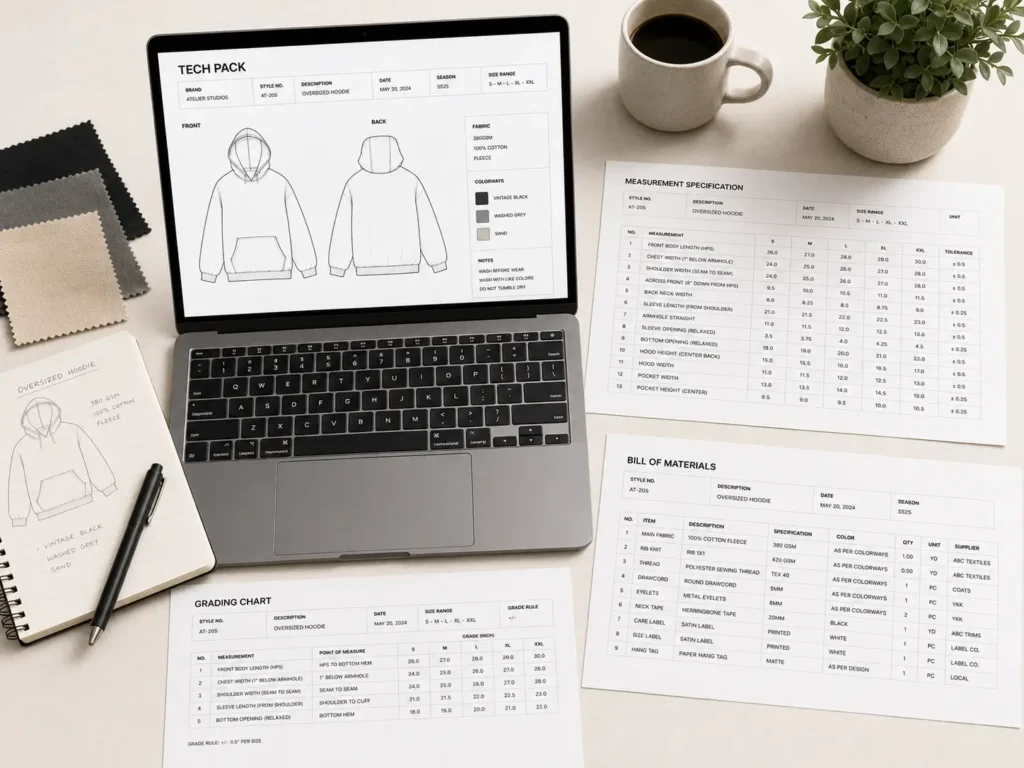
Mockups vs. Tech Packs: What Factories Actually Want
This is the most important distinction in fashion production, and most founders only learn it the hard way.
Mockups are marketing assets. Tech packs are manufacturing assets.
A mockup is a polished visual representation of your product — designed to excite customers, impress investors, and populate your website before you have physical samples. Mockups live on social media, in pitch decks, and on product pages.
A tech pack is a manufacturing blueprint — designed to give a factory worker in Vietnam, Bangladesh, or China every single piece of information they need to cut and sew your garment exactly as you intended it.
Here’s what actually happens when you send each type of document:
When you only send a mockup image: The factory interprets your design based on their available materials. The “heavyweight cotton” in your mockup becomes a 160gsm jersey because that’s what they have in stock. The “relaxed fit” becomes a slim cut because that’s the block pattern they default to. The “dropped shoulder” becomes a standard set-in sleeve because nobody specified the shoulder measurement. You receive the sample, it looks nothing like your mockup, and you’re out $400 in shipping and production costs — and six weeks behind schedule.
When you send complete clothing manufacturer documentation: The factory has your exact fabric weight and Pantone code. They have your shoulder point measurement, your seam allowance spec, and your stitch type on every seam. The sample arrives accurate. You might still have minor adjustments, but you’re doing fit refinements — not starting over.
The best founder workflow uses both: tech packs for the factory, mockups for your audience. The Complete OMEGA Bundle is built around exactly this workflow.
Documentation Comparison Table
| Feature | Sending Just Mockup Images | Sending Excel Tech Packs | Sending S.i. Graphics Templates |
|---|---|---|---|
| Factory Response Time | Slow — many clarification rounds | Moderate — some formatting issues | Fast — factories recognize the format |
| Sample Accuracy | Low — high risk of misinterpretation | Moderate — depends on your skill | High — industry-standard layout |
| Language Barrier Issues | High Risk | Medium Risk | Near Zero Risk |
| Cost of Mistakes | $300–$500+ per revision round | $100–$300 potential errors | Minimal |
| Professionalism | ✗ Unprofessional | ✓ Acceptable | ✓✓ Industry Standard |
| Time to Create | 30 minutes | 10–20 hours from scratch | Under 2 hours with templates |
Frequently Asked Questions
Do I really need a tech pack to communicate with an overseas factory?
Yes — and it’s non-negotiable if you want accurate samples on the first or second try. Overseas factories produce hundreds of styles for dozens of clients simultaneously. Without a complete tech pack, your order gets interpreted by a pattern-maker or production supervisor who has never met you and has no context for your brand’s vision. A tech pack removes all interpretation from the equation. It is the only document that communicates your exact requirements in the universal language of garment manufacturing.
What happens if I only send a mockup image to a manufacturer?
Expect costly mistakes. Without clothing manufacturer documentation, factories default to their own standard block patterns, available fabrics, and typical construction methods. You’ll likely receive a sample with the wrong fabric weight, incorrect silhouette, missing design details, and sizing that doesn’t match your intended fit. Correcting these errors typically requires two to four additional sample rounds, each costing $150–$500 in production and shipping. The total cost of skipping a tech pack routinely exceeds $1,000 for a single style.
How do I overcome language barriers with overseas clothing manufacturers?
The answer is technical documentation — not better translators. Flat sketches, Pantone color codes, measurement tables, and construction callouts are universally understood in fashion production regardless of spoken language. A factory worker in Ho Chi Minh City reads a measurement spec chart the same way a factory in Istanbul does. When you send precise numerical measurements, coded color references, and illustrated construction details, language stops being a barrier. Vague descriptions and verbal explanations are what cause miscommunication.
What is a Bill of Materials (BOM) in clothing production?
A Bill of Materials — commonly called a BOM — is a complete, itemized list of every component used to construct a garment. This includes the shell fabric (with weight, content, and supplier code), lining fabric, interlining, thread colors, zipper specifications (length, type, color, brand), buttons (size, material, color), labels (size, woven vs. printed), hang tags, care instruction labels, and any trim or embellishment. The BOM ensures the factory sources exactly the right materials rather than substituting based on availability. It is the most critical section of your tech pack for material accuracy.
What file format should I send to my clothing manufacturer?
Send a single PDF for universal viewing and to prevent accidental edits. Most factories can open PDFs without specialized software, and a combined PDF keeps all pages together and confirms your version is the final approved document. Some factories — particularly those in South Korea, Japan, and larger production hubs — may request your original Adobe Illustrator (.ai) files for precise scaling. Always ask your factory contact what they prefer before sending. The S.i. Graphics Complete Tech Pack Library includes both Illustrator and vector formats to cover both scenarios.
Should I find the manufacturer or make the tech pack first?
Always make the tech pack first. Factories base their price quotes on your tech pack. Without documentation, any quote you receive is a rough estimate that will change — often significantly — once production details are specified. A complete tech pack lets you get accurate, comparable quotes from multiple factories, negotiate from a position of knowledge, and avoid surprise cost increases mid-production. Finding a factory before your documentation is ready also creates pressure to commit before you’ve validated your production costs.
Can I use Excel to make clothing manufacturer documentation?
Yes, Excel is a valid tool for tech pack creation. However, building a professional, factory-standard tech pack in Excel from scratch requires significant time (typically 10–20 hours) and a strong understanding of what fields to include. The risk of missing critical information — grading rules, Pantone codes, stitch type callouts — is high. Pre-built templates like the S.i. Graphics Complete Tech Pack Library save you that setup time, include the correct fields out of the box, and present the information in the formatted layout factories are already familiar with. Templates also look more professional, which matters when you’re establishing a new vendor relationship.
How many pages should a tech pack be?
A complete tech pack for a single style typically runs 8–20 pages depending on garment complexity. A basic T-shirt tech pack might be 8–10 pages. A structured jacket with multiple panels, hardware, and lining could run 15–20. At minimum, every tech pack should include a cover page (style number, season, factory details), flat sketch page, BOM, measurement spec chart with grading, and at least one construction detail page. Fewer pages usually mean missing information — and missing information means factory guesswork.