Design - Create - Grow


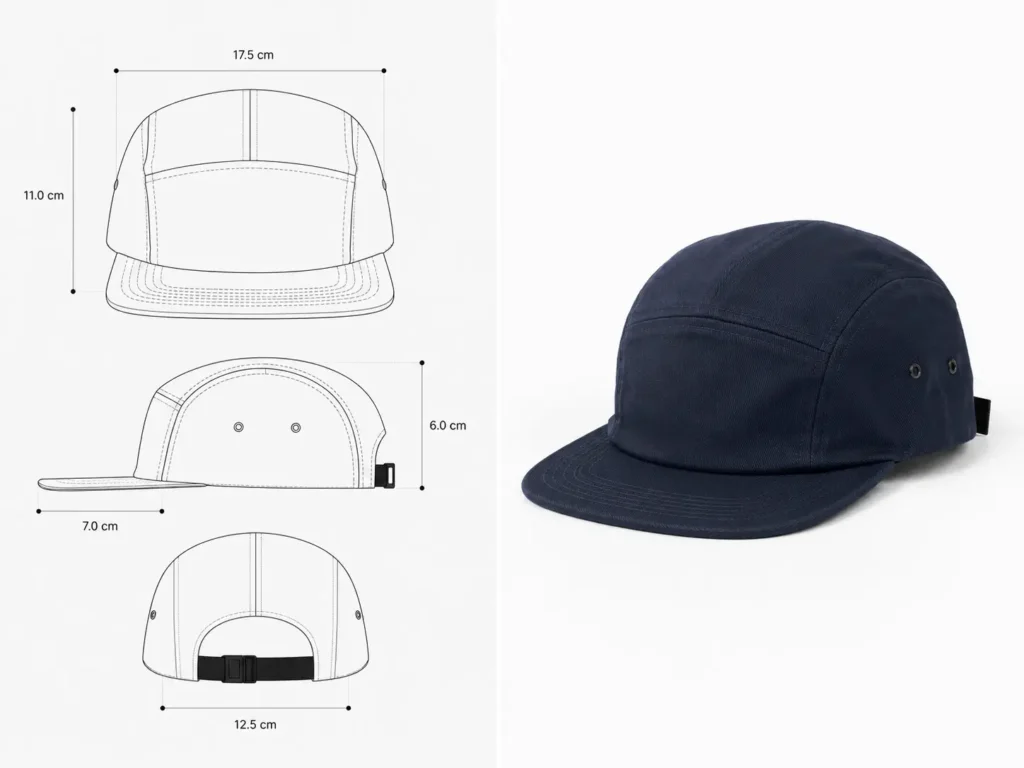
Ever sent your cap design to a factory, only to get back a sample that looks nothing like what you sketched? You’re not alone. A solid cap tech pack template is usually the difference between a clean first sample and weeks of costly revisions. As headwear brands keep popping up across the streetwear space, more founders are learning this the hard way — right after they’ve already paid for a bad sample.
This guide breaks down exactly what a cap tech pack template needs to cover, how it works alongside your headwear brand mockups, and which tools actually get you factory-ready without wasting a single sample fee. We’ll cover both phases of a headwear launch: the technical documentation that makes your factory build the hat correctly, and the presentation assets that make your customers want it before it’s even in stock.
⚡Quick Answer: To launch a cap brand successfully, you need two separate assets — a cap tech pack template (the technical blueprint your factory uses to sew your hat correctly) and headwear brand mockups (photorealistic renders you use to market and pre-sell before you manufacture). Skip either one, and you’re either risking a bad production run or launching with amateur-looking product photos.
Why You Need Both Tech Pack Templates and Mockups
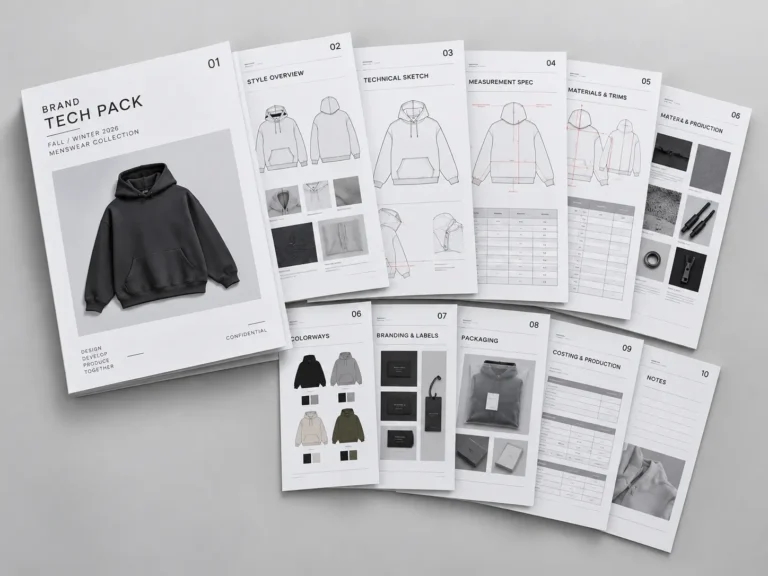
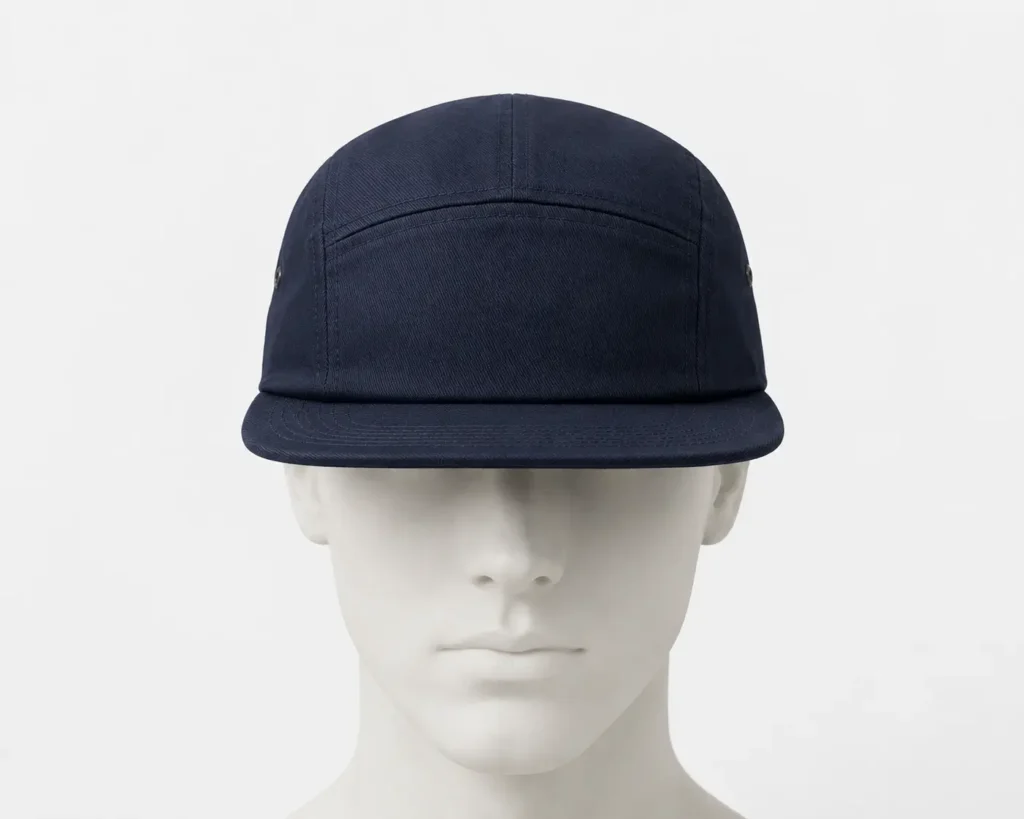
Here’s the thing about cap factories — they don’t guess well, and they definitely don’t read minds. A cap tech pack template is a technical spec document, typically built in Illustrator and exported as a vector PDF, that hands your factory exact measurements, materials, and construction callouts for your headwear. Headwear brand mockups, on the other hand, are photorealistic Photoshop renders that show your design worn on a real head — built for marketing, social media, and pre-sales, not production.
The two documents serve completely different audiences:
- Tech packs → the factory. They speak the language of pattern makers and sewers: panel counts, seam allowances, stitch types.
- Mockups → your customers and investors. They sell the vibe, the fit, the drop.
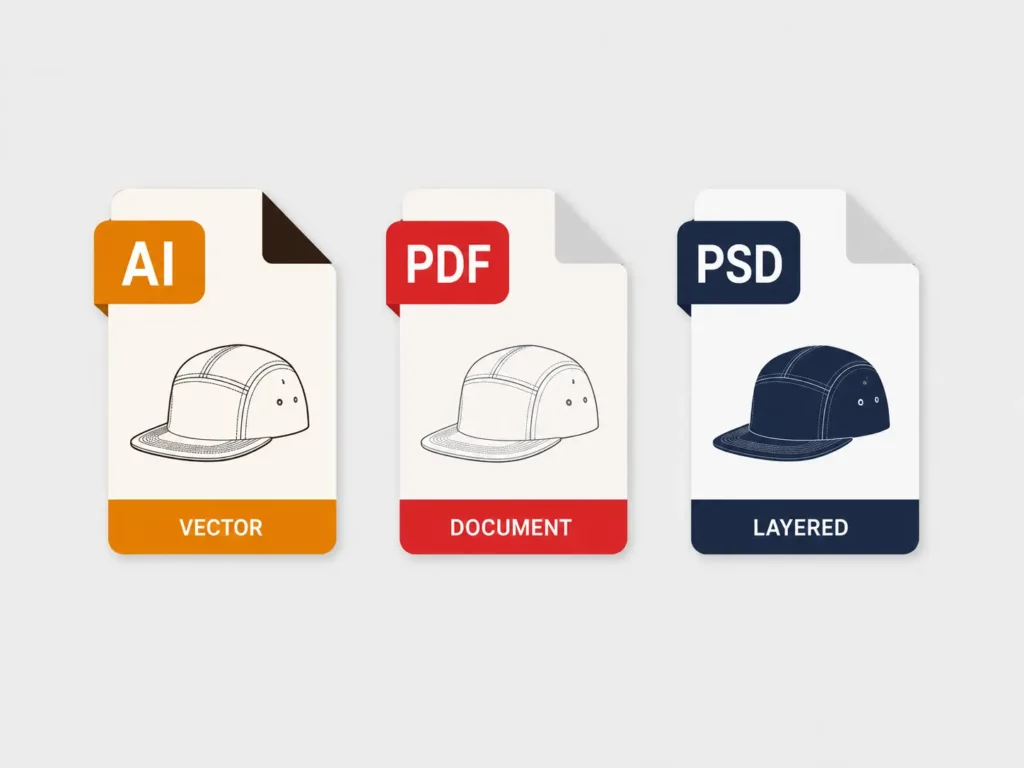
Common file formats break down the same way:
- ✓ Tech packs: AI (editable vector) and PDF (for sharing with manufacturers)
- ✓ Mockups: PSD/AI (layered Photoshop/Illustrator files you can recolor and re-brand instantly)
Using a proper headwear tech pack instead of a rough sketch saves real time — factories quote faster and sample faster when specs are unambiguous. It also prevents the classic “that’s not what I ordered” sampling disaster, and it lets you run professional pre-sales using headwear brand mockups long before a single unit exists.
The Essentials of 5-Panel Cap Manufacturing Specs
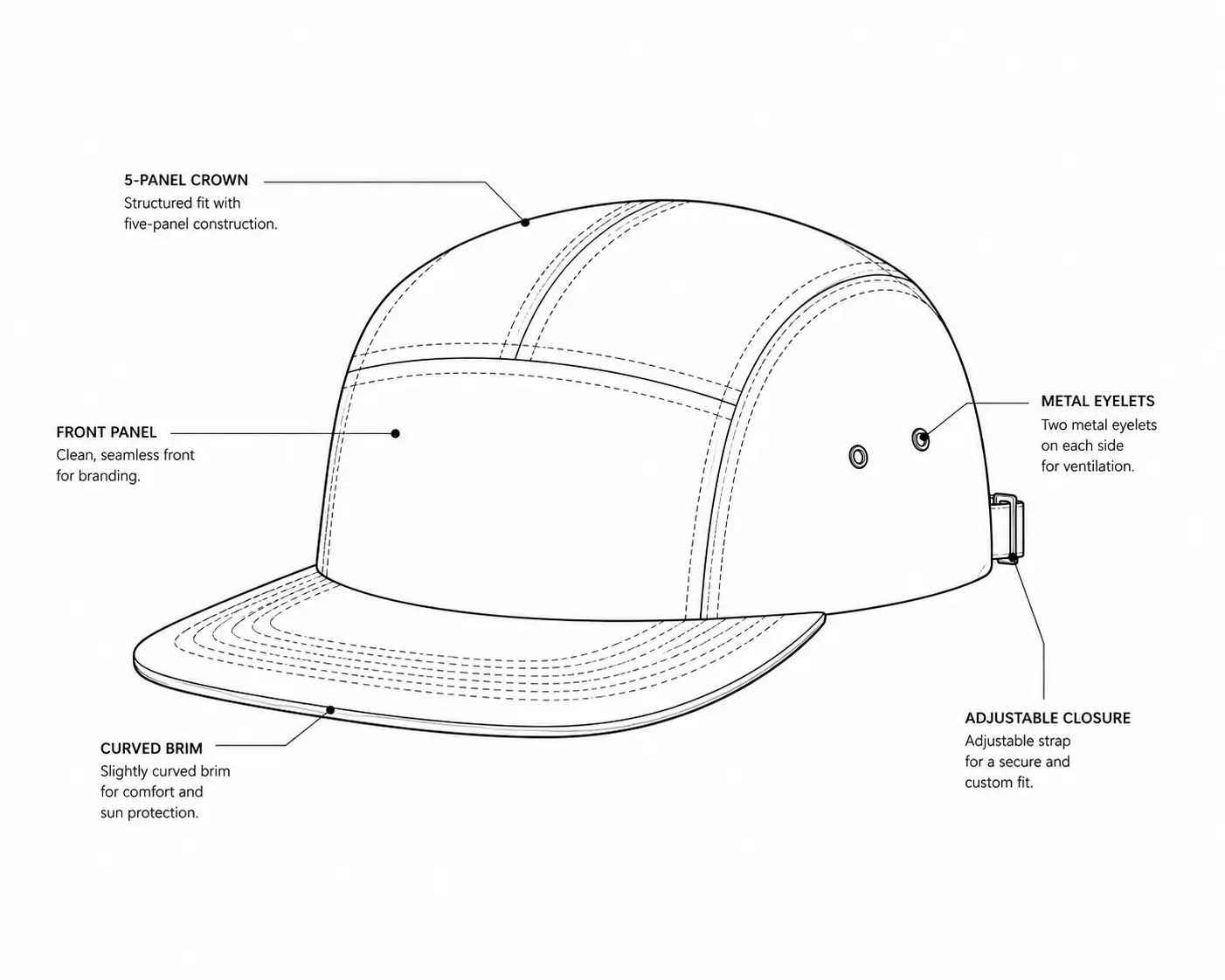
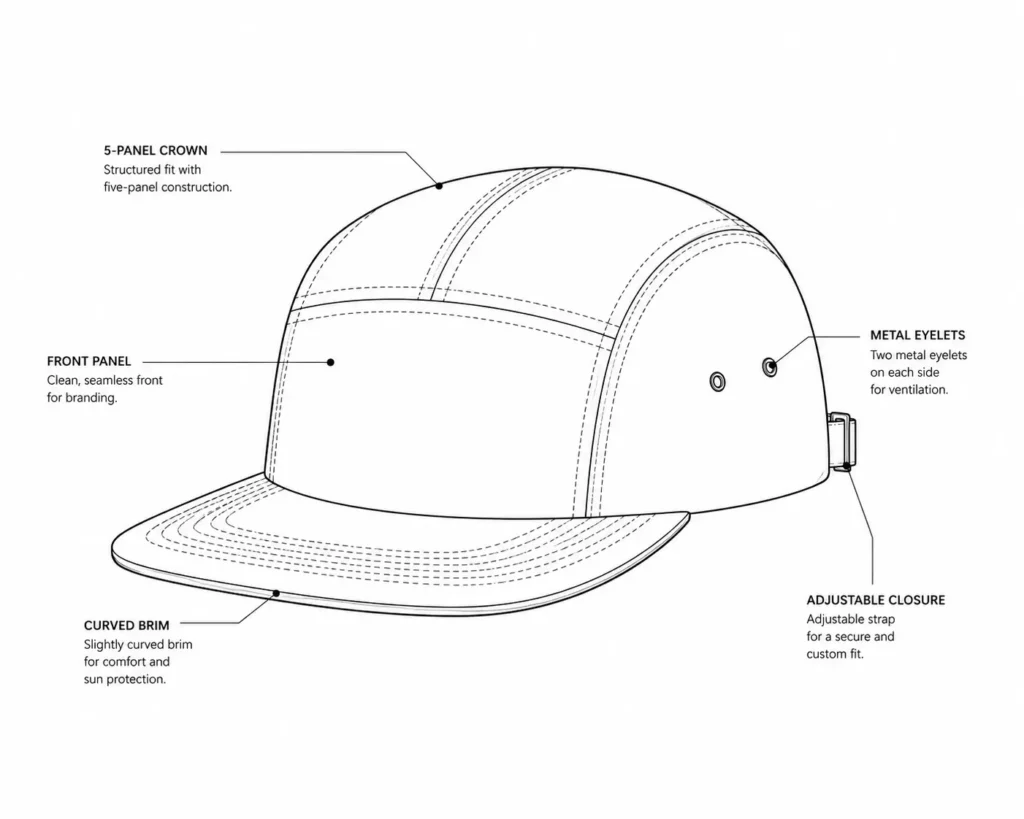
Five-panel camp caps look simple, but they’re deceptively hard to spec correctly. Solid 5-panel cap manufacturing specs need to nail down every one of these:
- Measurements — crown height, panel width, and circumference across sizes
- Bill/brim curve — flat brim vs. pre-curved, plus brim length and buckram stiffness
- Material callouts — cotton twill weight, corduroy, nylon ripstop, or blends, by panel
- Stitching details — thread weight, contrast stitching, panel seam type
- Closure types — strapback, snapback, or adjustable buckle, with hardware finish
- Eyelet placement — count, spacing, and metal vs. fabric eyelets
💡 Pro Tip: Always include inside-taping and sweatband measurements in your 5-panel cap manufacturing specs — factories will guess if you don’t, and that guess rarely matches your vision.
Precision here isn’t optional. A missing brim curve callout or vague stitching note can mean a $150–$300 sample that lands in the trash, and a two-to-three-week delay while you resubmit corrected specs. This is exactly why founders move away from freehand sketches and toward a proper spec document — one built specifically around 5-panel camp cap construction rather than generic apparel specs. The right template turns hours of back-and-forth emails into a single, unambiguous PDF a factory can quote and sample from immediately.
Top Headwear Tech Pack & Mockup Solutions
Whether you’re building your first drop or your tenth, you’ll eventually need to choose the actual tools and templates that turn a design idea into a factory order and a marketing photo. Here are five options worth knowing, ranked by what they’re actually best at.
1. S.i. Graphics 5-Panel Camp Cap Tech Pack Template — Best for Manufacturing
This is a factory-ready cap tech pack template built specifically around 5-panel camp cap construction, not a generic apparel spec sheet stretched to fit headwear. It includes pre-built callout points for crown height, brim curve, eyelet placement, and stitching, so you’re editing existing fields instead of building specs from a blank page.
Price: $14.99
What’s included: Editable AI and PDF files, front/side/back technical flats, a materials callout guide, and a measurement chart across standard sizes.
Best for: Founders sending their first (or fifth) sample request to a factory.
✓ Factory-tested layout, built around real 5-panel construction
✓ Fully editable in Illustrator
✓ Saves sample-revision costs from vague specs
✓ Includes brim curve and eyelet placement callouts
✗ Requires basic Illustrator familiarity to edit comfortably
2. S.i. Graphics Headwear Mockups Bundle — Best for Presentation & Marketing
Once your tech pack is locked and sent to the factory, this is what sells the hat while you wait for samples. The bundle includes fully editable cap mockup AI files across multiple angles, letting you swap colorways and logos in minutes for pre-sales, lookbooks, or Instagram drops.
Price: $24.99
What’s included: Multiple angle AIs (front, side, worn-on-head), fully editable layers for instant logo swaps, and a full commercial license.
Best for: Pre-selling a drop on Shopify or Instagram before bulk manufacturing is finished.
✓ Photorealistic results without a photo shoot
✓ Editable AI— recolor and rebrand instantly
✓ Commercial license included
✓ High conversion rates on pre-sale pages
✗ Requires Illustrator
Together, these two S.i. Graphics products cover the full launch: one makes the hat, the other sells it. That’s the core idea behind pairing a headwear tech pack with headwear brand mockups instead of treating them as interchangeable.
3. Techpacker — Best for Large-Scale PLM
Techpacker is a genuine alternative worth mentioning if you’re scaling past a one- or two-style drop. It’s a cloud-based PLM (product lifecycle management) platform built for full apparel lines, not just headwear, so it handles multi-style collections, supplier communication, and costing sheets in one dashboard.
Price: Subscription-based, roughly $40–$50+/month depending on plan.
What’s included: Cloud tech pack builder, supplier messaging, costing sheets, and revision tracking across a full line.
Best for: Agencies or brands managing several product categories at once, not just caps.
✓ Strong for multi-category lines and teams
✓ Built-in supplier communication tools
✓ Version history and revision tracking
✗ Overkill (and pricier) if caps are your only product
✗ Steeper learning curve than a single template file
4. Free Vector Cap Template (Stock Sites) — Best Free Starting Point
If you’re still sketching ideas and not ready to spend anything, a free flat-vector cap template from a stock design site is a reasonable starting point. It’ll give you a basic panel outline to design against.
Price: $0
What’s included: A flat vector outline, usually front-view only.
Best for: Very early concept sketching before you’ve picked materials or a factory.
✓ Zero cost to start sketching ideas
✓ Good for rough concept presentations
✗ Lacks real manufacturing callouts — not factory-ready
✗ Flat, single-angle only — not useful for marketing
5. Placeit by Envato — Best for Quick Web-Based Mockups
Placeit is a legitimate option if you need a fast, browser-based mockup without installing Photoshop. It’s not headwear-specific, but its cap mockup category covers basic use cases well.
Price: Subscription, roughly $29.99/month (varies with Envato bundling).
What’s included: Web-based mockup generator, stock cap angles, quick logo upload tool.
Best for: Founders who want a quick web mockup without opening Photoshop at all.
✓ No software installation needed
✓ Fast turnaround for simple product shots
✓ Wide library beyond just headwear
✗ Ongoing subscription cost vs. a one-time PSD purchase
✗ Less control over fine detail compared to layered cap mockup AI files
How to Prepare Your Headwear for Production
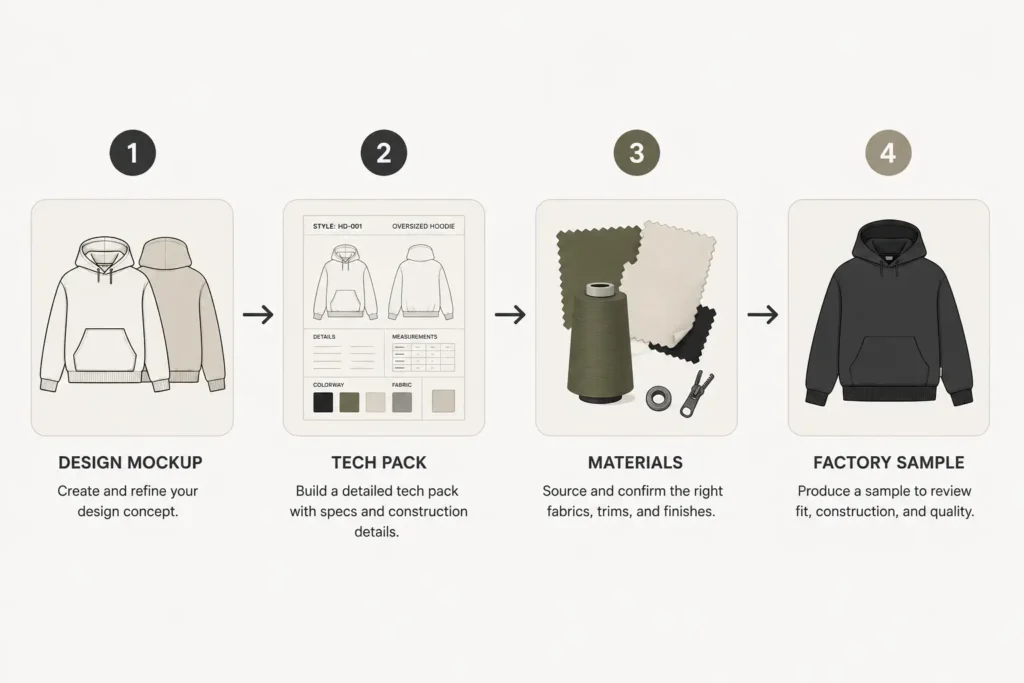
Once you’ve got your tools sorted, the actual process from idea to factory order follows a pretty consistent path:
- Finalize your design on a mockup. Test colorways and logo placement using headwear brand mockups before committing to materials.
- Transfer details to a cap tech pack template. Move your finalized design into that document, filling in every measurement and material callout.
- Choose materials and hardware. Lock in fabric weight, closure type, and eyelet style based on what your factory can source.
- Send to manufacturers for sampling. Submit the completed headwear tech pack as a PDF, and request a physical sample against those exact specs.
💡 Pro Tip: Attach your cap mockup PSD render alongside the tech pack PDF when you email a factory. It gives them visual context on top of the technical measurements, which cuts down on clarifying emails.
Here’s a simple decision rule to keep the two documents from getting mixed up:
- If you’re testing a new colorway or building a pre-sale page, then use headwear brand mockups first — no factory involvement needed yet.
- If you’re actually sending a design to be sewn, then always use a complete headwear tech pack — never a mockup image alone, since it lacks construction detail a factory needs.
Frequently Asked Questions
What is the difference between a cap tech pack and a headwear mockup?
A cap tech pack template is a technical blueprint for manufacturers — it lists exact measurements, materials, and construction details a factory uses to sew your cap. A headwear mockup is a realistic photo or render used for marketing and pre-sales. One builds the product; the other sells it. You genuinely need both at different stages of a launch.
What software do I need to edit a cap tech pack template?
Most professional cap tech pack template files are built in Adobe Illustrator and exported as editable AI or PDF files, since vector format holds up at any print or factory size. Cap mockup AI files, by contrast, are edited in Adobe Illustrator, where editable layers let you swap logos and colors without touching the base image.
What details should be in 5-panel cap manufacturing specs?
Solid 5-panel cap manufacturing specs cover panel count and dimensions, brim size and curve, sweatband material and height, closure type (strapback vs. snapback), fabric weight per panel, and stitching or eyelet detail. Leaving any of these vague is the most common cause of a failed first sample.
Do I need both a tech pack and a mockup to launch a brand?
Yes. A headwear tech pack gets your product manufactured correctly, while headwear brand mockups let you market and pre-sell it professionally. Launching with only one — a factory spec sheet with no marketing visuals, or pretty renders with no real production spec — leaves a real gap in your process.
Can I use headwear brand mockups for Shopify or Instagram?
Yes, as long as the mockup comes with a commercial license, which the S.i. Graphics Headwear Mockups Bundle includes. High-resolution cap mockup AI files are ideal for Shopify product pages and Instagram drops since they hold up at large display sizes without looking pixelated.
How much does a professional cap tech pack template cost?
Pricing varies widely — a single-style tech pack built specifically for camp caps typically runs $10–$20, while broader PLM platforms built for full apparel lines can run $40+ per month on a subscription basis.
Can I build my own cap tech pack from scratch instead of buying a template?
You can, but it takes real time to build every measurement chart and callout point correctly from a blank Illustrator file, and it’s easy to miss a detail like brim curve or eyelet spacing your factory needs. A pre-built cap tech pack template skips that setup and gets you to a factory-ready PDF much faster.
Do factories accept flat sketches instead of a full tech pack?
Most established factories will ask for a proper spec sheet before quoting, since a flat sketch leaves too much open to interpretation. A complete headwear tech pack with measurements and material callouts is what actually gets you an accurate quote and sample turnaround time.
Conclusion
Now you’ve got everything you need to design, manufacture, and market your headwear brand properly. Skipping proper documentation is one of the most expensive mistakes a founder can make — both in wasted samples and in missed pre-sales.
Key takeaways:
- A cap tech pack template is what your factory needs to build the hat correctly the first time.
- Headwear brand mockups are what actually sell the hat before it exists.
- Precise 5-panel cap manufacturing specs — brim curve, stitching, closures, eyelets — prevent costly resampling.
- The two documents complement each other; neither replaces the other.
Ready to get started?
Get the 5-Panel Camp Cap Tech Pack Template — $14.99
Get the Headwear Mockups Bundle — $24.99
Your future customers are waiting for your next drop. Start building it today.