Design - Create - Grow


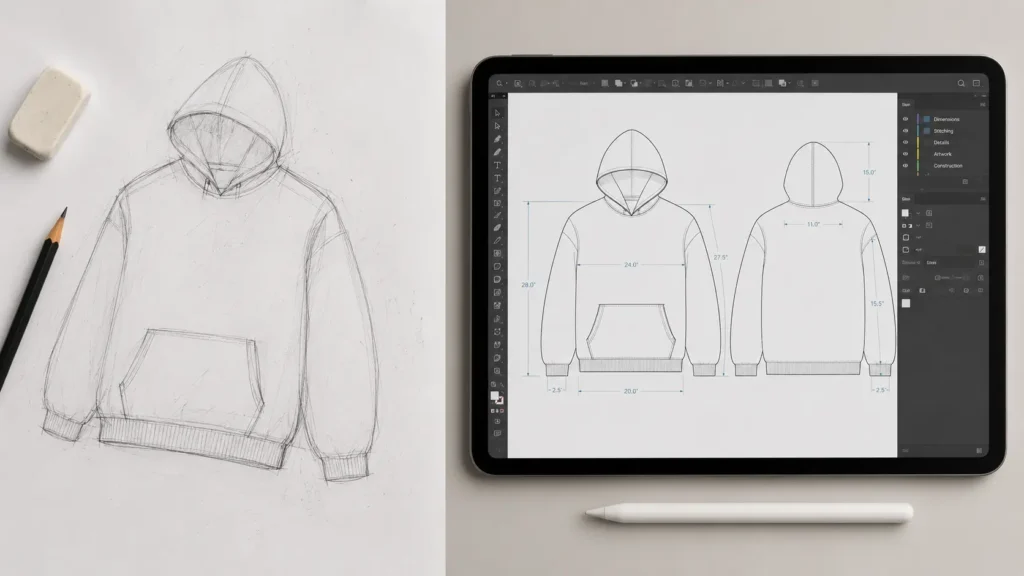
You’ve got the vision, the name, maybe even a target customer in mind. But the moment you sit down to actually design your clothing brand, you hit a wall. What software for starting a clothing brand do you actually need? And do you need to know how to use it like a professional designer?
Here’s the reality: the software for starting a clothing brand isn’t optional. Manufacturers require specific file formats. Investors and buyers expect polished mockups. And if you send the wrong files to a factory overseas, you’re looking at costly miscommunications, production delays, or worse — a garment that looks nothing like your original design.
This guide covers exactly what the industry expects, why Adobe Illustrator and Photoshop are the two non-negotiables, and — most importantly — how non-designers can bridge the gap without spending months in software tutorials.
Whether you’re a print-on-demand seller, a streetwear startup, or a boutique apparel brand, you’ll leave this article knowing exactly what tools you need and how to use them efficiently.
⚡Quick Answer: The essential software for starting a clothing brand includes Adobe Illustrator (for tech packs) and Adobe Photoshop (for marketing mockups). However, you don’t need a design degree — using professional templates bridges the gap for non-designers instantly.
Why Industry Standard Software Matters for Your Clothing Brand
The role of software in clothing production is simple: it translates your creative vision into files that factories, printers, and production teams can actually work from. Without the right formats and specifications, your design is just an idea on a screen.
Here’s what manufacturers actually need from you:
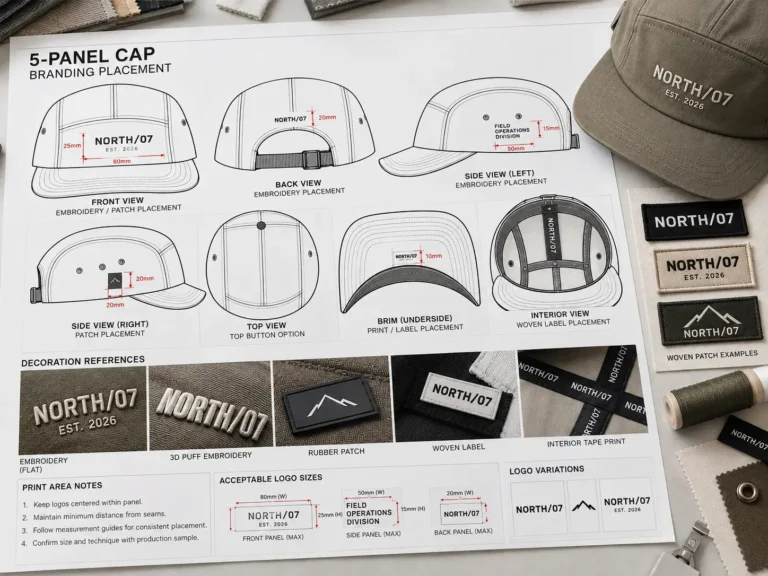
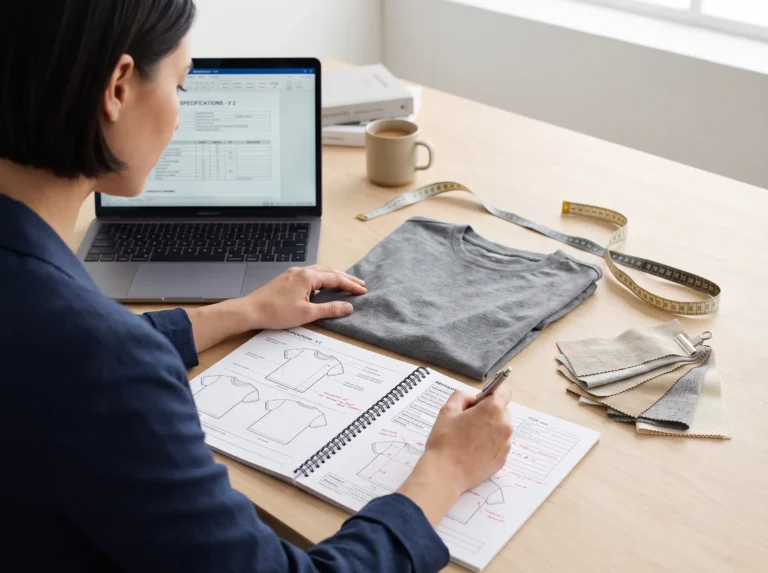
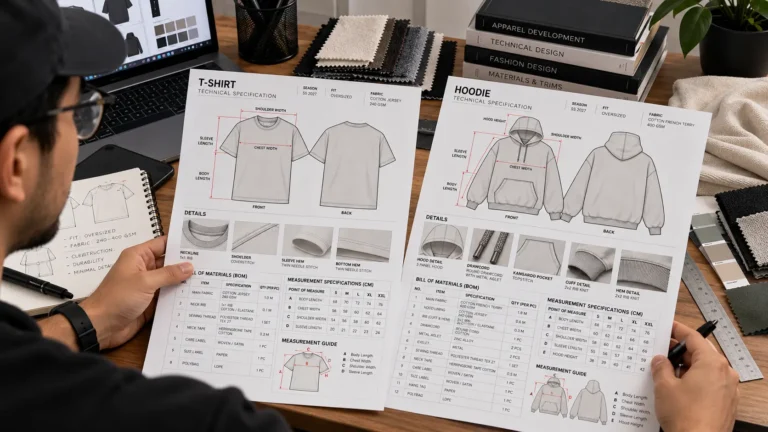
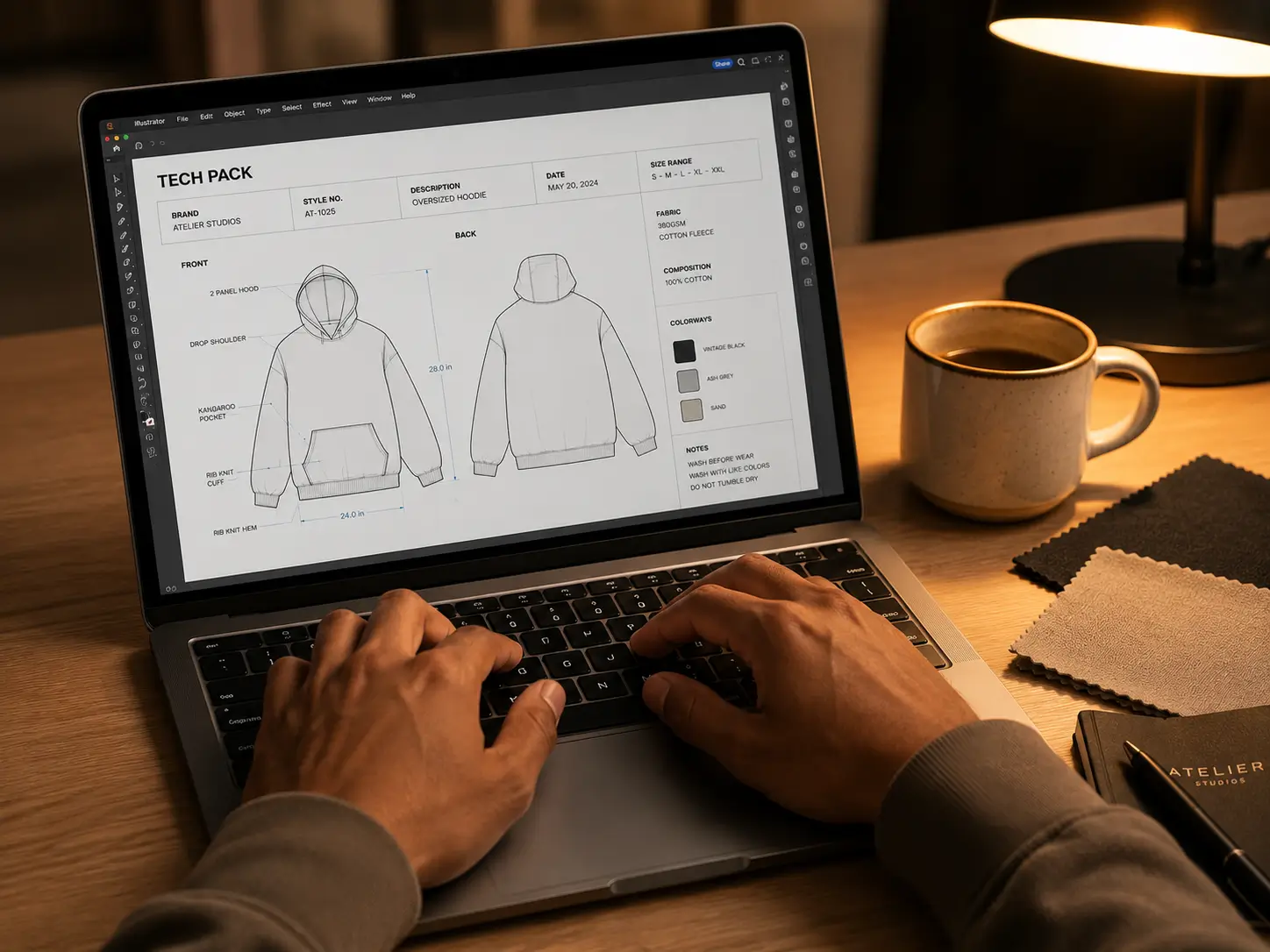
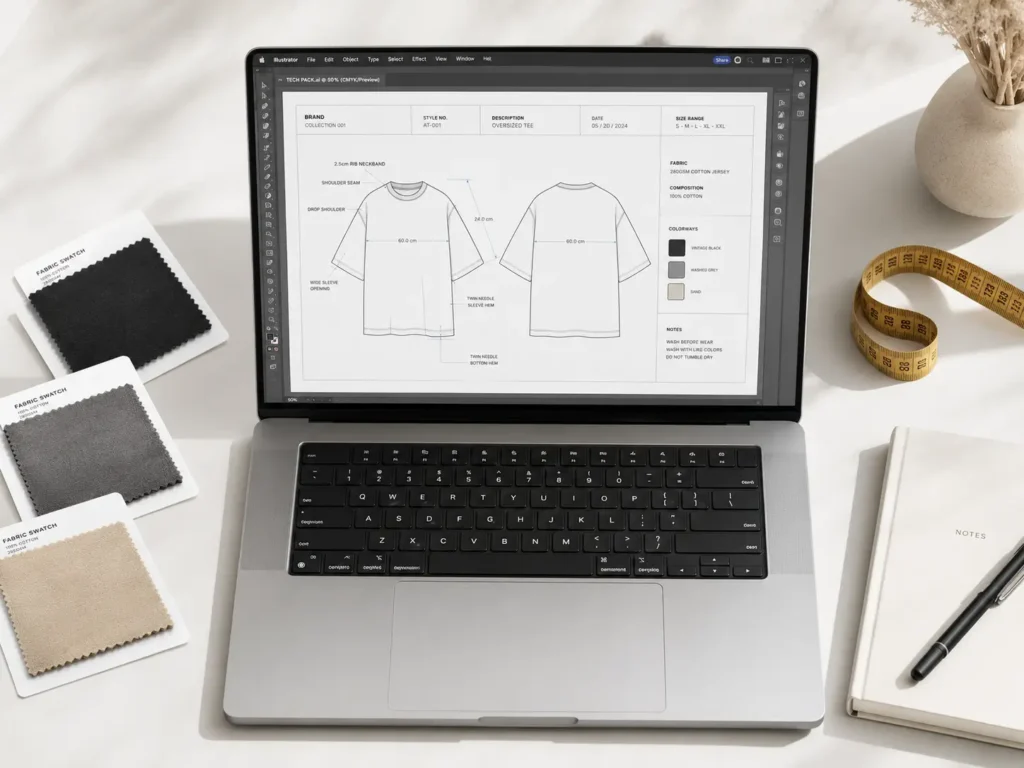
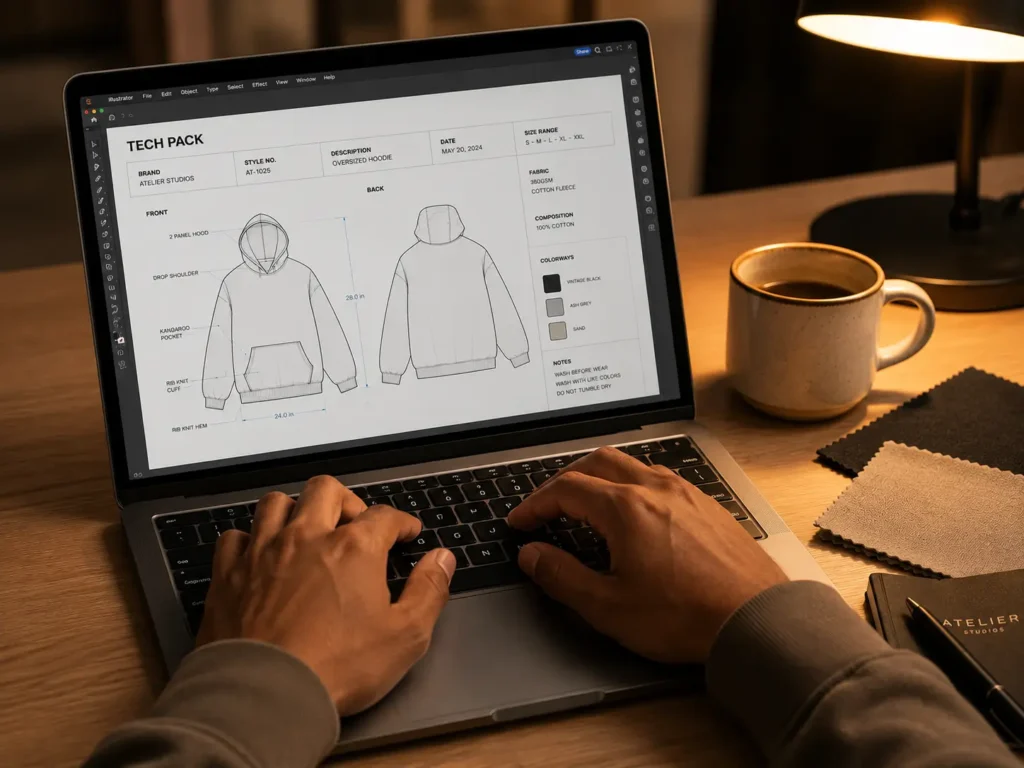
- Tech packs — Detailed specification documents that include measurements, construction details, colorways, stitching callouts, and material specs. These are non-negotiable for working with any overseas or domestic factory.
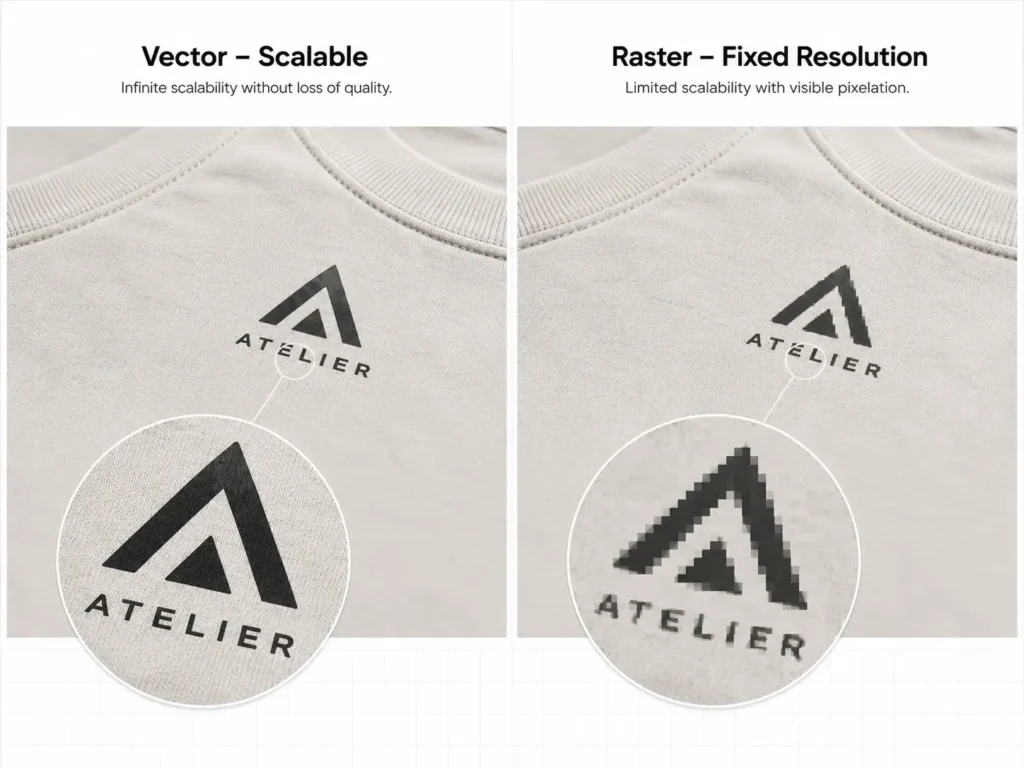
- Vector files (.AI or .EPS) — Scalable graphics that don’t lose quality at any size, used for printing screens, embroidery digitizing, and cut-and-sew patterns.
- High-resolution print-ready graphics — Typically 300 DPI or higher, in CMYK color mode for accurate color matching.
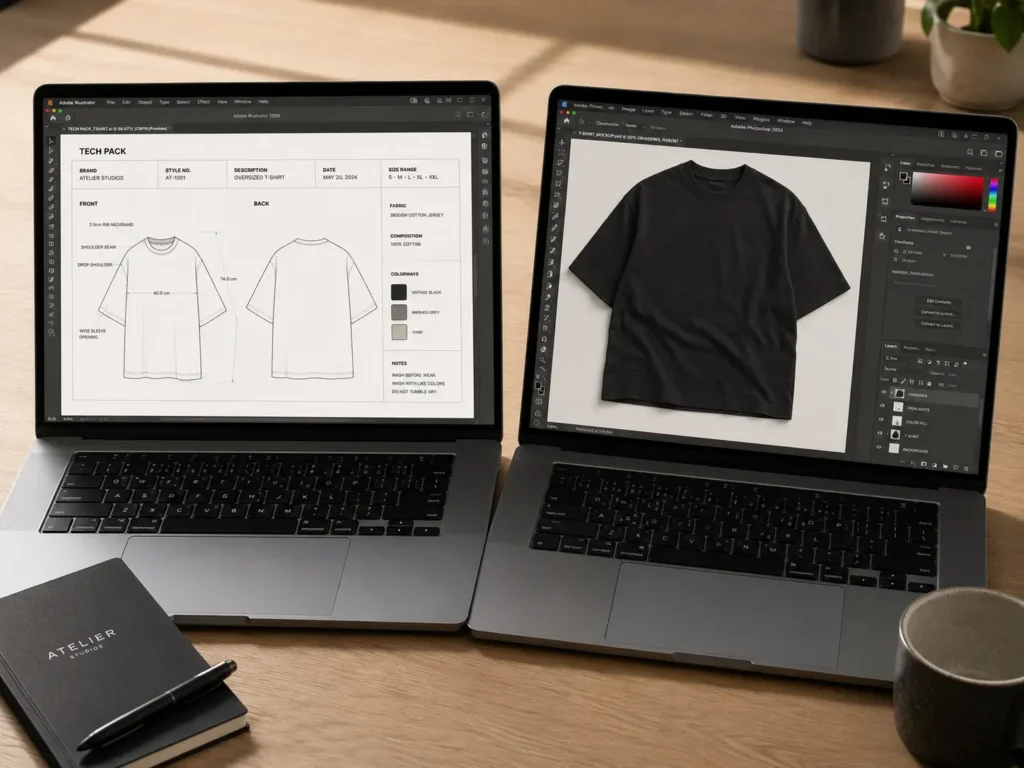
There’s also an important distinction between designing for production and designing for marketing. Your Instagram mockup needs to look beautiful on a phone screen (RGB, lower resolution is fine). Your factory file needs to be vector-based, dimensionally accurate, and formatted to industry standards.
💡Pro Tip: Don’t send PNG mockups to your manufacturer for production. Always use Adobe Illustrator for fashion brands to create precise, vector-based Tech Packs. A pretty Instagram image will get you a confused email from your factory, not a sample.
While professional software is the standard, the good news is this: you don’t need to master it from scratch. Knowing what software to use and having the right starting point (like a pre-built template) is more than enough to get your first designs to a manufacturer.
Adobe Illustrator vs. Photoshop: Which One Does What?
This is the question every new clothing brand owner asks. Both are Adobe products, both are industry standard, and both are absolutely necessary — but for completely different reasons.
Adobe Illustrator for Fashion Brands: The Production Tool
Adobe Illustrator is a vector-based design program. That means everything you create is built from mathematical equations, not pixels. You can resize a vector graphic from a postage stamp to a billboard without losing a single edge.
This makes Adobe Illustrator for fashion brands the go-to for:
- Building tech packs with precise measurements and callout layers
- Creating flat sketches of garment construction
- Developing repeat patterns for all-over-print designs
- Producing print-ready files for screen printing and DTG
Factories require vector files because they use them to build printing screens, create embroidery files, and establish cut lines. A non-vector file — no matter how good it looks on your laptop — creates technical problems on the production floor.
Photoshop for Clothing Mockups: The Marketing Tool
Adobe Photoshop is a raster-based program, meaning it works with pixels. It excels at realistic textures, lighting effects, and photo manipulation — which is exactly why Photoshop for clothing mockups is the industry standard for marketing.
Using smart objects in Photoshop, you can drop your design onto a high-quality garment photo with realistic fabric texture, natural folds, and lighting. The result looks like a real product photo before you’ve manufactured a single piece.
Use Photoshop for:
- Creating lifestyle mockups for your website and social media
- Designing branded lookbooks and catalogs
- Editing product photography
- Presenting colorway variations to potential buyers
The Honest Problem
Both programs have a steep learning curve. Adobe Illustrator alone has a documented mastery curve of 200+ hours for beginners. Photoshop requires solid knowledge of layers, smart objects, masking, and color management to produce professional results.
For a brand owner whose real job is building a business — not becoming a designer — that time investment can stall your launch by months.
Comparison Table: Learning From Scratch vs. Using S.i. Graphics Templates
| Feature | Learning From Scratch | S.i. Graphics Tech Pack Templates | S.i. Graphics Mockup Templates |
|---|---|---|---|
| Software Used | Adobe Illustrator | Adobe Illustrator | Adobe Photoshop |
| Main Purpose | Production / Tech Packs | Production / Tech Packs | Marketing / Mockups |
| Learning Curve | ✗ 200+ hours | ✓ Open and edit immediately | ✓ Drop-in smart objects |
| Manufacturer Ready | ✓ (after mastering) | ✓ Pre-formatted out of the box | ✗ (mockups are for marketing) |
| Time to First Usable File | Weeks to months | Same day | Same day |
| Design Degree Required | ✗ Recommended | ✓ No — templates do the heavy lifting | ✓ No — smart objects handle placement |
| Cost | $54.99/month (Adobe CC) | One-time template cost | One-time template cost |
Top 7 Essential Software & Tools for Starting a Clothing Brand
Here’s every tool you need — ranked by where they fit in your workflow, from production to marketing to practical shortcuts.
1. Adobe Illustrator — The Industry Standard for Production
Brief description: Adobe Illustrator is the backbone of professional apparel design. Every serious fashion brand, from solo startups to Fortune 500 labels, uses Illustrator to create the vector files manufacturers require. If you’re going to invest time in learning any software for starting a clothing brand, this is it.
Price: Included in Adobe Creative Cloud — from $54.99/month (All Apps plan) or $22.99/month (Illustrator only). No one-time purchase option.
Used for in clothing design: Tech packs, flat sketches, vector logos, repeat patterns, print-ready production files, color separation, and apparel line sheets.
Best for: Brand owners planning to work closely with manufacturers, freelance fashion designers, or anyone building a long-term apparel career.
If you’re new to tech packs, see our complete guide to fashion tech packs for a beginner-friendly breakdown of what they contain and how they communicate your design to a manufacturer.
Pros:
- ✓ Universal industry standard — accepted by every factory worldwide
- ✓ Infinitely scalable vector files for any print size
- ✓ Precise measurement and dimension tools for tech packs
- ✓ Robust type tools for labels, tags, and branding
- ✓ Industry-compatible file exports: .AI, .EPS, .PDF, .SVG
Cons:
- ✗ Steep learning curve — realistically 3–6 months to create competent tech packs
- ✗ Monthly subscription costs add up quickly for early-stage brands
2. Adobe Photoshop — The Industry Standard for Marketing
Brief description: While Illustrator handles production, Photoshop for clothing mockups handles everything your customers actually see. It’s the gold standard for creating realistic product visuals, lifestyle imagery, and polished marketing assets that convert browsers into buyers.
Price: Included in Adobe Creative Cloud — $54.99/month (All Apps) or $22.99/month (Photoshop only).
Used for in clothing design: Clothing mockups with realistic fabric texture, lifestyle product photography editing, lookbook design, Instagram content, and color variant presentations.
Best for: Brand owners focused on marketing, e-commerce product presentation, and social content creation.
For more guidance on choosing garment templates for professional product presentation, see our guide to the best clothing mockups for fashion designers.
Pros:
- ✓ Unmatched photo editing and compositing tools
- ✓ Smart object technology allows non-destructive design placement
- ✓ Realistic lighting and texture rendering for fabric mockups
- ✓ Works with professional PSD template files
- ✓ Industry-standard for all visual media
Cons:
- ✗ Mastering lighting, smart objects, and layer management takes significant time
- ✗ Easy to produce amateur-looking results without proper technique
3. S.i. Graphics Adobe Illustrator Tech Pack Template — Best Bridge for Non-Designers
Brief description: This is the single most practical tool for any non-designer starting a clothing brand. The S.i. Graphics Tech Pack Template is a professionally pre-formatted Adobe Illustrator file built to industry manufacturing standards. Instead of learning Illustrator from a blank canvas, you open a ready-to-use file with measurement charts, callout layers, size grids, and construction detail sections already in place.
Price: One-time purchase at $14.99
Used for in clothing design: Sending complete, manufacturer-ready tech packs to factories without needing a design background. Directly answers what Adobe Illustrator for fashion brands requires in a production context.
Best for: Brand owners who need to send files to a manufacturer now, startups launching on a timeline, and anyone who wants professional output without the software learning curve.
Pros:
- ✓ Pre-formatted to meet manufacturer requirements out of the box
- ✓ Completely bypasses the Illustrator learning curve — no tutorials required
- ✓ Includes measurement charts, construction callouts, and size grading grids
- ✓ Lifetime access — pay once, use on every style you ever design
- ✓ Saves an estimated 40+ hours compared to building from scratch
Cons:
- ✗ Requires Adobe Illustrator (subscription) to open and edit
- ✗ Not a substitute for learning Illustrator if you plan to work as a designer
💡Pro Tip: Manufacturers in China, Bangladesh, and Portugal will all expect your tech pack to include the same core components: a flat sketch, a BOM (bill of materials), measurement spec chart, and colorway callouts. This template has all of it pre-built.
4. S.i. Graphics Clothing Mockups Starter Pack — Best Workflow Shortcut
Brief description: The Clothing Mockups Starter Pack takes the technical complexity out of Photoshop for clothing mockups. Each file uses smart objects — meaning you simply double-click a layer, paste your design, and Photoshop automatically wraps it around the garment with realistic fabric texture, folds, and lighting already applied. No lighting knowledge required.
Price: One-time purchase at $14.99
Used for in clothing design: Creating professional e-commerce product images, social media content, lookbook visuals, and pitch presentations — without a photo studio or professional photographer.
Best for: Print-on-demand sellers, DTC clothing brands building a Shopify store, and brand owners who want polished product images before manufacturing.
Pros:
- ✓ Smart object workflow — drag, drop, done
- ✓ Professional lighting and shadows pre-applied
- ✓ Multiple garment styles and colorways included
- ✓ Instantly bridges the Photoshop for clothing mockups learning curve
- ✓ Lifetime access with one-time cost
Cons:
- ✗ Requires Adobe Photoshop to use
- ✗ Not a substitute for actual product photography in later brand stages
5. Canva or Procreate — Best for Brainstorming
Brief description: Canva and Procreate are popular, beginner-friendly tools that many new brand owners start with. Canva is browser-based and great for social graphics. Procreate is an iPad drawing app with a natural sketching feel. Both are genuinely useful — just not for the same things as Illustrator and Photoshop.
Price: Canva Free tier available; Canva Pro is $15/month. Procreate is a one-time purchase of $12.99 on the App Store.
Used for in clothing design: Mood boards, social media graphics, brainstorming sessions, initial design concepts, and label artwork drafts.
Best for: Early-stage brand owners fleshing out concepts, non-designers exploring their visual direction, and social media content creation.
Pros:
- ✓ Extremely beginner-friendly with minimal learning curve
- ✓ Canva has thousands of ready-made templates for social content
- ✓ Procreate feels natural for hand-drawn concept sketches
- ✓ Very affordable entry points
Cons:
- ✗ Cannot produce manufacturer-ready tech packs — factories will reject these files
- ✗ Canva’s export quality is not suitable for screen printing or embroidery
6. S.i. Graphics Designer Bundle — Most Comprehensive Toolset
Brief description: The Designer Bundle is the complete package for brand owners who want everything in one place. It combines the Tech Pack Template and Mockup Starter Pack with additional assets and resources that cover the full design-to-market workflow. This is the shortcut to using Adobe Illustrator and Photoshop professionally without going to design school.
Price: One-time purchase at $54.99
Used for in clothing design: End-to-end clothing brand design workflow — from creating production-ready tech packs in Illustrator to finalizing marketing mockups in Photoshop.
Best for: Serious brand founders who want a complete toolkit from day one, entrepreneurs launching a full collection, and anyone who wants to maximize the value of their Adobe Creative Cloud subscription.
Pros:
- ✓ Most comprehensive option — covers production AND marketing
- ✓ Best value for the investment compared to buying templates individually
- ✓ Everything formatted to industry standards
- ✓ Lifetime access with one-time purchase
- ✓ Directly enables effective use of both Adobe Illustrator for fashion brands and Photoshop for clothing mockups
Cons:
- ✗ Requires both Adobe Illustrator and Photoshop subscriptions
- ✗ More investment upfront than buying single templates
7. Affinity Designer — Best Budget Software Alternative
Brief description: Affinity Designer is the most credible alternative to Adobe Illustrator on the market. It handles vector graphics competently, has a one-time purchase price, and no monthly subscription. For budget-conscious brand owners who need vector capability without the Adobe commitment, it’s worth knowing.
Price: One-time purchase — approximately $69.99 for the desktop version. No subscription required.
Used for in clothing design: Vector illustration, basic flat sketch creation, logo design, and simple graphic files for apparel production.
Best for: Budget-conscious early-stage brand owners, designers who want to avoid subscriptions, and independent artists branching into apparel.
Pros:
- ✓ One-time cost — no ongoing subscription
- ✓ Solid vector tools comparable to Illustrator for many use cases
- ✓ Compatible with .AI and .EPS file imports
- ✓ Growing community and tutorial library
Cons:
- ✗ Not as widely recognized as industry standard — some manufacturers may request native Illustrator files
- ✗ Fewer specialized fashion design resources and templates available compared to Adobe ecosystem
How to Overcome the Software Learning Curve
The biggest mistake new brand owners make is spending three months learning software instead of launching their brand. Here’s a decision framework to help you figure out which path is right for you.
Your Two Main Variables
1. Time budget: How much time do you have before you need to send files to a manufacturer or launch your store?
2. Financial budget: Can you afford to hire a freelance tech pack designer ($200–$500 per style) or buy professional templates (one-time cost)?
The Decision Framework
Choose to learn software from scratch if:
- ✓ You have 3–6 months before your first collection launch
- ✓ You want a career as a freelance fashion designer or tech pack developer
- ✓ You’re building an in-house design department
- ✓ You plan to design dozens of styles per season long-term
Choose professional templates if:
- ✓ You are a brand owner focused on building a business, not mastering software
- ✓ You need to send files to a manufacturer in the next few weeks
- ✓ You want to ensure industry-standard formatting without the guesswork
- ✓ You’re validating your first styles before committing to a full design education
- ✓ You want to make the most of your Adobe subscription from day one
How Templates Work as a Bridge
Templates don’t bypass the software entirely — you still open them in Illustrator or Photoshop. What they bypass is the blank canvas problem: the terrifying experience of opening professional software with no idea where to start.
With a pre-built Tech Pack Template, every section is already labeled, every measurement field is formatted, and every callout layer is ready to customize. You’re editing, not building. That difference alone saves most brand owners 40+ hours of trial and error.
The same logic applies to mockups. A Clothing Mockups Starter Pack with editing vector means you place your artwork into an Adobe Illustrator file and it instantly renders with realistic fabric and lighting — no compositing skills required.
Frequently Asked Questions About Software for Starting a Clothing Brand
Do I need to be a graphic designer to start a clothing brand?
No. You need a clear brand vision, a target customer, and the right tools. The technical design execution — creating manufacturer-ready files and professional mockups — can be handled with professional templates even if you’ve never opened Illustrator before. Many successful clothing brands were launched by entrepreneurs with zero design background who used pre-formatted templates to bridge the gap.
What is Adobe Illustrator used for in fashion brands?
Adobe Illustrator for fashion brands is used to create vector-based production files. Specifically: tech packs with measurement spec charts and construction callouts, flat sketches of garments, repeat patterns for printing, and scalable graphics for embroidery or screen printing. Manufacturers require vector files because they can be scaled without quality loss and converted into the printing screens and cutting files used on the factory floor.
Why use Photoshop for clothing mockups?
Photoshop for clothing mockups works because it’s a raster-based editor that excels at photo-realistic rendering. Using smart objects, you can place your flat design artwork onto a high-quality garment photo and the software wraps it around the fabric with accurate shadows, folds, and texture. The result looks like a real product photo — ideal for your website, social media, and pitch decks before you’ve manufactured a single unit.
Can I use Canva instead of Adobe software?
For social media graphics and mood boards, Canva is a useful tool. For actual clothing production, no. Canva exports low-resolution raster files that factories cannot work with. It has no vector capabilities, no measurement tools, and no file formats compatible with manufacturer requirements. If you send a Canva file to a factory, expect confusion. Use Canva for Instagram content; use Illustrator or a professional Tech Pack Template for manufacturing.
How do tech pack templates save time?
A tech pack template saves time because all the hard structural work is already done. The measurement chart is formatted. The callout layers are organized. The size grading grid is set up. The BOM (bill of materials) section is pre-built. You fill in your specific details instead of building an industry-standard document from scratch. For a first-time brand owner, this can reduce a 20–40 hour project to a few focused hours of editing.
What file formats do clothing manufacturers require?
Most clothing manufacturers require: .AI (native Illustrator) or .EPS for vector production files, .PDF (vector-based) for tech packs and spec sheets, and high-resolution .PNG or .TIFF (minimum 300 DPI, CMYK color mode) for print graphics. Never send .JPEG for production art — the compression artifacts create quality issues. Never send files in RGB color mode for physical printing; always convert to CMYK.
How much does fashion design software cost?
Adobe Creative Cloud (All Apps, which includes Illustrator and Photoshop) costs approximately $54.99/month. Illustrator alone is $22.99/month, and Photoshop alone is $22.99/month. Affinity Designer offers a one-time purchase at approximately $69.99 as a budget alternative. Professional templates like the S.i. Graphics Designer Bundle are a one-time cost that helps you maximize the value of your Adobe subscription immediately.
Do I need an iPad or drawing tablet to design clothing?
Not strictly. A drawing tablet (like a Wacom, starting around $80) is useful for sketching in Procreate or Photoshop, but it’s not required to build professional tech packs or mockups. Most software for starting a clothing brand works fine with a standard mouse and keyboard — especially when you’re working from pre-built templates where the heavy lifting is already done. If you want to create freehand illustrations or custom art, a tablet becomes more valuable.
What’s the difference between a vector file and a raster file?
A vector file (used in Illustrator) is built from mathematical paths and shapes. It can be scaled to any size without losing quality. A raster file (used in Photoshop) is built from pixels. Zoom in far enough and it becomes blurry. For manufacturing, always use vector. For screen display and marketing, raster is acceptable — and often preferred for photo-realistic results.
Do I need multiple software programs or just one?
Realistically, you need both Illustrator and Photoshop for a complete clothing brand workflow. Illustrator handles everything production related. Photoshop handles everything visual and marketing related. Adobe’s Creative Cloud subscription gives you access to both. If budget is a concern, prioritize Illustrator first (for manufacturer requirements), then add Photoshop when you’re ready to build your marketing assets.
Conclusion: Your Roadmap for Starting a Clothing Brand with the Right Software
Now you know exactly what software for starting a clothing brand you need. Adobe Illustrator and Photoshop are the industry standards, and there’s no shortcut around using them. But there is absolutely a shortcut around having to master them from scratch.
Once you have the right tools, the next step is putting them into a complete launch process. See our complete guide to starting a streetwear brand in 2026 for the full roadmap.
Key takeaways:
- Adobe Illustrator is the production standard — factories require vector files, tech packs, and scalable graphics.
- Adobe Photoshop is the marketing standard — smart object mockups and lifestyle visuals drive customer decisions.
- The learning curve is real, but templates eliminate the blank-canvas problem and get you to manufacturer-ready files the same day.
- Your budget as a brand owner is better spent building your brand than building Illustrator skills from zero.
Ready to fast-track your clothing brand? Start with what you actually need right now:
- → Adobe Illustrator Tech Pack Template — Send manufacturer-ready tech packs this week.
- → Clothing Mockups Starter Pack — Create professional product images before you manufacture a single piece.
- → Complete Designer Bundle — Everything you need to go from concept to launch.
Your future customers are waiting. Start designing today.